Quick Facts
- Cooling Performance: Identical in both ps5 horizontal or vertical positions.
- Minimum Clearance: 10cm / 4 inches from all sides and walls to ensure airflow efficiency.
- Mandatory Accessory: The official stand must be used in both orientations to provide console stability.
- Disc Slot Marker: Should be bottom-left when horizontal or bottom-right when vertical.
- Surface Type: Use hard, flat surfaces only to prevent ps5 vertical or horizontal overheating.
- Model Specifics: Slim and Pro models require different hardware for vertical placement.
Choosing between a ps5 horizontal or vertical orientation is a matter of space and aesthetic preference, as both offer equal cooling. This guide ensures your console is positioned correctly using the official stand and proper ventilation clearance to avoid overheating. While rumors regarding liquid metal leaks in vertical placements circulated online, Sony designs the console for both orientations without risk to hardware, provided you use the designated mounting hardware and maintain the 10cm rule for airflow.
Horizontal vs. Vertical: Which is Better for Your Setup?
In my years of testing gaming hardware, the PlayStation 5 remains one of the most uniquely shaped consoles we have ever seen at the office. Its curved, futuristic silhouette is striking, but it presents a practical challenge for the average gamer: how do you actually stand it up? Many users struggle with the ps5 horizontal or vertical choice, often letting their TV stand dimensions dictate the answer.
The consensus among hardware engineers is that there is no measurable difference in cooling performance between the two positions. The massive 120mm intake fan pulls air from the top (or side, if horizontal) and exhausts it through the back regardless of how the unit sits. However, the ps5 slim vertical or horizontal debate often brings up the infamous liquid metal cooling controversy. Social media reports once suggested that gravity could cause the liquid metal thermal interface material to leak if the console was left vertical. Sony has clarified that their seal is airtight and designed for vertical use. For the enthusiasts worried about the ps5 pro vertical or horizontal longevity, rest assured that the internal hardware is anchored to prevent any migration of thermal materials.
Space efficiency is the primary driver for most setups. Standing the console vertically saves significant desk real estate, making it look like a monolithic piece of art. Conversely, placing it horizontally is often safer if you have pets or children, as the lower center of gravity makes it much harder to knock over. If you have the space, ps5 horizontal or vertical which is better often comes down to accessibility.

How to Setup PS5 Horizontal: Avoiding the Upside-Down Mistake
It sounds silly until it happens to you, but setting up the console upside down is a surprisingly common error. Even Sony made this mistake when they released and subsequently deleted a promotional video in 2021 that showed the console in an inverted horizontal position. To verify if your PS5 is upside down, check the optical drive orientation. When horizontal, the disc slot should always be at the bottom-left of the unit.
For the original CFI-1000 model, you must use the circular base. To attach it for horizontal use, you need to rotate the base so that the internal compartment is closed. Look for the side panel icons—the iconic square, circle, triangle, and X—etched into the inner back panel. Align the stand hooks with these symbols and press firmly. This creates a secure base plateau that prevents the console from wobbling on its curved plates.
If you own a newer version, the PlayStation 5 Slim models feature two specific slots designed for feet to assist the console in lying horizontally. These clear plastic "kickstands" slide into the gap between the middle and lower panels. Attempting to use a ps5 horizontal without stand is a major mistake; without those feet or the base, the console will rest directly on its intake vents, leading to a quick thermal shutdown.
Vertical Orientation Guide: Securing the Stand and Base Screw
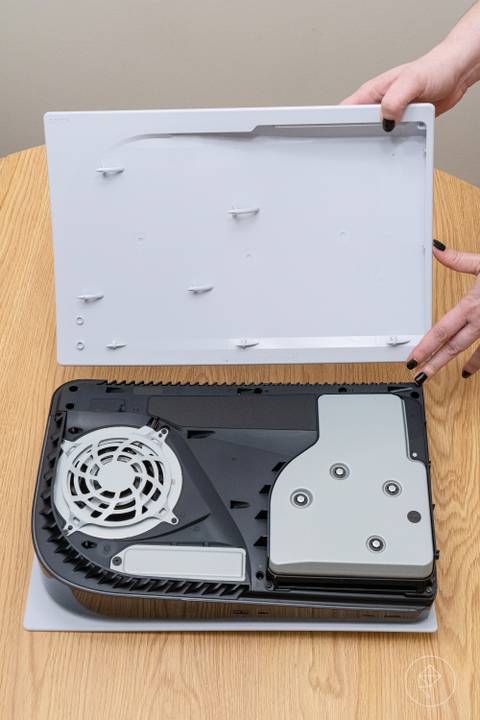
Setting up a vertical PS5 requires a bit more mechanical work, especially for the original launch model. The first step for the OG console is to locate the base plate screw, which is hidden in a clever storage compartment within the stand itself. Rotate the stand to reveal the screw and a small plastic plug. This plug is meant to be inserted into the screw hole at the bottom of the console once you remove the foot piece.
Stand Compatibility and Model Differences
| Feature | Original PS5 (CFI-1000/1100/1200) | PS5 Slim / Pro (CFI-2000) |
|---|---|---|
| Stand Included | One universal stand for both positions | Horizontal feet only included |
| Vertical Stand | Screw-mount (Included) | Accessory sold separately |
| Locking Mechanism | Side plate hooks + Screw | High-friction ring + Screw |
| Hidden Compartment | Yes (for screw and plug) | No (screw comes in box) |
For those wondering how to attach vertical stand to ps5 on the Slim or Pro models, the process has changed. Sony moved away from the hook system in favor of a heavy, circular metal-trimmed stand (CFI-ZVS1P). You simply place the console onto the stand and tighten the central screw into the base. Always ensure the disc tray placement is toward the bottom-right of the unit when it stands upright. If the slot is near the top, you have it upside down, and your discs will not read properly.
Preventing PS5 Overheating & Hardware Maintenance
The PlayStation 5 was released in November 2020 with a heavy focus on thermal management. To keep yours running quietly, you must respect the ventilation clearance.
The 10cm Rule: Always maintain at least a 10cm (4-inch) gap between every side of the console and any walls or cabinet surfaces. Placing the console in a tight cubby-hole will cause it to recirculate its own hot exhaust, leading to hardware failure.
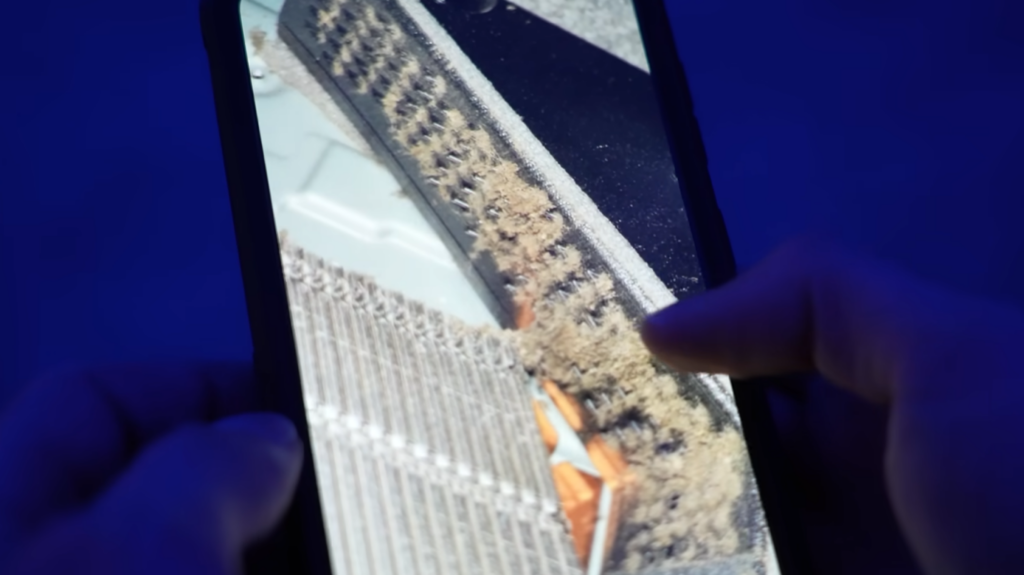
When the console is tucked away, airflow efficiency drops significantly. I recommend cleaning the interior every six months. After removing the side panels, you will see two holes—these are the dust catchers. Sony specifically designed these so you can use a low-powered vacuum to suck out accumulated debris without dismantling the whole machine.

One often overlooked aspect of hardware maintenance is the internal fan positioning. If you hear a loud grinding noise, it may be because the stand is not secured tightly, causing the console to vibrate against the shelf. Furthermore, if you’ve added an M.2 SSD, ensure it has a proper heatsink. The orientation-related airflow in the expansion slot is slightly more restricted than the main APU, so a heatsink is mandatory for long-term stability.
Regularly vacuuming the dust ports will keep the cooling system efficient regardless of your console's orientation. Watch out for the screw hole cover if you frequently switch between vertical and horizontal; it is a tiny plastic piece that is very easy to lose.
FAQ
Is it better to keep PS5 vertical or horizontal?
Neither is objectively better for the health of the hardware. Sony has designed the console to operate at peak efficiency in both positions. Your choice should be based on your furniture, shelf height, and whether you prefer the look of the monolithic vertical tower or the wider horizontal profile.
Does PS5 overheat less when horizontal?
There is no significant temperature difference between the two orientations. As long as you maintain the 10cm clearance from walls and use the official stand to keep the vents clear, the internal temperatures remain well within safe operating limits in either position.
What happens if I put my PS5 horizontally?
If you place it horizontally without the stand, the console will be unstable and could scratch your furniture or the side plates. If positioned correctly with the stand and with the disc drive at the bottom-left, it will function perfectly and may actually be safer from accidental tips or falls.
What's the best position to put your PS5 in?
The best position is any hard, flat surface where the console has ample breathing room. Do not place the console on a carpet or inside a closed glass cabinet, as these environments trap heat and can lead to thermal throttling regardless of orientation.
Is it okay to put PS5 vertical without stand?
No, it is highly discouraged. The bottom of the PS5 is not perfectly flat, and it contains air intake gaps. Without the stand, the console is prone to falling over, and the airflow into the bottom section of the fan may be restricted, which could lead to ps5 vertical or horizontal overheating over time.