Quick Facts
- 2025 Impact: Over 52.5 billion robocalls were received by Americans, marking a persistent challenge for mobile privacy.
- Best Free Method: Native operating system features like Silence Unknown Callers on iOS and Call Screen on Android remain the most effective zero-cost solutions.
- Carrier Protection: T-Mobile Scam Shield, AT&T ActiveArmor, and Verizon Call Filter offer powerful network-level filtering to catch scams before they ring.
- Legal Leverage: Violations of the Telephone Consumer Protection Act (TCPA) can carry penalties of up to $10,000 per illegal call.
- User Behavior: Recent surveys indicate that 40% of Americans now refuse to answer any call from an unknown number to avoid potential fraud.
- Global Security: In early 2026, the global DMARC pass rate for email traffic reached approximately 89%, signaling a broader push for authentication that is now moving into the telecommunications sector.
To stop spam calls permanently, implement a layered defense: enable native smartphone features such as iPhone's Silence Unknown Callers or Android's Call Screen, activate carrier-provided services from providers like Verizon, AT&T, or T-Mobile, and register with the National Do Not Call Registry to filter legitimate telemarketers from illegal scammers. By combining these digital barriers with 2026-era AI screening, you can effectively how to stop spam calls from disrupting your daily life.
The phone in your pocket has become a primary target for sophisticated social engineering. While we have seen a 65% reduction in unauthenticated messages reaching major email providers due to stricter security requirements, the voice channel remains a vulnerable "open door." In my years as a mobile editor, I have seen the evolution of caller id spoofing and automated dialers move from mere annoyances to high-stakes phishing attempts. Today, simply ignoring the phone is no longer enough; you need a proactive security protocol.
Layer 1: Native OS Security Features (iOS & Android)
The first line of defense costs nothing and is already built into your device. Both Apple and Google have invested heavily in AI-driven fraud protection to help you reclaim your peace of mind. For many users, these settings alone provide a sufficient shield against the majority of robocalls.
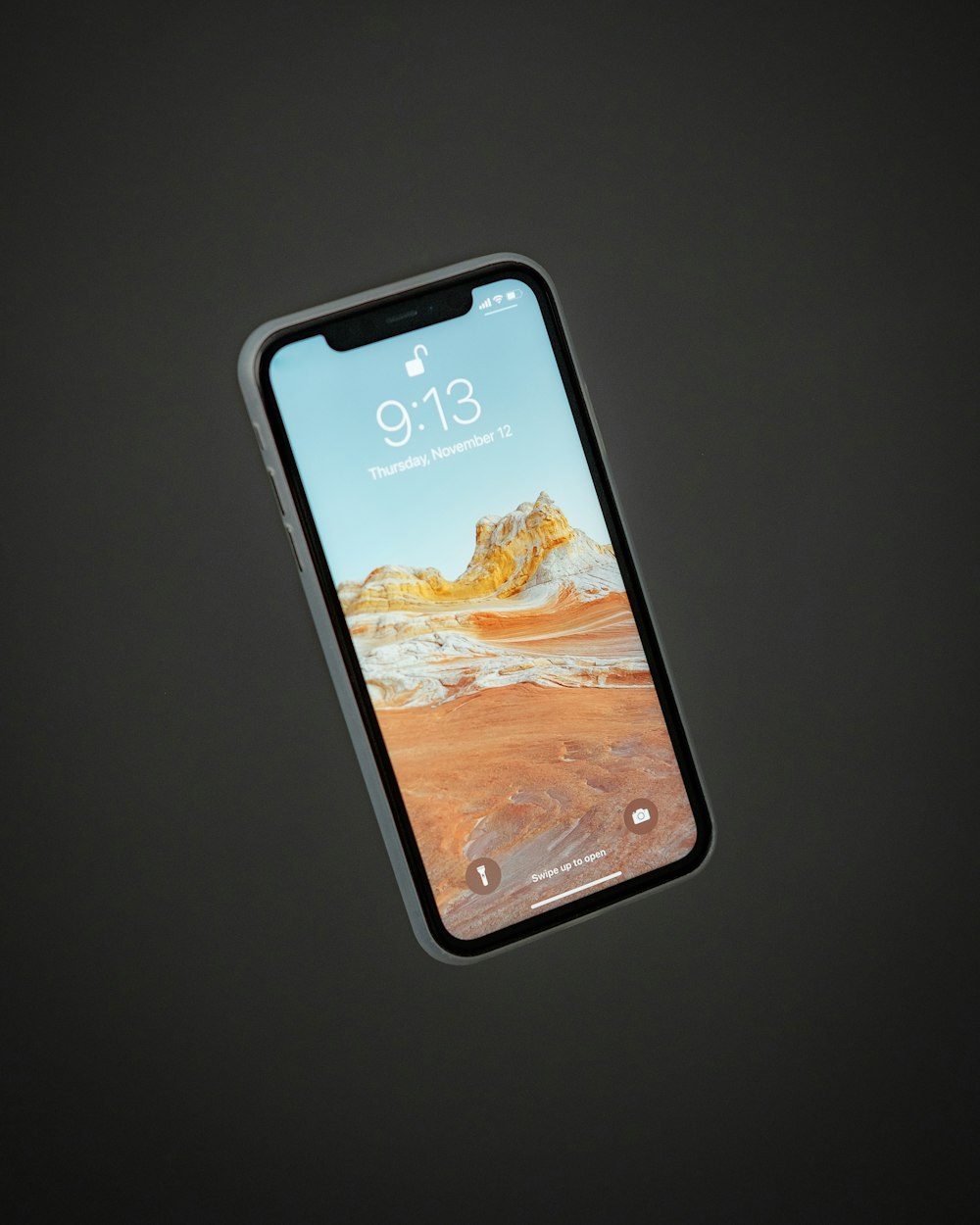
On an iPhone, the most powerful tool at your disposal is Silence Unknown Callers. This feature uses Siri intelligence to allow calls from numbers found in your Contacts, Mail, and Messages to ring through, while sending everything else directly to voicemail.
How to stop spam calls on iphone:
- Open the Settings app.
- Scroll down and tap Phone.
- Tap Silence Unknown Callers.
- Toggle the switch to On.
When this is active, you will still see the silenced calls in your Recents list, and if a legitimate caller leaves a voicemail, you will get a notification. This is the gold standard for how to stop spam calls iphone users can implement in seconds.
Android users have an even more sophisticated option called Call Screen, particularly on Google Pixel devices. Instead of just silencing the call, Google Assistant answers for you, asking the caller who they are and why they are calling. You see a real-time transcript of the conversation and can choose to take the call or drop it.
How to stop spam calls on android for free:
- Open the Phone app.
- Tap the three dots (More) in the top right corner and select Settings.
- Tap Spam and Call Screen.
- Ensure See caller and spam ID is turned on.
- Tap Call Screen and select the level of protection (e.g., Automatically screen; decline robocalls).
This feature is a game-changer for those wondering how to stop spam calls android users have available natively. It utilizes the Google database to identify suspected fraud protection threats before your phone even vibrates. By early 2026, these systems have evolved to include pre-connect verification, where the phone's hardware checks for digital signatures before allowing the connection to establish.
Layer 2: Mobile Carrier Protection (The Network Filter)
While OS settings protect the device, carriers protect the network. Major US telecommunications companies have implemented the STIR/SHAKEN framework, a set of technical standards designed to reduce caller id spoofing by verifying that a call is actually coming from the number displayed.
Most carriers offer a free version of their security software, but they often reserve advanced features for a monthly subscription. Here is how the big three compare:
| Carrier | Primary App | Free Features | Paid Features ($2-$4/mo) |
|---|---|---|---|
| T-Mobile | Scam Shield | Scam Block, Caller ID | Reverse number lookup, Block categories |
| AT&T | ActiveArmor | Auto-fraud block, Spam labeling | Identity monitoring, Public Wi-Fi protection |
| Verizon | Call Filter | Spam detection, Neighborhood filter | Caller ID+, Personal block list, Risk meter |
In my testing, T-Mobile Scam Shield offers the most robust free tier, often catching "Scam Likely" calls before they hit the phone. Verizon Call Filter is excellent for those dealing with "neighborhood spoofing," where scammers use your local area code to trick you. For those asking how to stop insurance spam calls specifically, carrier apps are particularly effective because they can flag entire categories of known telemarketing behavior at the source.
If you find that your number has been compromised and the volume of calls is unmanageable, T-Mobile offers a free annual number change feature as part of their scam protection suite. It is a nuclear option, but for some, it is the only way to reset their personal data privacy.
Layer 3: Third-Party Apps for Advanced Disruption
If native settings and carrier tools aren't enough, third-party apps provide the "heavy artillery" of the security protocol. These apps use massive, crowdsourced databases to identify scammers in real-time. This is often the best solution for how to stop spam calls and texts simultaneously, as these apps can filter both voice and SMS channels.
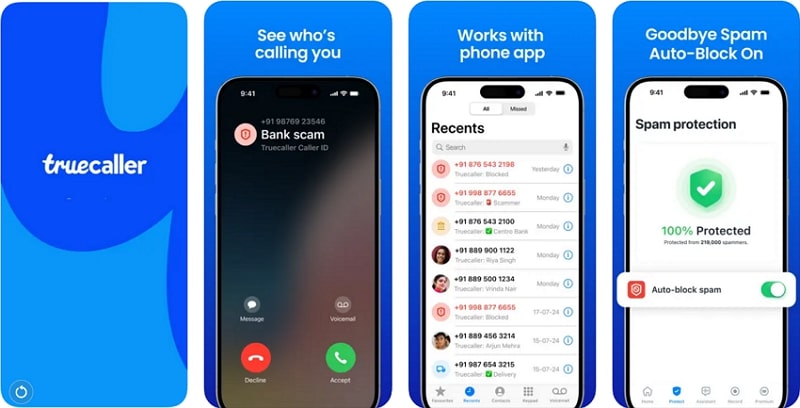
Truecaller is perhaps the most famous example. It relies on a community of over 350 million users who report spam numbers instantly. When a call comes in, Truecaller checks it against this global database.
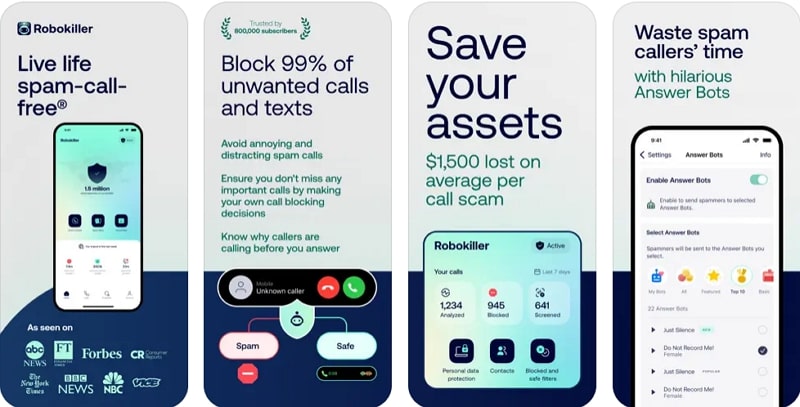
Another personal favorite is RoboKiller. This app doesn't just block calls; it fights back. It uses AI answer bots to pick up the call and waste the scammer's time with pre-recorded, often hilarious, conversational loops. This is specifically designed to disrupt the economics of automated dialers by keeping their lines busy with non-productive calls.
Top Third-Party Recommendations:
- Truecaller: Best for global caller identification and blocking phishing links in texts.
- RoboKiller: Best for aggressive disruption of robocalls using AI bots.
- YouMail: Best for professional users, as it can play a "Number Disconnected" tone to scammers to get your number removed from their lists.
When considering these apps, be aware of the trade-off with personal data privacy. To work effectively, these apps often require access to your contacts to ensure they don't block people you know. Always read the privacy policy before granting full system access.
Layer 4: Legal Recourse and Registration
The final layer of the 2026 Security Protocol involves utilizing the legal frameworks designed to protect consumers. While scammers operating from overseas often ignore these laws, legitimate domestic telemarketing companies are required to comply.
First, ensure your number is registered with the National Do Not Call Registry. This is a free service provided by the FTC. While it won't stop a criminal in another country, it significantly reduces the number of "legitimate" sales calls you receive.
How to register and report:
- Visit DoNotCall.gov and enter your mobile number.
- Check your registration status if you signed up years ago; it does not expire, but it is good to verify.
- If you continue to receive illegal calls after 31 days of registration, you should how to report spam calls to ftc via their online complaint assistant.
The FTC takes these reports seriously. In the current legal climate, companies found in violation of the TCPA can face massive class-action lawsuits and federal fines. Reporting doesn't just help you; it provides the data the government needs to track down and prosecute the operators of automated dialers.
It is a sobering reality that approximately 90% of all cyber incidents globally begin with a phishing email, and voice phishing (vishing) is the natural evolution of this trend. By reporting these calls, you contribute to a safer ecosystem for everyone.
FAQ
How do I stop spam calls permanently?
Stopping spam calls permanently requires a multi-layered approach rather than a single "silver bullet" setting. You must combine native OS tools like Silence Unknown Callers, carrier-level network filtering such as T-Mobile Scam Shield, and legal registration on the National Do Not Call Registry. While no method is 100% effective against every criminal caller, this combination reduces the volume of calls to near zero for most users.
Why am I suddenly getting so many spam calls?
Sudden spikes in spam calls usually occur after your phone number has been leaked in a recent data breach or sold by a third-party lead generator. Scammers often use automated dialers to "test" batches of numbers to see which ones are active. If you answer one of these calls, your number is flagged as "active" and "responsive," leading to an immediate increase in the frequency of future calls.
Does dialing 662 stop spam calls?
On the T-Mobile network, dialing #662# (hashtag 662 hashtag) is a quick code that enables Scam Block. This tells the carrier to automatically decline calls that the network identifies as likely scams before they even reach your phone. While this is a powerful free tool for T-Mobile customers, it is specific to that carrier and does not apply to AT&T or Verizon users, who have their own app-based toggles.
How to block all spam calls automatically?
The most effective way to block all spam calls automatically is to enable Silence Unknown Callers on iPhone or the "Automatically Screen" feature on Android's Call Screen. These settings act as a digital gatekeeper, only allowing calls from recognized contacts to ring through while silently handling all other incoming traffic. Additionally, using a third-party app like RoboKiller can automate the blocking process using AI-driven community databases.
What is the code to stop spam calls?
There is no universal code that works for every phone and carrier, but there are several specific ones. As mentioned, #662# works for T-Mobile. For most other carriers, the "code" is actually a registration: texting "STOP" to unwanted SMS spam or registering your number via the FTC website. You can also dial *61 to block the last incoming number on many landline services, though this is less effective for mobile users facing spoofed numbers.