Our Top Picks
Knockoff is an essential utility for anyone tired of wading through alphabet-soup brands to find a legitimate product. Its primary goal is to remove visual clutter and decision fatigue caused by nameless brands through a high-precision combination of localized whitelists and pattern recognition. I recommend this extension for any power user who wants to customize amazon search results without sacrificing their personal data or browser performance.
Amazon's marketplace is currently saturated with white-label goods and pseudo-brand junk. The new Knockoff extension offers a powerful amazon brand filter to restore order to your shopping experience. Released in July 2026, this tool helps you block nameless brands on Amazon by identifying unpronounceable strings and trademark-squatting patterns. By leveraging a local database of over 5,000 vetted companies, it effectively manages marketplace saturation to ensure only authentic products reach your eyes.
The Problem: Marketplace Saturation and Pseudo-Brands
If you have tried searching for a mechanical keyboard or a high-wattage power bank on Amazon lately, you have seen the problem. Instead of recognizable names, you are bombarded with listings from brands like "XWYQWE," "JURZAP," or "PLOKMN." These are not real brands in the traditional sense; they are often temporary trademarks registered specifically to flood the marketplace with identical white-label goods. This phenomenon has led to extreme decision fatigue where the buyer has to manually verify every single listing just to find a product with a real warranty and history of quality.
This isn't just a minor annoyance; it’s a systemic shift in how we shop. Recent research highlights the scale of this problem. A 2024 analysis of Amazon search engine result pages (SERPs) found that at least one sponsored result appears before the top organic result in 85% of cases. Furthermore, advertisements comprising nearly 30% of all results in the dataset studied. These ads are frequently the primary delivery method for nameless brands looking to bypass consumer skepticism by paying for top-row visibility.
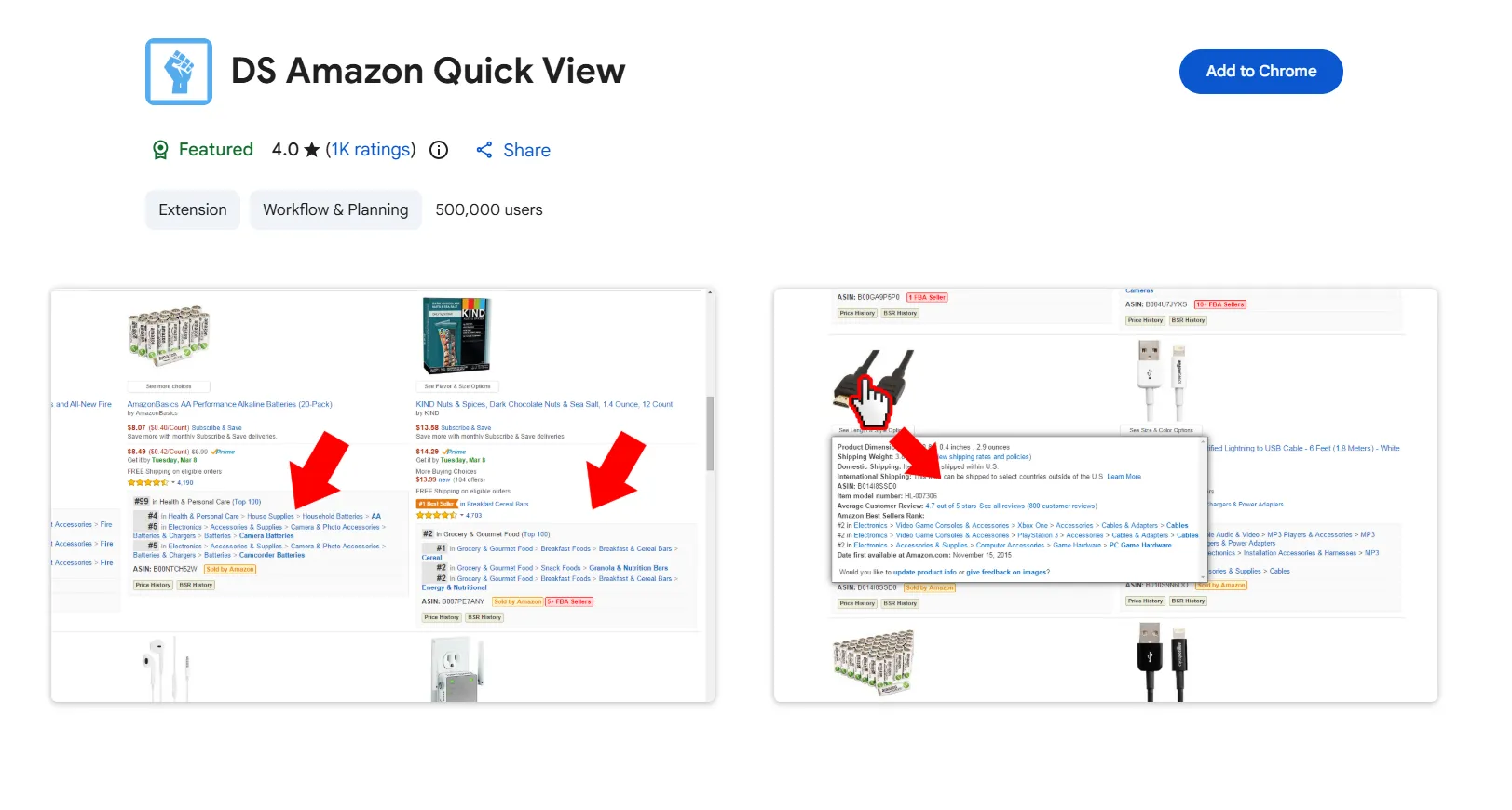
When you look for a way to block nameless brands amazon search results can often feel like a minefield. The sheer volume of junk listings pushes legitimate, established hardware manufacturers further down the page. Knowing how to hide gibberish brands on amazon has become a necessary skill for the modern PC builder and professional buyer.
Technical Deep-Dive: How Knockoff Works
What makes Knockoff different from a standard ad blocker is its specific focus on linguistic heuristics and whitelisting. Most generic filters simply try to hide "sponsored" tags. While Knockoff does remove nameless junk products from amazon search by targeting ads, its real power lies in its brand-detection engine.
The extension utilizes a curated database of over 5,500 established brands to act as a safety net. This list includes everything from tech giants like Dell and ASUS to niche professional audio and computing hardware companies. When you perform a search, the extension checks the seller's name against this list. If it isn't a known brand, the extension moves to its second phase: linguistic pattern recognition.
The software looks for specific "red flag" patterns often found in pseudo-brands. This includes:
- The "All-Caps" Rule: Most pseudo-brands use 5 to 9 character strings in all capital letters.
- The Vowel-to-Consonant Ratio: Many junk brands are unpronounceable series of consonants (e.g., "BTRXZY") that fail basic linguistic checks.
- Trademark Squatting Indicators: Names that look suspiciously like randomized strings generated for quick patent office approval.
Unlike many competitors, this tool operates under a Fair Source License (FSL). This means the source code is transparent and available for community inspection, which is critical for a tool that lives inside your browser. This open source contribution model ensures that as new types of pseudo-brands emerge, the community can update the filtering logic to keep pace. For a detailed look at the installation process, check out our knockoff extension review and setup guide below.
Customizing Your Experience: Filter Levels and UI Actions
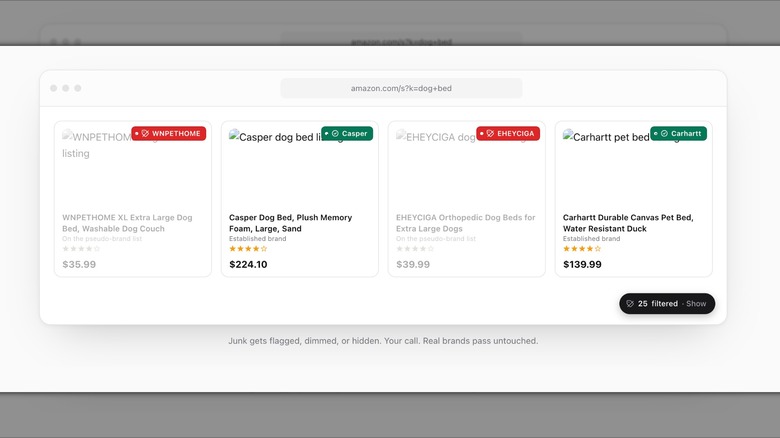
The developers understood that one size doesn't always fit all. Sometimes you might be looking for a generic piece of hardware where a pseudo-brand is acceptable, while other times you need a high-stakes component where product legitimacy is non-negotiable. To handle this, Knockoff provides three distinct intensity levels that let you customize amazon search results based on your current shopping needs.
| Filter Level | Visibility Action | Target Listings |
|---|---|---|
| Relaxed | Labeling Only | Only hides the most notorious offenders and sponsored blocks while labeling minor unknowns. |
| Standard | Dimming | Automatically fades out unbranded junk, making it difficult to click but still visible if you squint. |
| Strict | Total Removal | Completely removes any brand not found on the whitelist, leaving only verified products. |
These settings give users the ability to apply a specialized amazon brand filter that matches their risk tolerance. If you are looking for the best amazon brand filter for chrome 2026, the flexibility here is hard to beat. Beyond just hiding products, you can also choose how the UI handles suspicious items. "Dimming" is great for visual clarity, while "Labeling" provides warning chips that help you learn which sellers to avoid in the future.
Recent updates have expanded the tool's reach to 23 global marketplaces, and it now fully supports filtering for both Amazon and Etsy. This cross-platform utility makes it a versatile block nameless brands amazon extension for users who shop across different ecosystems.
Privacy First: Security and Local Processing
In an era where many "free" extensions are actually data scrapers in disguise, Knockoff takes a refreshing approach to security. From my perspective as a computing editor, the way an extension handles your data is just as important as the feature it provides.
- Local JavaScript Processing: All brand analysis and filtering happen directly within your browser. The extension doesn't send your search history or click data to a central server.
- Zero Account Creation: You don't need to sign up for an account, provide an email, or link your Amazon profile. You simply install and go.
- Daily JSON Updates: The extension fetches its updated brand lists through a tiny, one-way network request once a day. This keeps your filters fresh without tracking your movements.
- Transparent Codebase: Because it is open-source, any security researcher can verify that the extension isn't siphoning off cookies or credit card data.
This privacy focused amazon search filtering model is the hallmark of high-quality modern software. It treats the user as a customer to be empowered, not a product to be sold. By keeping all the logic on your local machine, the extension remains fast and lightweight, ensuring your browser doesn't bog down during heavy search sessions.
FAQ
How do I look up a brand on Amazon?
Most users find themselves manually searching for a brand's trademark history or looking for a storefront page to verify legitimacy. With an amazon brand filter like Knockoff, this process is automated. The extension checks the listing against an allowlist of 5,500+ verified names. If you need to manually look up a brand, clicking the seller's name and looking for a "Visit the [Brand] Store" link is usually the first sign of a legitimate operation.
Who makes Amazon filters?
Third-party developers like Josh Pigford and open-source contributors are the primary creators of these browsing enhancements. While Amazon provides basic sidebar filters for things like price and prime shipping, they generally do not provide an official way to block nameless brands because ads and white-label placements are a significant source of revenue for the platform.
Are Amazon brand air filters good?
It is important to distinguish between air filters (the hardware used in HVAC systems) and search filters (software extensions). If you are referring to the physical products, Amazon Basics filters are generally competent for mid-range filtration, but for specialized PC cooling or allergens, name-brand physical filters often perform better in controlled testing.
What is its brand image?
The brand image of Knockoff is rooted in digital hygiene and consumer advocacy. It positions itself as a tool for the "discerning shopper" who values time and product quality over lower-priced, anonymous alternatives. By focusing on open-source transparency and a Fair Source License, it builds consumer trust in a niche often filled with invasive trackers.
For anyone who relies on Amazon for professional hardware or daily essentials, this knockoff extension review should serve as a clear indicator of the tool's value. It’s a rare win for the consumer in a landscape that is increasingly cluttered and difficult to navigate. You can customize amazon search results with knockoff extension today by visiting the Chrome Web Store or Firefox Add-ons page to restore sanity to your shopping experience.