The Kinect was arguably one of the biggest missteps in gaming history—a device forced upon millions of Xbox fans that eventually became a punchline for "gimmick" gaming. But like the consoles they were sold for, the Kinect never truly died. If you have one gathering dust in a closet or sitting in a bargain bin at a local thrift store, you aren't looking at e-waste. You’re looking at a sophisticated array of infrared sensors, cameras, and microphones that, even by 2026 standards, is a "hidden gem" of engineering.
Whether you have the original Model 1414 (Xbox 360) or the bulkier Model 1520 (Xbox One), your old sensor is a powerhouse for DIY projects. In this guide, we’re going to pivot from the Kinect’s gaming failure to its "second life" as a technical titan. From professional-grade 3D scanning to full-body VR immersion, here are five genius ways to repurpose your old Xbox Kinect sensor.
The Essential Toolkit: What You Need to Get Started
Before you dive into a project, you need to bridge the gap between your console hardware and your PC. If you're asking, "What can I do with an old Xbox Kinect?" the answer is: almost anything involving spatial awareness. You can repurpose a discontinued Xbox Kinect as a cost-effective 3D scanner, a motion-sensing security camera, a VR body tracking device, or even a tool for medical physical therapy.
However, connectivity is your first hurdle. The Kinect v1 (Xbox 360) uses a proprietary USB/Power combo cable, while the Kinect v2 (Xbox One) requires the Microsoft Kinect Adapter.
Editor’s Note: The Kinect Adapter was discontinued years ago and can be pricey on the second-hand market. Thankfully, several third-party manufacturers sell reliable clones on Amazon for around $25–$40. Ensure you have a dedicated USB 3.0 controller for the v2 sensor, as it is notorious for being "picky" with bandwidth.
Hardware & Software Specifications
| Feature | Kinect v1 (Xbox 360) | Kinect v2 (Xbox One) |
|---|---|---|
| Color Camera | 640 x 480 @ 30fps | 1920 x 1080 @ 30fps |
| Depth Sensing | Structured Light (IR) | Time-of-Flight (ToF) |
| Field of View | 57° Horiz / 43° Vert | 70° Horiz / 60° Vert |
| SDK Version | SDK v1.8 | SDK v2.0 |
| PC Connection | USB 2.0 + Power Adapter | USB 3.0 + Kinect Adapter |
To use an old Kinect for 3D scanning on a PC, you will need the Kinect for Windows SDK (v1.8 for the original or v2.0 for the Xbox One version) combined with software like Skanect, 3D Scan, or ReconstructMe.
Project 1: High-Precision 3D Scanner
If you’ve ever looked into professional 3D scanning, you know the price tags are eye-watering. Professional laser scanners can cost upwards of $35,000, which is why the Kinect is a "hacker’s favorite."
The Kinect v2 uses "Time-of-Flight" technology, which measures the time it takes for individual photons to bounce off an object and return to the sensor. This allows it to create a "point cloud"—a 3D map of millions of data points. By using software like Skanect or ReconstructMe, you can walk around an object (or a person) and create a digital 3D model in minutes.
Repurposing an Xbox Kinect v2 as a 3D scanner offers a high-resolution alternative to those pro-grade $35,000 systems. While it might not have the sub-millimeter precision of a laboratory scanner, it’s more than enough for 3D printing, game asset creation, or digital archiving.
Pro Tip: If you’re scanning a person, have them sit on a swivel chair and rotate them slowly while the Kinect remains stationary. It’s much easier than trying to walk around them with a tangled USB cable.
Project 2: DIY Motion-Sensing Security Camera
Many people ask, "Can the Xbox One Kinect be used as a webcam?" The answer is a resounding yes. By using a Microsoft Kinect Adapter and the Kinect for Windows SDK 2.0, the Xbox One Kinect can function as a high-quality webcam and microphone for video conferencing and livestreaming.
But using it as a simple webcam is underutilizing its power. Because the Kinect sees in infrared, it acts as a superior night-vision security camera. Unlike standard webcams that use simple pixel-change detection (which can be triggered by a passing shadow or a light turning on), the Kinect uses depth-sensing. It only triggers when a physical object of a certain mass moves through 3D space.
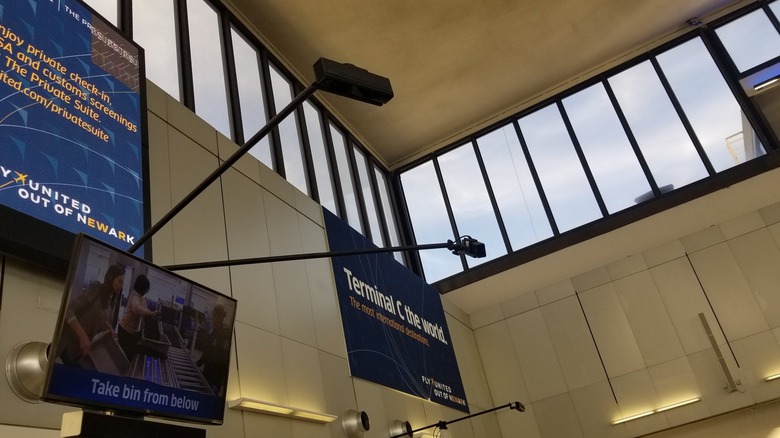
Using OpenCV and Python, tech enthusiasts have built surveillance scripts that can distinguish between a human and a pet based on skeletal height. This same technology has been implemented by organizations like the TSA for monitoring crowd flow in airports, proving that the tech inside your $30 thrift store find is actually "enterprise-grade."
Project 3: Full-Body VR Tracking and Game Development
This is where the Kinect truly shines for hardcore gamers. If you own a Meta Quest or a Valve Index, you know that full-body tracking (FBT) usually requires expensive "Base Stations" and "Vive Trackers" strapped to your feet and waist. This can easily cost $600 or more.
Enter KinectToVR (K2VR). This free software allows the Kinect to act as a skeletal tracker for VR. It maps your hips, knees, and feet, feeding that data into SteamVR.
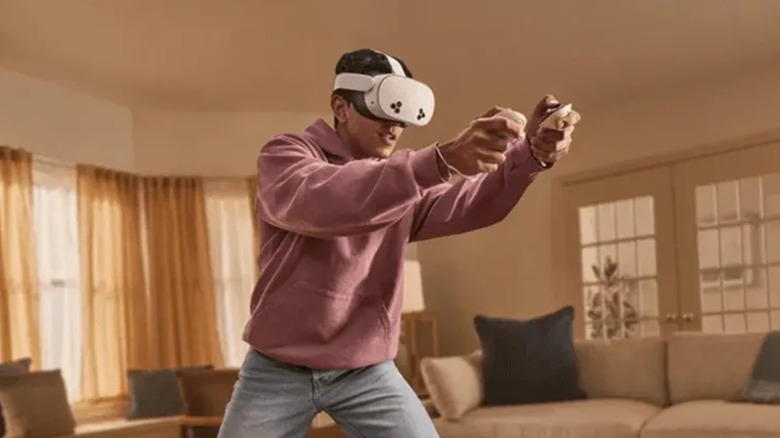
Beyond just playing VRChat, developers are using the Kinect in Unity and Unreal Engine to perform budget motion capture (MoCap). Instead of paying for a professional MoCap suit, you can record your body movements directly via the Kinect and apply them to your 3D character models. It’s a game-changer for indie developers working on a shoestring budget.
Project 4: Interactive Education and Coding for Kids
The Kinect is a fantastic tool for getting kids interested in STEM. Since it turns physical movement into digital input, it provides immediate, "magical" feedback.
Using Kinect2Scratch, students can connect the sensor to Scratch (a block-based coding language). Instead of clicking a mouse to move a character, they can program the character to jump when they jump in real life.
It’s also an incredible tool for home automation via IFTTT (If This Then That). You can set up a "gesture-based" home controller. Imagine waving your hand to the left to turn off the smart lights or performing a "push" motion to pause your media center.

For the advanced "maker," the Kinect serves as the "eyes" for autonomous robots. Using the ROS (Robot Operating System), the Kinect provides the depth data needed for a robot to navigate a room without bumping into walls or furniture.
Project 5: Health, Science, and the 'Supernatural'
While gaming was the Kinect's initial target, its most profound impact has been in the medical field. The sensor's ability to track joint angles and range of motion is incredibly valuable for physical therapy.
A 2017 study by the Veterans Affairs Medical Center demonstrated that Kinect-based motion capture games can significantly improve balance in patients recovering from traumatic brain injuries. By gamifying the recovery process, patients were more likely to stick to their exercises, and therapists could track their progress with millimetric precision.
On the lighter (or perhaps darker) side, the Kinect has found a cult following in the paranormal community. Ghost hunters use what they call an SLS (Structured Light Sensor) camera, which is essentially a Kinect connected to a tablet.
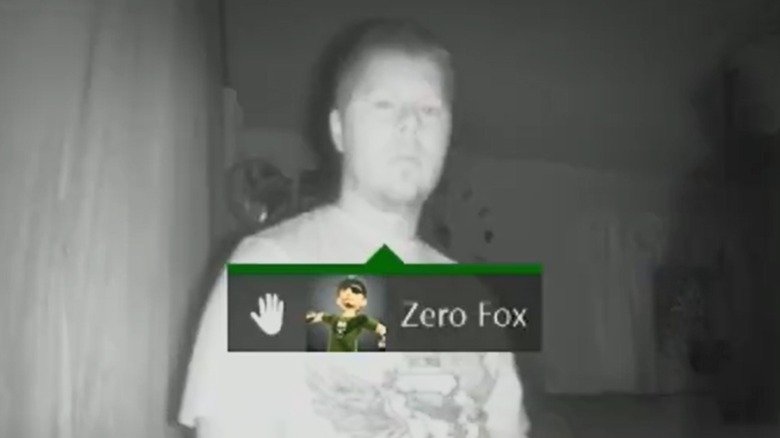
The theory is that the Kinect’s infrared grid can detect "distortions" in the air, which the software then tries to map as a skeletal frame. Whether you believe in ghosts or not, seeing the Kinect attempt to "stick-figure" an empty corner of a room is a fascinating look at how the device's pattern-recognition software works.
Technical Troubleshooting: Common Roadblocks
Repurposing old tech isn't always plug-and-play. If you're struggling to get your Kinect recognized by your PC, keep these three things in mind:
- IR Interference: The Kinect is a light-based sensor. If you are using it in a room with heavy sunlight or old-school incandescent light bulbs (which put out a lot of IR), the sensor may "blind" itself. Use it in a controlled, indoor environment for best results.
- The USB 3.0 Controller: The Kinect v2 sends a massive amount of data. Many "budget" USB 3.0 ports on motherboards or laptops use controllers that can't handle the constant stream. If the sensor keeps disconnecting, you may need a dedicated PCIe USB 3.0 expansion card with a Renesas or Intel chipset.
- Power Supply: The Kinect v2 cannot run on USB power alone. It requires an external 12V power supply (included in the adapter kits). Without it, the camera might show up in Device Manager, but the depth sensor will remain dark.
The Future: Project Helix and Windows 11 Integration
As we look toward 2026, the legacy of the Kinect is shifting. There are rumors of "Project Helix," a GDC-led initiative aimed at better legacy hardware emulation on modern Windows 11 builds. While Microsoft has officially moved on to the Azure Kinect DK (a $400 industrial version), the hobbyist community continues to update drivers for the original sensors.
The Kinect may have failed as a controller for Fable Journey and Kinect Star Wars, but it succeeded as a gateway for millions of people to experiment with 3D space, robotics, and virtual reality. So, before you toss that sensor into the bin, give it a shot on your PC. You might find it’s the most versatile piece of hardware you own.
FAQ
Can I use the Kinect v1 and v2 on the same PC? Technically, yes, but it is not recommended. They use different SDK versions (1.8 and 2.0), and their drivers often conflict. It is best to stick to one sensor per machine unless you are an advanced user familiar with virtual machines or driver sandboxing.
Does the Kinect work with Windows 11? Yes. While the SDKs were designed for Windows 7 and 8, they run perfectly fine on Windows 10 and 11 in "Compatibility Mode." You will need to install the SDKs manually, as Windows Update will not always grab the correct drivers for these discontinued devices.
What is the best software for 3D scanning if I'm a beginner? Skanect is widely considered the most user-friendly. It has a free version that allows you to export low-resolution models, which is perfect for testing your setup before committing to a license.