There’s a specific kind of magic that happens when you fire up a Super Nintendo on a well-calibrated CRT. The way the phosphor glow softens the pixels, the lack of input lag, and that distinct hum of a tube television—it’s an experience modern 4K OLEDs still struggle to replicate. But if you’re like many gamers I talk to, you’re likely plugging your childhood console into whatever yellow hole you find on the back of the TV and wondering why the image looks like a smeared oil painting.
In my years testing gaming hardware, I’ve realized that the "retro" experience is only as good as the signal path. We’ve become so spoiled by the "plug-and-play" simplicity of HDMI that we’ve forgotten the nuanced art of analog video. To get the best out of your vintage hardware, you need to understand the legacy ports that defined the 80s, 90s, and early 2000s. Whether you're hunting for a Sony Trinitron at a thrift store or trying to bridge the gap to a modern display, knowing your Luma from your Chroma is the difference between a blurry mess and pixel-perfect nostalgia.
1. Composite Video (RCA): The Familiar Yellow Plug
For most of us growing up in the 8-bit and 16-bit eras, the yellow RCA jack was the "upgrade" from the ancient RF switches that screwed into the antenna terminal. Composite video is the baseline of analog connections, and it's almost certainly what you used to play Super Mario Bros. 3 or Sonic the Hedgehog.
The technical reality of composite, however, is a bit of a compromise. It consolidates both Luminance (brightness/black and white info) and Chrominance (color info) into a single signal transmitted over one wire. Because all this data is "composited" together, the TV has to work overtime to separate it back out. The result? Color bleeding, "rainbow" artifacts on fine textures, and a general lack of sharpness. While it’s the most compatible connection you'll find, it's rarely the best.
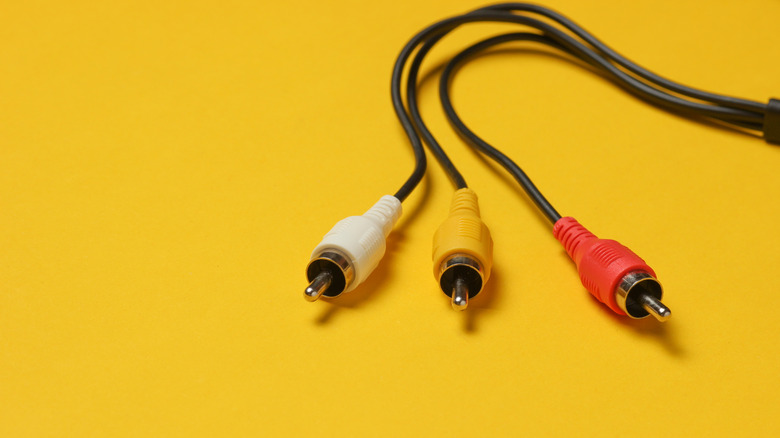
If you are using a CRT, composite can actually look "decent" because the natural scanlines of the tube help hide the signal's deficiencies. But on a modern flat screen, composite is a disaster. If you're serious about your setup, think of composite as your last resort—the emergency spare tire of the video world.
2. S-Video: The 'Dot-Crawl' Killer
If you want to see a night-and-day difference in your SNES, N64, or Sega Saturn setup, you need to find an S-Video port. S-Video (or "Separate Video") was the first major step toward high-fidelity gaming for the home consumer. Unlike composite, S-Video separates the Luminance (Y) and Chrominance (C) signals via a four-pin mini-DIN connector.
By keeping these signals separate, S-Video significantly reduces visual artifacts like "dot crawl"—those annoying moving checkers you see on the edges of colored shapes in composite. In my testing, the jump from composite to S-Video is often more visually jarring than the jump from S-Video to Component. It’s the "sweet spot" for many 5th-generation consoles.
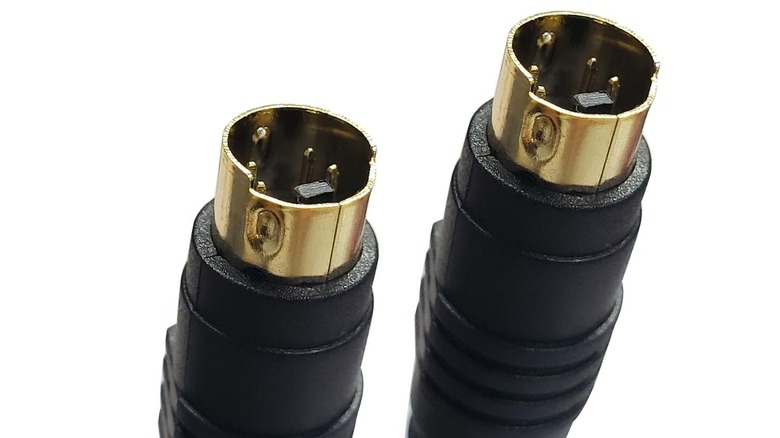
Interestingly, S-Video wasn't an overnight success. The standard took approximately 8 years to reach mainstream adoption; it actually originated with the Atari 800 way back in 1979 before being popularized by JVC's S-VHS format in 1987. For Nintendo 64 owners especially, S-Video is the gold standard, as the console does not natively output Component or RGB without a physical hardware mod.
Pro Tip: Not all S-Video cables are created equal. Beware of "combo" cables that have both a yellow composite plug and an S-Video plug. Often, these are poorly shielded and simply pass the low-quality composite signal through the S-Video pins, defeating the purpose entirely.
3. Component Video (YPbPr): The 6th-Gen Gold Standard
When we entered the era of the PlayStation 2, Original Xbox, and GameCube, the demands for resolution skyrocketed. This brought Component Video (YPbPr) to the forefront. Easily identified by its trio of Red, Green, and Blue RCA jacks (not to be confused with the audio cables), Component is the superior choice for 6th-gen consoles.
Technically, Component video breaks the signal into three separate channels: one for brightness (Y) and two for color difference (Pb and Pr). This massive increase in bandwidth allows for much higher resolutions. While composite and S-Video are locked to standard definition (480i/240p), Component video supports 480p, 720p, and even 1080i.
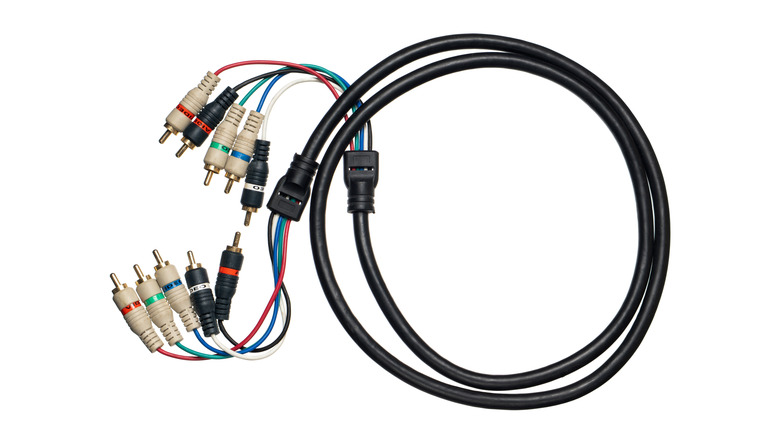
If you’re playing on a late-model CRT "HDTV" or a high-end Sony Trinitron with Component inputs, the image clarity is breathtaking. Colors are vibrant, and text that was once blurry in Final Fantasy X becomes tack-sharp. For the Original Xbox and the Wii, Component is essentially mandatory if you want to avoid a muddy, washed-out image.
4. VGA (PC): The High-Res Hidden Gem
Most people associate the 15-pin D-sub VGA port with dusty office monitors and school projectors. However, for a specific niche of retro gamers, VGA is the "secret weapon" for analog fidelity. This is primarily thanks to the Sega Dreamcast.
With a specific VGA box or cable, the Dreamcast can output a native 480p signal that looks incredibly clean. Because VGA is an RGBHV signal (Red, Green, Blue, Horizontal sync, Vertical sync), it offers a level of color accuracy and sharpness that even Component struggles to match.
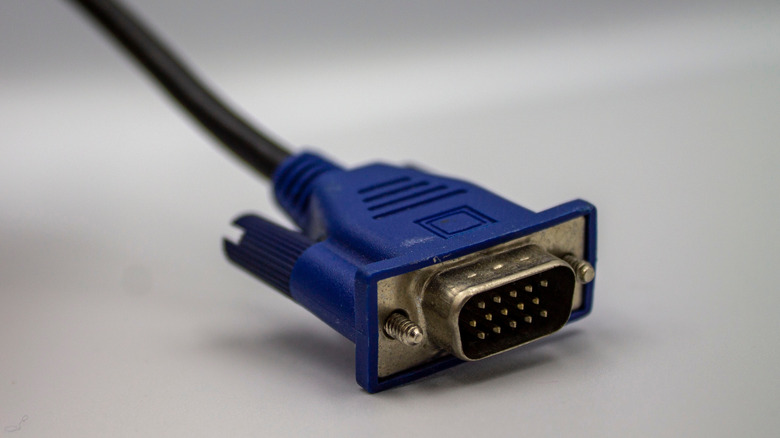
VGA is capable of 1080p and beyond, though signal degradation can occur over long cable distances. If you’re building a dedicated retro "battlestation" and happen to have a high-quality PC CRT monitor, using a VGA connection will give you an image that feels almost "modern" in its crispness, while retaining that zero-lag analog feel.
Summary of Analog Connections
| Signal Type | Max Resolution | Best Console Match | Visual Quality |
|---|---|---|---|
| Composite | 480i | NES, Genesis, Master System | Basic / Muddy |
| S-Video | 480i | SNES, N64, Sega Saturn | Good / Sharp |
| Component | 1080i | PS2, Xbox, Wii, GameCube | Excellent / HD |
| VGA | 1080p+ | Dreamcast, Retro PCs | Professional / Ultra-Sharp |
Beyond the CRT: Connecting Legacy Consoles to 4K Displays
I’ll be honest: not everyone has the space (or the back strength) for a 100-pound CRT television. But connecting these legacy analog ports directly to a modern 4K TV is usually a recipe for disappointment. Modern TVs treat analog signals as an afterthought, often adding massive input lag and using terrible "deinterlacing" that makes games look like a jagged mess.
This is where the "Scaler Revolution" comes in. By using high-end 4K scalers such as the RetroTINK 4K, Morph 4K, or OSSC Pro, you can convert those legacy analog signals into high-fidelity digital output suitable for modern displays. These devices don't just "stretch" the image; they intelligently upsample the signal, preserve the aspect ratio, and can even add artificial scanlines to mimic the look of a CRT.
When choosing a scaler, performance is everything. Current-gen 4K retro gaming scalers are now evaluated across 17 distinct performance categories, including lag testing, signal scaling, and color space accuracy. If you’re looking for the absolute "Premium Monster," the RetroTINK 4K is the current king, offering incredible CRT filters that make an OLED look like a broadcast monitor. If you’re looking for a more "Value-driven" but professional option, the OSSC Pro remains a fantastic underdog.
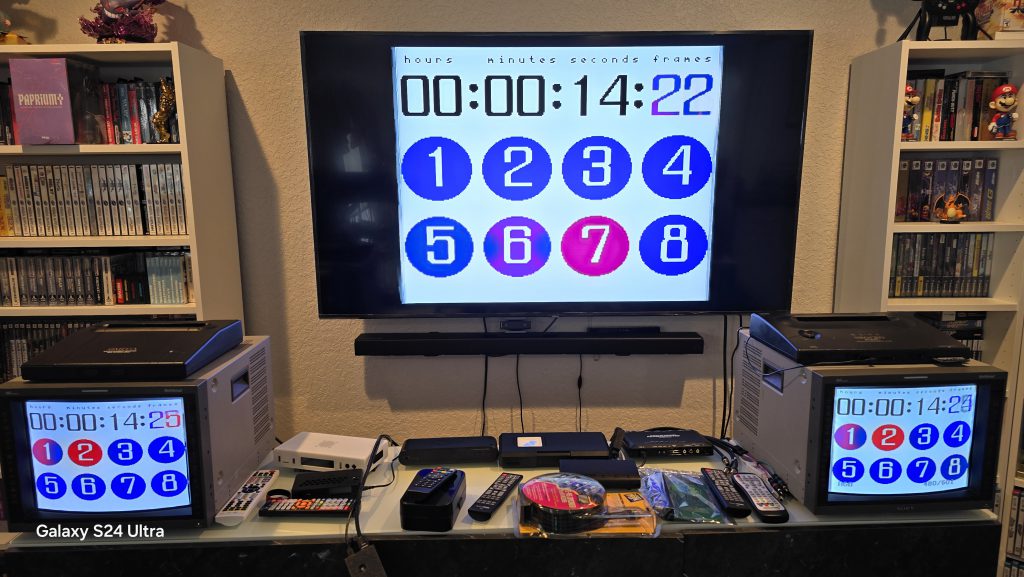
Ensuring a responsive experience is vital. Using tools like the 240p Test Suite allows us to measure lag down to the millisecond. When you pair a high-quality S-Video or Component signal with a top-tier scaler, the results are nothing short of transformative. You get the convenience of a modern TV with the visual soul of the original hardware.
FAQ
Q: Can I just use a cheap $20 HDMI adapter from Amazon? A: You can, but I wouldn't recommend it. Those cheap "AV to HDMI" bricks are usually designed for VCRs, not gaming. They add significant input lag (making games like Mario or Street Fighter feel "heavy") and often treat 240p signals as 480i, resulting in a flickery, blurry image.
Q: Which is better for the PS2: Component or S-Video? A: Component is significantly better. It allows the PS2 to output 480p in supported games (like Tekken 4 or God of War), which is impossible over S-Video. Even for standard 480i games, the color separation on Component is superior.
Q: Does my 4K TV still have these ports? A: Most modern 4K TVs have phased out S-Video and VGA entirely. Some still offer a "Shared" Component/Composite port (usually via a 3.5mm breakout cable), but the internal processing is usually poor. For a 4K TV, a dedicated external scaler is always the best path.
Conclusion
The world of retro gaming is more than just ROMs and emulators; it's about the physical relationship between the hardware and the display. By reclaiming these "forgotten" ports—S-Video, Component, and VGA—you’re not just chasing nostalgia; you’re respecting the original intent of the artists who designed these games.
If you have an old console gathering dust, take a look at the back of it. If you’re still using that yellow composite cable, do yourself a favor: hunt down a shielded S-Video or Component cable. Your eyes (and your high score) will thank you. Now, if you'll excuse me, I have a copy of Metal Gear Solid and a Sony Trinitron calling my name.