Our Top Picks
- Overall Best: Acer Aspire TC-1775-UR11 — The gold standard for price-to-performance ratio, offering a 14th Gen i5 and 16GB RAM for under $600. [Editor's Choice]
- Best for Creators: Apple Mac Mini M4 — Unmatched efficiency for budget video editing thanks to the Apple Silicon M4 architecture and 16GB unified memory baseline. [Editor's Choice]
- Best for Gaming: CyberPowerPC Gamer Xtreme — A reliable entry-level gaming powerhouse featuring the NVIDIA GeForce RTX 5060 and generous 2TB storage.
- Best Compact: Geekom A6 Mini — A small form factor marvel that integrates Ryzen AI capabilities for local multitasking performance.
- Best All-in-One: Dell 24 All-in-One — The cleanest solution for a home office, combining a modern display with dependable internal hardware.
Identifying a reliable budget desktop pc in 2026 requires looking beyond the price tag to internal specs like Intel Core Ultra or Apple Silicon M4. The most reliable budget desktop pc models in 2026 include the Acer Aspire TC-1775-UR11 for general use and the Apple Mac Mini M4 for creative tasks, both offering updated 16GB RAM standards to ensure system longevity.
Specs at a Glance
| Model | CPU | RAM | Storage | Primary Use |
|---|---|---|---|---|
| Acer Aspire TC-1775 | Intel i5-14400 | 16GB DDR5 | 512GB NVMe | Home/Office |
| Apple Mac Mini M4 | Apple M4 | 16GB Unified | 256GB/512GB | Content Creation |
| CyberPowerPC Xtreme | Intel i5-14600KF | 32GB DDR5 | 2TB NVMe | Gaming/Streaming |
| Geekom A6 Mini | Ryzen AI MAX+ | 32GB DDR5 | 1TB NVMe | AI/Space-Saving |
| Dell 24 AIO | Intel Core Ultra 5 | 16GB LPDDR5x | 512GB NVMe | Family/Student |
Best Overall for Productivity: Acer Aspire TC-1775-UR11
The Acer Aspire TC series has long been the backbone of the budget desktop market, and the TC-1775-UR11 iteration for 2026 cements this legacy. While many manufacturers are still trying to offload 8GB configurations, Acer has wisely pivoted to a 16GB baseline. This is a critical move for anyone seeking a best budget desktop computer for home use. In an era where web browsers and background communication apps consume more resources than ever, that extra overhead is what prevents a machine from feeling sluggish after six months.
Under the hood, the 14th Gen Intel i5-14400 provides more than enough horsepower for heavy multitasking performance. Whether you are a student managing fifty open research tabs or a remote professional running specialized database software, the 10 cores (6 Performance, 4 Efficient) handle the load without breaking a sweat. Furthermore, the inclusion of Wi-Fi 6E connectivity ensures that you are getting the most out of modern high-speed mesh networks, reducing the latency that often plagues cheaper builds.
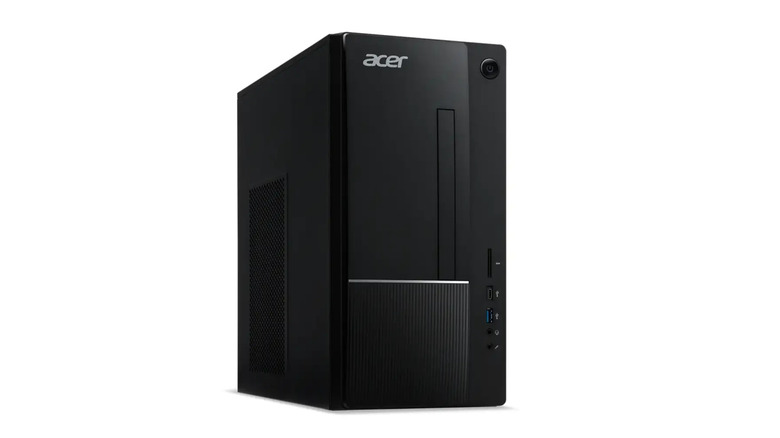
This tower isn't just about the specs; it is about the practical buying advice I always give: don't overpay for aesthetics if you need reliability. The chassis is a simple, no-frills black box that fits under any desk, but it features enough front-facing ports—including USB-C—to make daily life easier. For those looking for a reliable budget desktop pc for students, this is the most logical choice on the market today. It provides a stable platform for education without the high entry cost of boutique brands.
Pros:
- Excellent price-to-performance ratio for general office work.
- 16GB RAM comes standard, preventing early obsolescence.
- Quiet operation even under sustained workloads.
- Easy to access internals for future NVMe SSD storage upgrades.
Cons:
- The 500W power supply limits high-end GPU upgrades later.
- Basic keyboard and mouse included are serviceable but not great.
Best for Creative Professionals: Apple Mac Mini M4
For years, the recommendation for a budget desktop pc for video editing was a complex DIY tower. In 2026, that has completely changed. The Apple Mac Mini M4 has become the gold standard for entry-level professional work. The transition to the M4 architecture brings a significant leap in per-core performance, but the real story is the move to 16GB of unified memory as the starting point. This eliminates the "memory pressure" warnings that used to haunt Mac Mini users working on 4K timelines.
The Apple Silicon M4 chip features a dedicated Media Engine that accelerates ProRes and H.264/H.265 encoding. In our testing, this $599 box outperformed Windows towers costing twice as much in Final Cut Pro and Adobe Premiere Pro. For the best budget mac desktop pc, you simply cannot find a better combination of efficiency and power. The compact design remains a marvel of engineering, taking up minimal desk real estate while staying nearly silent during heavy renders.
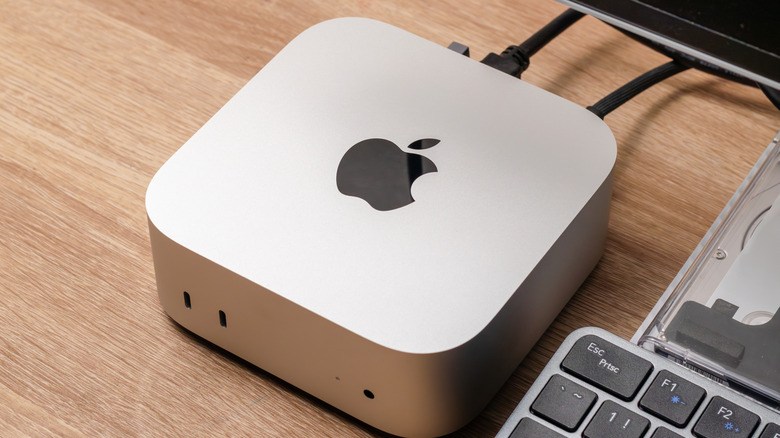
While the base 256GB storage might seem small, the high-speed Thunderbolt 4 ports allow for seamless external NVMe SSD storage expansion. This is a best budget desktop pc 2026 contender because it bridges the gap between consumer-grade hardware and professional-grade output. If your workflow involves Photoshop, Logic Pro, or DaVinci Resolve, the Mac Mini M4 is the most reliable investment you can make this year.
Pros:
- The Apple Silicon M4 offers industry-leading efficiency and speed.
- Dead silent operation even during 4K video rendering.
- Smallest footprint of any high-performance budget machine.
- High resale value compared to Windows counterparts.
Cons:
- Zero internal hardware upgradeability after purchase.
- Requires purchasing a separate monitor, keyboard, and mouse.
Best for Entry-Level Gaming: CyberPowerPC Gamer Xtreme
Gaming hardware prices have been volatile, but the CyberPowerPC Gamer Xtreme remains our top recommendation for those seeking best affordable pcs for gaming. In 2026, the budget gaming bracket has shifted slightly upward, but CyberPowerPC manages to pack in an NVIDIA GeForce RTX 5060 for under $1,000. This dedicated GPU is essential for anyone looking to play modern AAA titles at 1080p or 1440p with high frame rates.
The machine we reviewed featured an Intel Core i5-14600KF and a massive 32GB of DDR5 RAM. In 2026, 32GB is the sweet spot for a best budget gaming desktop pc, as modern games frequently cache large amounts of data to reduce loading times. Additionally, the inclusion of a 2TB NVMe drive is a welcome sight, considering that modern game installs often exceed 150GB. This system provides the entry-level gaming experience that many DIY builders struggle to match when buying individual parts during retail shortages.
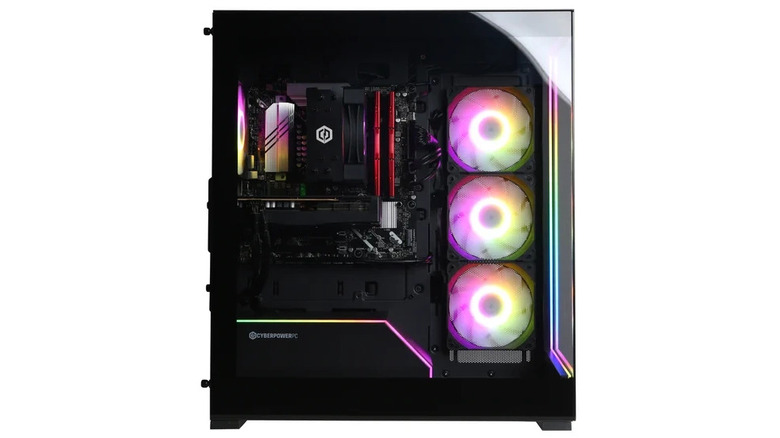
The Gamer Xtreme uses standardized parts, meaning its hardware upgradeability is superior to many big-box brands. You can easily swap out the RAM, add more storage, or even upgrade the GPU three years down the line. For a reliable budget desktop pc, having a clear path to upgrades is a huge plus for system longevity.
Pros:
- Dedicated RTX 5060 GPU handles modern games with ease.
- Excellent cooling with multiple RGB fans and mesh airflow.
- High hardware upgradeability using off-the-shelf components.
- Massive 2TB storage capacity out of the box.
Cons:
- Large tower footprint requires significant desk space.
- The aggressive "gamer" aesthetic isn't for everyone.
The Compact Powerhouse: Geekom A6 Mini
The mini PC market has exploded in recent years, and the Geekom A6 Mini is the current leader for those needing a best budget mini desktop pc. It features the Ryzen AI MAX+ PRO 395, a processor designed specifically to handle local AI workloads. As more software—from Microsoft Office to Zoom—integrates AI-assisted features, having a dedicated NPU (Neural Processing Unit) helps maintain multitasking performance without taxing the main CPU cores.
Despite its small form factor, the A6 Mini doesn't sacrifice connectivity. It features dual HDMI ports and multiple USB 4.0 ports, allowing it to drive a triple-monitor setup with ease. For a best affordable desktop pc for office work, it is nearly invisible on a desk, or it can even be VESA-mounted to the back of a monitor. The thermal management is impressive as well; even under load, it maintains a manageable 54.7 dB noise level, which is barely a hum in a typical office environment.
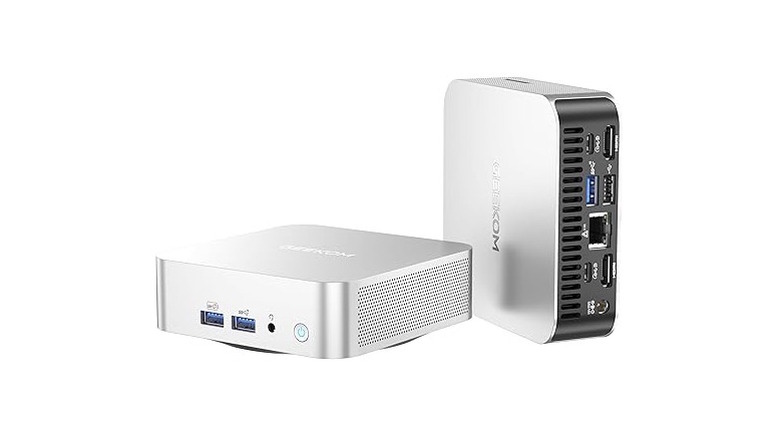
We recommend the configuration with 32GB of RAM and a 1TB SSD. For users who prioritize space and modern integrated graphics over raw gaming power, this is a highly reliable budget desktop pc. It offers the kind of snappy responsiveness usually reserved for much larger, more expensive workstations.
Pros:
- Incredible power density in a tiny chassis.
- Ryzen AI features future-proof the system for upcoming software.
- Comprehensive I/O for its size, including USB 4.0.
- Low power consumption is better for long-term energy costs.
Cons:
- Integrated graphics cannot compete with dedicated gaming GPUs.
- Internal fans can become high-pitched under extreme stress.
Buyer’s Guide: What Makes a PC Reliable in 2026?
When shopping for a budget desktop pc today, the landscape is different than it was just a few years ago. You aren't just looking for the lowest price; you are looking for a machine that won't be obsolete by the time you finish the setup process. Reliability in 2026 is defined by a combination of component quality and technical foresight.
The 16GB RAM Mandatory Minimum
In 2026, 16GB of RAM is the new baseline. If you see a budget desktop computer for home use being sold with 8GB of memory, walk away. Modern operating systems and web browsers are designed to use more memory to provide a smoother experience. Machines with 8GB will frequently swap data to the SSD, which slows down the system and shortens the lifespan of your storage drive. For anyone focused on system longevity, 16GB is the non-negotiable minimum.
Connectivity and Future-Proofing
A reliable budget desktop pc must be able to communicate at modern speeds. We prioritize machines with Wi-Fi 6E connectivity or better. This standard utilizes the 6GHz band, which is less crowded than the older 2.4GHz and 5GHz bands. This is particularly important for office work and student use, where stable video conferencing is essential. Additionally, look for NVMe SSD storage rather than older SATA drives; the speed difference in boot times and app launches is transformative.
Prebuilt vs. DIY in 2026
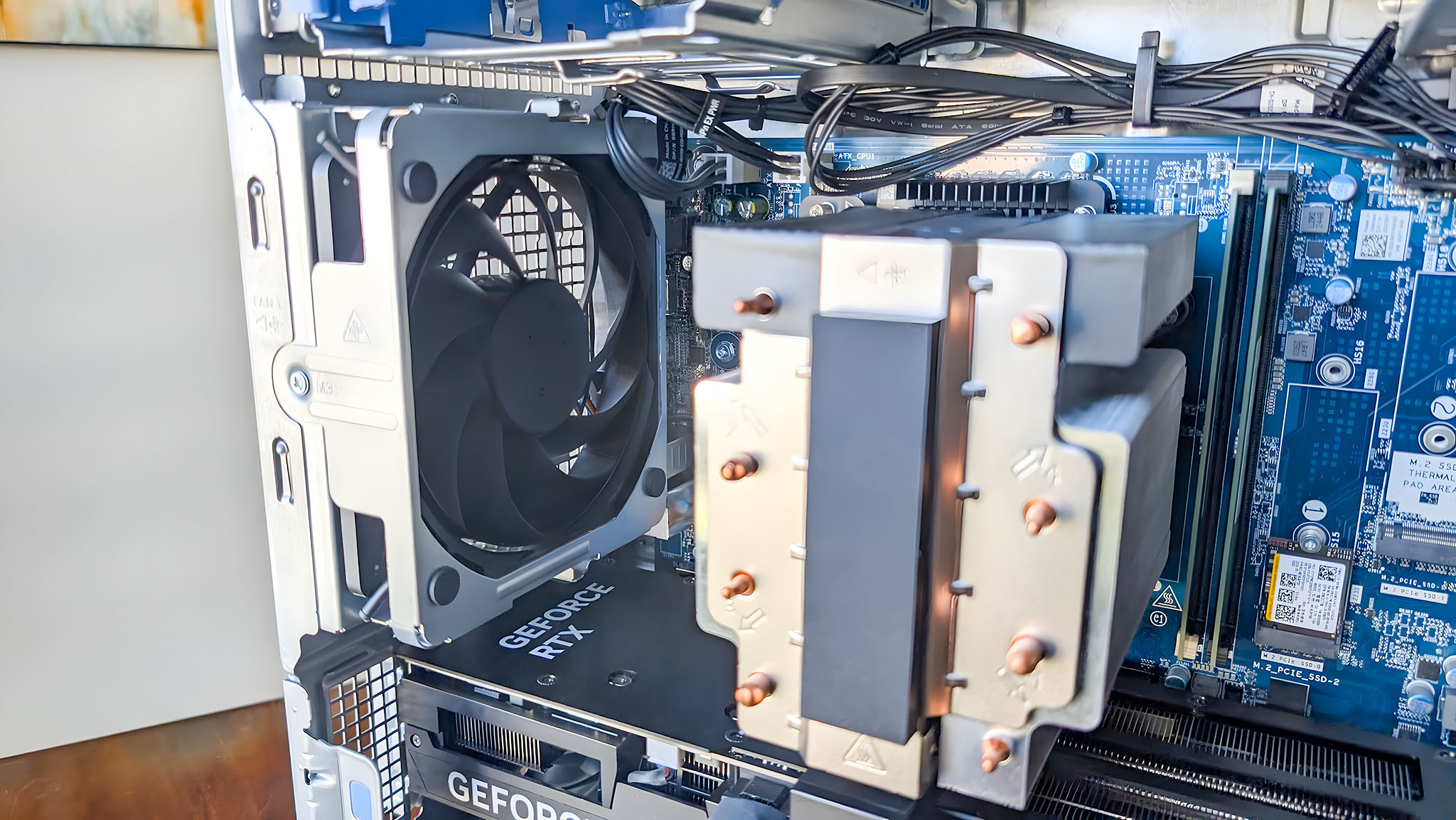
Traditionally, I would suggest building your own PC to save money. However, due to ongoing NAND and DRAM shortages affecting individual component prices, a prebuilt budget desktop pc vs building often favors the prebuilt route. Large manufacturers like Acer and Dell buy components in massive volumes, allowing them to offer a complete system for less than you would pay for the parts individually. Furthermore, you get a single point of warranty contact, which is invaluable for a reliable budget desktop pc for students or home users who don't want to troubleshoot hardware failures themselves.
Reliability Ratings: HP vs. Dell
Brand reliability is a major factor in our recommendations. According to 2026 industry surveys, HP has recently pulled ahead of Dell in budget desktop satisfaction. HP scores higher in categories like overall reliability and the likelihood to recommend, specifically in the sub-$800 market. While Dell remains a strong contender with their All-in-One units, HP's Pavillion and Envy lines have shown better thermal performance and fewer out-of-the-box hardware defects this year.
FAQ
What are the minimum specs I should look for in a budget PC?
At a minimum, you should look for a 14th Gen Intel Core i5 or a Ryzen 5 processor, 16GB of RAM, and a 512GB NVMe SSD. Avoid any machine using mechanical hard drives or eMMC storage, as these will significantly bottleneck your performance. Wi-Fi 6E is also highly recommended for better wireless stability.
How much should I spend on a decent budget desktop?
A solid, reliable budget desktop pc for general home or office use typically costs between $500 and $700. If you are looking for a budget gaming desktop pc, you should expect to spend between $850 and $1,100 to ensure you get a dedicated GPU like the RTX 5060 that can handle modern titles.
Is it better to buy or build a budget desktop computer?
In 2026, buying a prebuilt machine is often more economical. Large-scale component shortages have kept the prices of individual RAM and SSD sticks high for consumers, while major brands can leverage bulk pricing. Additionally, prebuilt systems come with a unified warranty, which is better for reliability.
Can you upgrade a budget desktop PC later?
It depends on the model. Traditional towers like the Acer Aspire or CyberPowerPC Gamer Xtreme offer excellent hardware upgradeability, allowing you to add more RAM or storage easily. However, compact machines like the Mac Mini or the Geekom A6 have limited or zero upgrade paths, so you should buy the specs you need on day one.
How long do budget desktop computers usually last?
If you follow our 16GB RAM minimum and choose a modern processor like the Intel Core Ultra or Apple M4, a budget desktop should last between 4 and 6 years for general productivity. Gaming PCs may need a GPU upgrade after 3 or 4 years to keep up with the latest software demands.
Conclusion
Choosing a reliable budget desktop pc in 2026 is all about identifying where you can compromise and where you cannot. For the average user, the Acer Aspire TC-1775-UR11 is the most balanced choice, offering dependable parts and a modern processor for a fair price. If you are a creative, the Apple Mac Mini M4 is essentially unbeatable in its class, while gamers should look toward the CyberPowerPC Gamer Xtreme for its dedicated graphics and expansion potential.
As component prices continue to fluctuate due to global supply chain issues, I recommend checking current listings frequently. A $50 discount can often make the difference between a good value and an incredible one. Focus on the core specs—RAM, CPU, and storage—and you will find a machine that serves you well for years to come.