Our Top Picks
- Best Overall: Logitech Slim Folio for iPad 10th generation. At just $75, it provides a stable typing experience, full-edge protection, and a 3-year battery life.
- Best for iPad Pro and Air: Typecase Edge. This magic keyboard alternative features a floating cantilever design, 8mm key travel, and a built-in precision trackpad.
- Best for Versatility: ESR Rebound 360. A multi-functional choice that allows for both landscape and portrait mode viewing with a secure magnetic attachment.
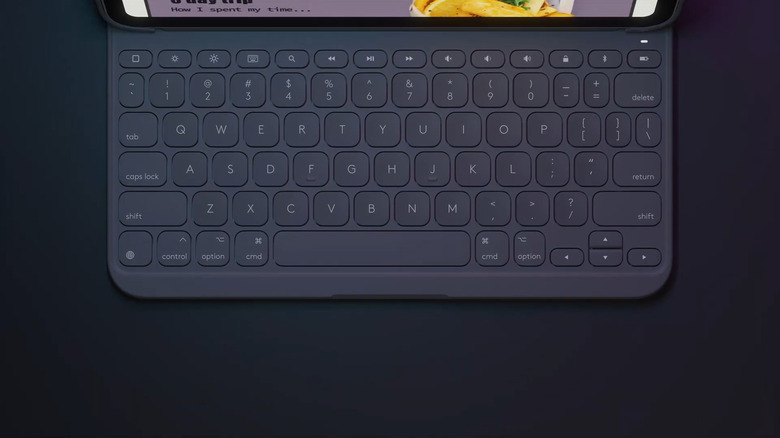
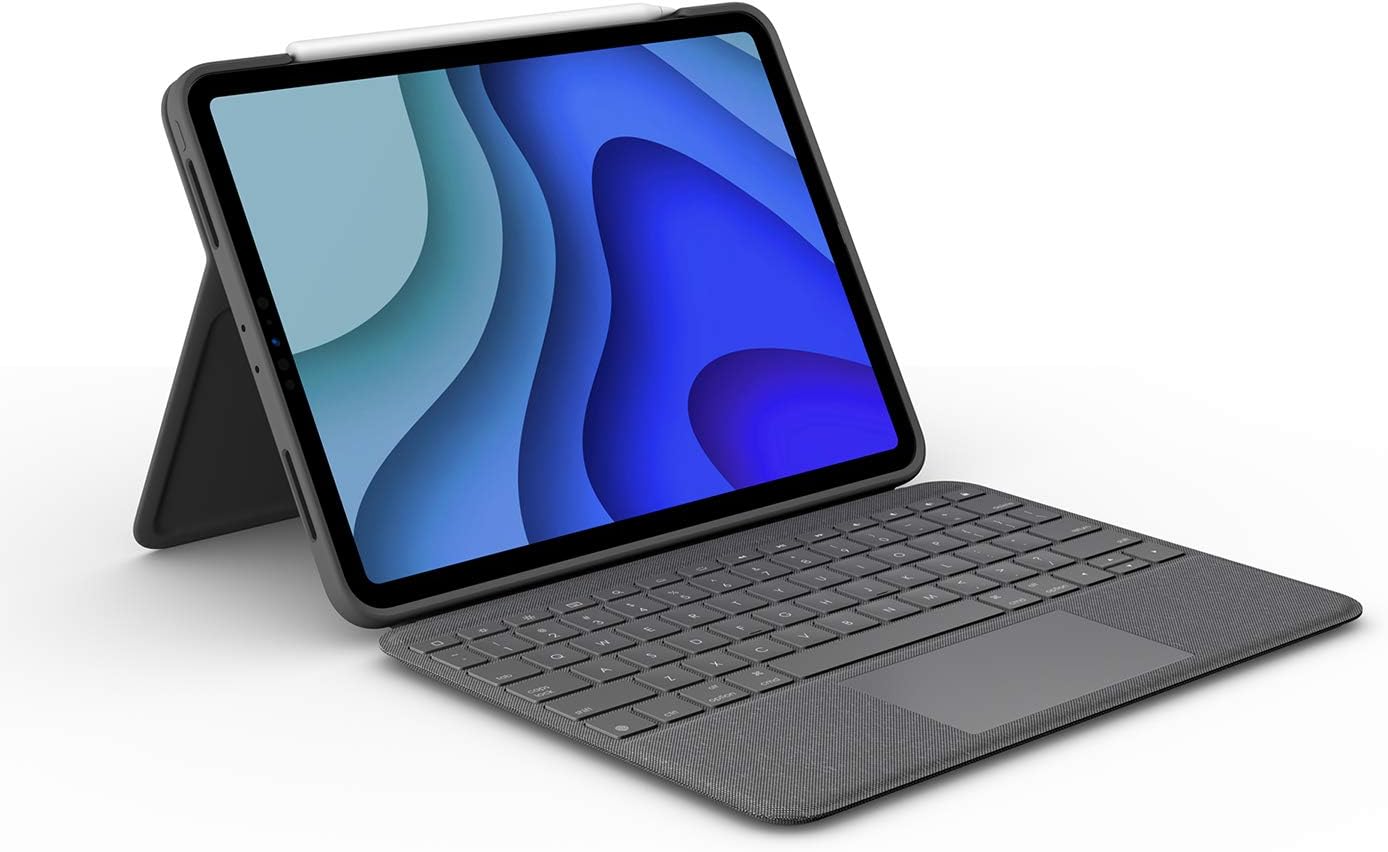
The Logitech Slim Folio is a top magic keyboard alternative for the iPad 10th generation, costing significantly less than Apple’s version. It features a full-size keyboard with iPadOS shortcut keys, such as media and brightness controls. Unlike the Magic Keyboard, it offers full-edge protection and a built-in holder for an Apple Pencil, making it a more durable and cost-effective solution.
As a mobile devices editor, I spend most of my life jumping between coffee shops, airport terminals, and subway seats. My iPad is my primary workstation, and I have tested almost every keyboard case on the market. While Apple creates beautiful hardware, their pricing strategy often feels like a barrier to entry. If you have ever stared at the $249 or $349 price tag of an official accessory and thought there must be a better way, you are right.
There is a growing demand for accessories that do more for less. In fact, the global ipad keyboard case market reached a valuation of approximately $2.81 billion in 2025 and is forecasted to grow to $5.11 billion by 2034. This massive growth is driven by users who want to turn their tablets into productivity powerhouses without doubling the cost of the device itself. Finding the best magic keyboard alternative is not just about saving money; it is about finding the right balance of durability and function.
The $75 Champion: Logitech Slim Folio vs Magic Keyboard
The Logitech Slim Folio is the definition of a pragmatic upgrade. When you compare the logitech slim folio vs magic keyboard, the first thing you notice is the price. At $75, you are saving $170 immediately. For most users, that is the cost of an Apple Pencil and a year of cloud storage. But what are you actually giving up?
The biggest technical difference lies in how these devices talk to your iPad. Apple uses the proprietary Smart Connector, which draws power directly from the tablet. Logitech utilizes Bluetooth connectivity, specifically Bluetooth Low Energy (BLE). While some worry about charging another device, the Slim Folio uses replaceable coin cell batteries that last up to three years. You never have to plug it in. The case is designed to activate only when the iPad is magnetically docked in the typing position, which ensures your productivity workflow is never interrupted by a dead battery.
Typing on the Slim Folio feels remarkably close to a laptop-style typing experience. The keys are well-spaced and offer a satisfying tactile click. One area where this cheap magic keyboard alternative actually beats Apple is the top row of keys. Logitech includes a dedicated row of iPadOS shortcut keys. You can adjust volume, screen brightness, and media playback with a single tap, rather than digging through the Control Center.
| Feature | Logitech Slim Folio | Apple Magic Keyboard |
|---|---|---|
| Price | Approximately $75 | $249 - $349 |
| Connectivity | Bluetooth Low Energy | Smart Connector |
| Battery Life | 3 Years (Replaceable) | Powered by iPad |
| Key Layout | Full Row of Shortcuts | Limited Shortcuts |
| Protection | Full-edge / Impact resistance | Open-edge / Minimal |
| Stylus Storage | Built-in Loop | None |
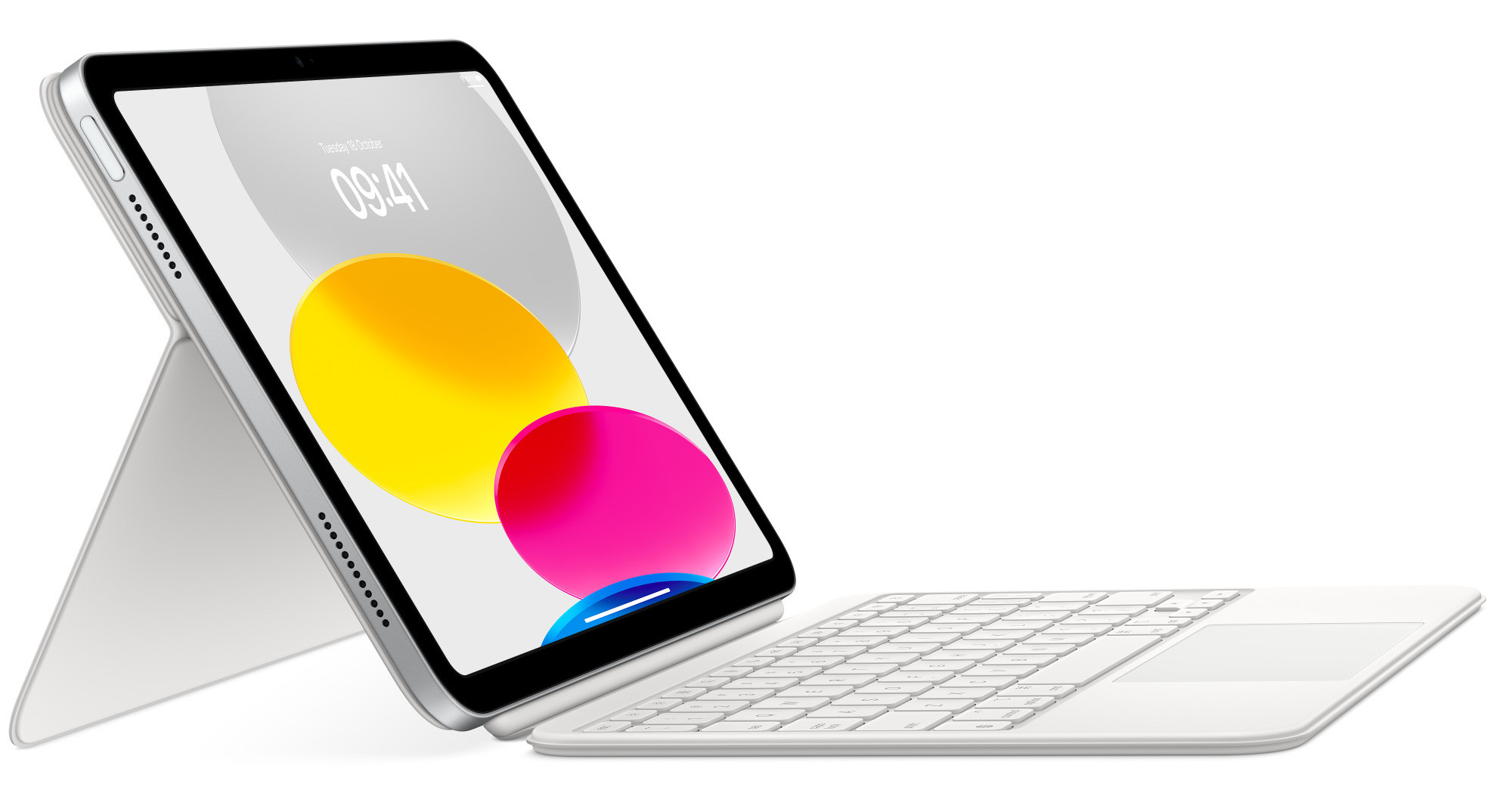
For students or commuters, the ipad keyboard case with apple pencil holder is a game-changer. Apple’s official Folio leaves the pencil exposed on the side, where it can easily be knocked off in a backpack. Logitech’s design includes a secure flap that keeps the stylus in place, adding a layer of security that frequent travelers will appreciate. It is a magic keyboard alternative ipad 10th generation users specifically should look at if they prioritize utility over thinness.
Best Magic Keyboard Alternative for iPad Pro and Air
If you own an iPad Pro or the latest Air, you might be looking for that iconic floating cantilever design. This is where the Typecase Edge and the ESR Rebound enter the conversation. These cases aim to replicate the premium aesthetic of Apple’s flagship accessory while cutting the price in half.
The Typecase Edge is a standout magic keyboard alternative ipad pro owners should consider. It offers an impressive 8mm key travel, which provides a deep, mechanical feel that some users prefer over the shallow keys of the official version. It also features a precision trackpad that supports multi-touch gestures, making it feel like a true laptop replacement. Having a magic keyboard alternative with function keys allows you to navigate the OS much faster than using the touchscreen alone.
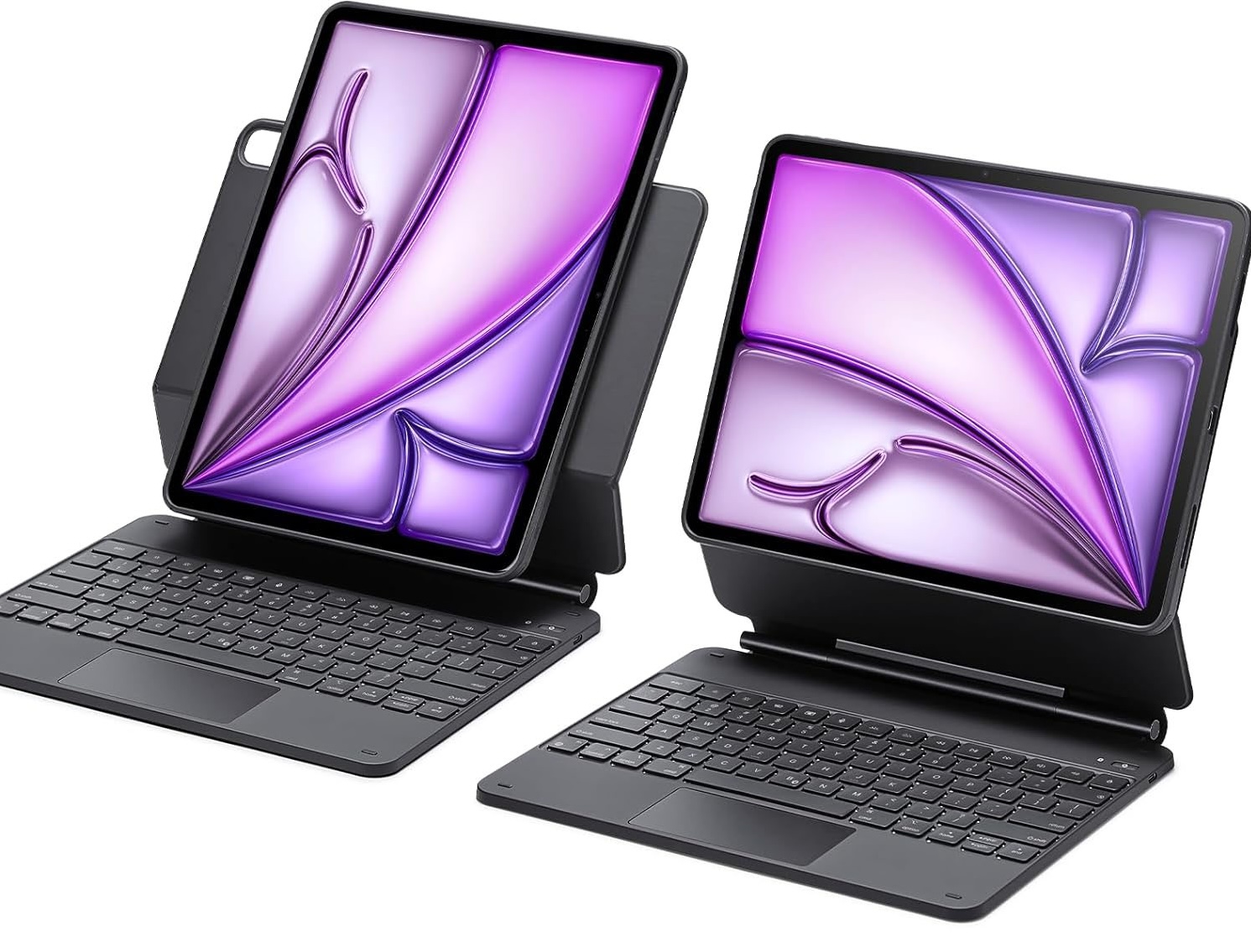
Another strong contender is the ESR Rebound. While Apple’s keyboard locks you into a single landscape orientation, the ESR Rebound 360 offers a magnetic back that allows you to detach the tablet or rotate it. This makes it a fantastic magic keyboard alternative for ipad users who spend a lot of time editing long documents or scrolling through social feeds in portrait mode.
The Trade-offs: Protection vs. Bulk
No review is complete without an honest assessment of the downsides. When you choose a protective ipad keyboard case alternative, you are making a trade-off in physical form factor. Apple’s Magic Keyboard is incredibly sleek. It is thin, light, and fits into almost any sleeve. However, it offers almost zero impact resistance for the corners of your device.
Third-party alternatives like the Logitech Slim Folio provide full-edge protection. The frame is built with impact resistance designed to withstand 2-meter drops. The cost of this safety is bulk. These cases are often three times as thick as the bare iPad, measuring roughly 0.8 inches. If you want a device that can survive being dropped on a tile floor, the extra bulk is a necessary evil. If you want the thinnest possible profile, you may find the third-party options a bit cumbersome.
Another minor trade-off is the magnetic attachment. Apple’s keyboard uses a series of high-strength magnets to "hover" the iPad. Some cheaper alternatives use a plastic cradle or a more traditional clip-in system. While the clip-in systems provide better protection, they make it harder to remove the iPad when you just want to use it as a tablet on the couch.

(Note: Placeholder for image hub 5bca988fba50.jpg)
Hardware Compatibility Checklist
Before you click buy, you must ensure the case matches your specific iPad model. Apple has released several iterations of the iPad 10th Gen, Air, and Pro, and the dimensions often change by fractions of a millimeter.
- Identify your Model Number: Go to Settings > General > About. Look for the model number starting with A (e.g., A2696).
- 10th Gen iPad: Look for cases specifically labeled for Model A2696, A2757, or A2777.
- iPad Air (M2): Ensure the case supports the camera layout for the 2024 models.
- iPad Pro (M4): These models are significantly thinner; older cases will not fit correctly.
FAQ
What is the best alternative to an Apple Magic Keyboard?
The best overall choice is the Logitech Slim Folio for the standard iPad or the Typecase Edge for the Pro and Air models. These provide the best balance of typing feel, trackpad accuracy, and price.
Is the Magic Keyboard overpriced?
For many users, yes. While the Smart Connector and sleek design are premium features, the $170 to $200 price premium over third-party options is difficult to justify if you primarily need a reliable keyboard and basic protection.
Are there Magic Keyboard alternatives?
Yes, brands like Logitech, ESR, Typecase, and Bridge offer a wide variety of alternatives. These range from heavy-duty protective cases to slim, magnetic cantilever designs that mimic the official Apple look.
Does Costco sell Apple Magic Keyboard?
Yes, Costco frequently carries the official Apple Magic Keyboard, often at a slight discount compared to the Apple Store. However, even with the Costco discount, third-party alternatives like Logitech usually remain significantly cheaper.
Final Verdict
If you are looking for the best magic keyboard alternative, your decision should come down to how you use your device. If you are a student or someone who travels frequently, the $75 Logitech Slim Folio is the smarter buy. You get better protection, a dedicated row of function keys, and you save $170 in the process.
However, if you are a creative professional who needs the thinnest possible setup and doesn't mind the lack of edge protection, the official Apple Magic Keyboard remains a beautiful piece of engineering. Just be prepared to pay the premium for that aesthetic. For the rest of us, the third-party market has finally caught up, offering high-quality tools that turn our tablets into genuine work machines for a fraction of the cost.