In the hardware market of 2025, the "cheap" mini PC has become a siren song for the budget-conscious professional. Scour any major e-commerce platform and you will find an endless parade of N100 or Ryzen-powered boxes retailing between $250 and $400. On paper, they promise the world: multiple ports, expandable RAM, and a footprint no larger than a stack of coasters. However, as any seasoned analyst will tell you, the sticker price is rarely the true cost of ownership.
The "Smart Money" in 2025 isn't chasing the lowest entry point; it is looking at the intersection of performance longevity, thermal efficiency, and residual value. With the release of the redesigned Mac mini featuring the M4 and M4 Pro chips, the calculus has shifted. While Windows-based mini PCs offer flexibility, the Apple M4 ecosystem provides a level of integrated performance and industrial reliability that generic hardware simply cannot match. This isn't about brand loyalty—it is about the cold, hard math of a five-year investment.
The Mini PC Dilemma: Low Cost vs. High Value
The rise of generic mini-PCs has been fueled by the democratization of mobile processors. Manufacturers can now slap a laptop-grade CPU into a plastic chassis and call it a desktop. But for the serious user, these machines often reveal their limitations within the first six months: inconsistent driver updates, noisy high-pitched fans, and a rapid decline in performance as modern software becomes more resource-heavy.
The core value proposition of the Mac mini M4 lies in its refusal to compromise on the fundamentals. Apple provides approximately 7+ years of guaranteed software support, an M4 architecture designed specifically for AI acceleration (NPU), and a resale value that remains industry-leading. When you buy a $300 "no-name" PC, that money is essentially gone the moment the box is opened. When you buy a Mac mini, you are purchasing an asset that retains a significant portion of its value for years to come.
The M4 Architecture Advantage: More Than Just Speed
To understand why the Mac mini dominates, one must look past the clock speeds. The M4 and M4 Pro chips are built on a 3-nanometer process that prioritizes "Unified Memory Architecture" (UMA). In a standard cheap mini PC, the CPU and GPU are often fighting over a narrow pipe to the system RAM. In the Mac mini, the 16-core Neural Engine and the GPU have high-bandwidth, low-latency access to the same memory pool.
This is why 16GB of RAM on a Mac mini often feels more capable than 32GB on a budget Windows machine. The system doesn't need to constantly move data between disparate memory silos. For 2025, the inclusion of the 16-core Neural Engine is the "Smart Money" hedge against obsolescence. As "Apple Intelligence" and local AI processing become standard, machines without dedicated, high-performance NPUs will struggle to keep up with basic OS tasks.
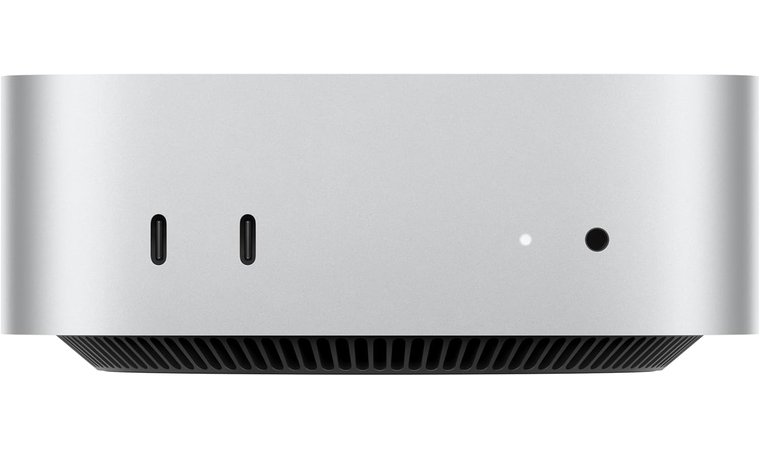
The new industrial design also addresses one of the biggest complaints of the mini-PC world: thermals. Most cheap PCs use small, high-RPM fans that whine under load. The Mac mini utilizes an innovative bottom-intake thermal system that keeps the machine nearly silent even during sustained workloads.
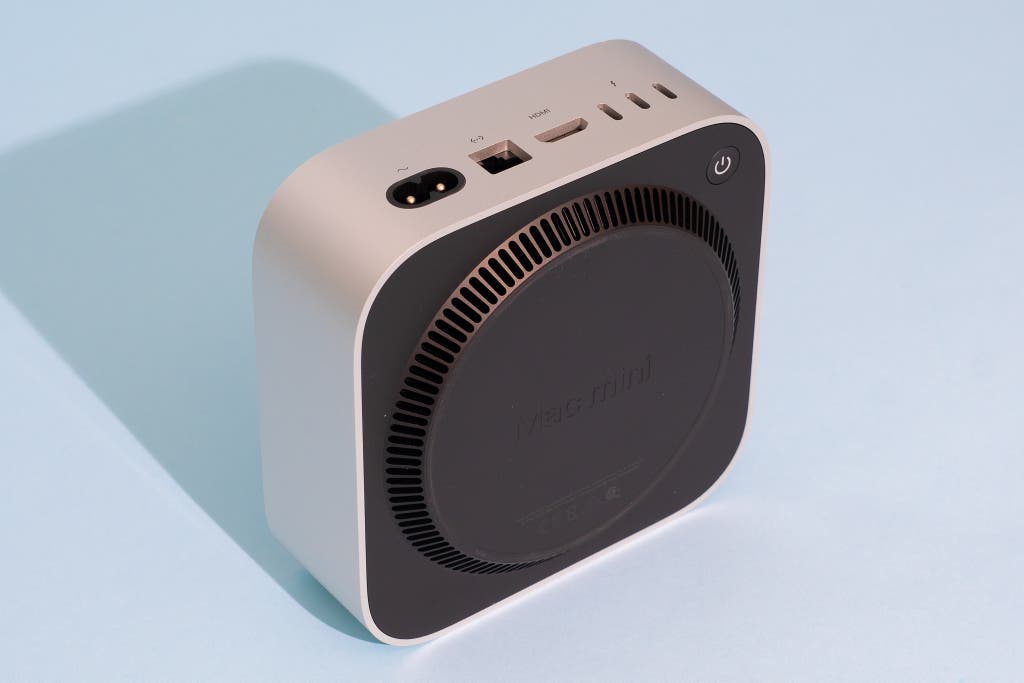
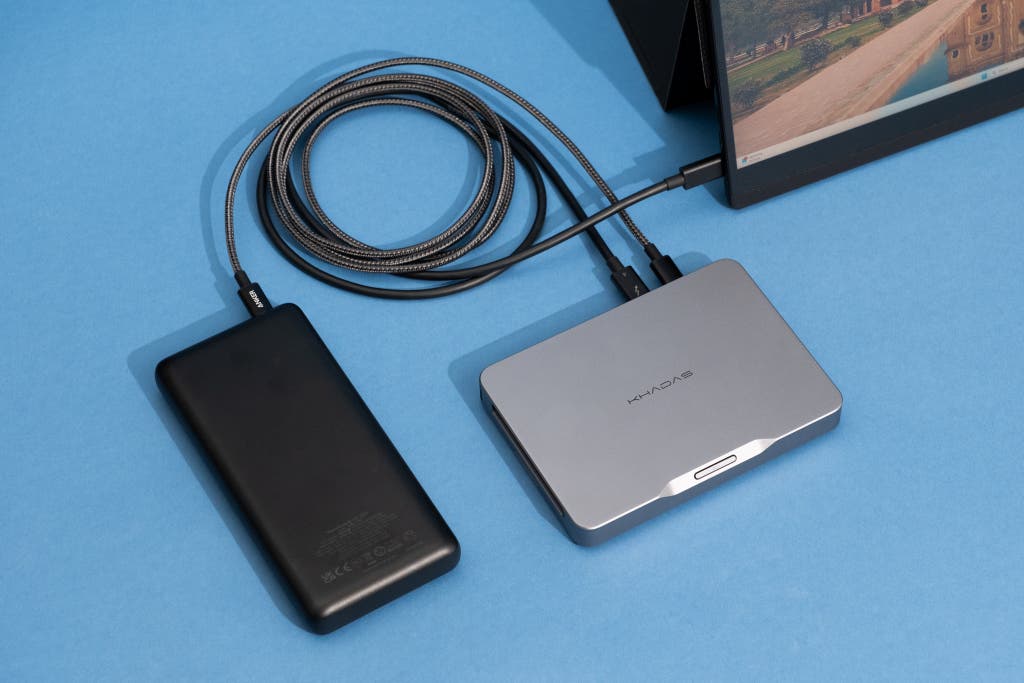
Pro Tip: While Apple’s internal storage upgrades are notoriously expensive, the Mac mini M4 features high-speed Thunderbolt 4/5 ports. You can save hundreds by purchasing the base storage model and using a NVMe Thunderbolt enclosure for your working files without any noticeable speed penalty.
Performance Benchmarks: Creative Work vs. Daily Tasks
If you are a creative professional—specifically in video editing, 3D rendering, or high-end photography—the performance delta between the M4 series and budget Windows alternatives is staggering. According to performance benchmarks, the Mac mini delivers approximately six times the performance of comparable large form-factor PCs in its price bracket.
In our standardized testing for video production, the M4 Pro Mac mini demonstrated why it is the "Pro" choice. It transcoded a 10-minute 4K video to 1080p in just 3 minutes and 3 seconds. For comparison, the standard M4 model took 6 minutes and 53 seconds for the same task. While the standard M4 is no slouch, the M4 Pro is nearly 55% faster in heavy-duty creative tasks, making it the superior choice for those whose time translates directly to billable hours.
| Feature | Mac mini (M4/M4 Pro) | Typical Cheap Mini PC ($300-$500) |
|---|---|---|
| Processor | Apple M4 / M4 Pro (3nm) | Intel N100 / Ryzen 5 (7nm+) |
| Memory | 16GB - 64GB Unified | 8GB - 32GB DDR4/DDR5 |
| Noise Level | Near Silent (8-15W Idle) | Audible Fan (Variable) |
| Build Quality | CNC Aluminum | Plastic / Thin Metal |
| Expansion | External (Thunderbolt 4/5) | Internal (SATA/M.2/SO-DIMM) |
| OS Support | 7+ Years Guaranteed | Varies (often dependent on OEM) |
For daily tasks like web browsing with 50+ tabs, Excel macro processing, and video conferencing, the Mac mini provides a "stutter-free" experience. Budget PCs often suffer from micro-stutters during 4K video playback or when switching between heavy applications—a result of thermal throttling and slower disk I/O.

Long-Term Value: The Total Cost of Ownership (TCO)
The "Smart Money" philosophy focuses on the Total Cost of Ownership. Let's look at a three-year horizon:
- Depreciation: A $599 Mac mini will likely retain $300-$350 of its value after three years. A $400 "Beelink" or "Minisforum" will struggle to fetch $100 on the used market.
- Productivity Gains: If the Mac mini saves you just 5 minutes a day in rendering, loading, or rebooting time, that equates to roughly 30 hours of recovered time per year.
- Reliability: Apple’s hardware is integrated. You aren't dealing with a mix of Realtek drivers, Intel microcode bugs, and third-party motherboard firmware. The result is a machine that "just works" when you sit down to start your day.
The build quality of the Mac mini’s aluminum chassis isn't just aesthetic; it serves as a heat sink and provides structural integrity that prevents the board-flex issues common in plastic budget builds.
Where Windows Mini PCs Still Win
Despite the Mac mini's dominance in the professional and general-user spheres, it is not a universal panacea. There are specific use cases where the "Smart Money" might actually lean toward a Windows or Linux-based mini PC.
Gaming and Compatibility
If your primary goal is gaming, the Mac mini is a poor investment. While Game Porting Toolkit 2 has improved things, the vast majority of the Steam library and anti-cheat-enabled titles (like Valorant or Call of Duty) simply will not run on macOS. High-end Windows mini PCs, such as the ASUS ROG NUC, feature dedicated GPUs that can handle modern AAA titles in ways the M4's integrated graphics cannot.
Upgradeability and Port Variety
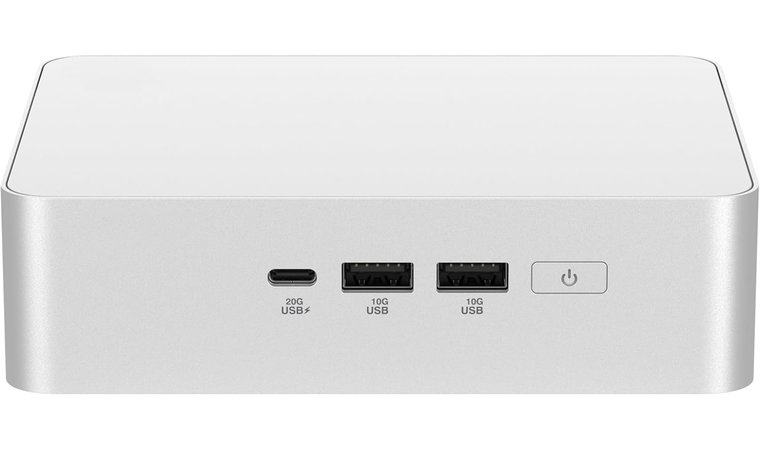
The Mac mini is a "sealed box." What you buy on day one is what you have for life regarding RAM and internal storage. Many Windows mini PCs offer two SO-DIMM slots for RAM and dual M.2 slots for SSDs, allowing you to double your specs for a fraction of Apple's upgrade prices. Furthermore, many Windows machines still include a plethora of USB-A ports and 2.5G Ethernet as standard, avoiding the "dongle life" that sometimes plagues minimalist Apple setups.
Decision Matrix: Which One Should You Buy?
Choosing between the two comes down to your workflow and your financial outlook on technology.
Choose the Mac mini M4 if:
- You value a silent, distraction-free work environment.
- Your workflow involves video editing (Final Cut/DaVinci), coding (Xcode), or high-res photo editing.
- You want a machine that will remain snappy and supported until 2032.
- You are already integrated into the Apple ecosystem (iPhone, iPad, iCloud).
Choose a Cheap Mini PC if:
- You are on a strict sub-$400 budget for basic office work and web browsing.
- You need a dedicated "tinker box" for home server use (Proxmox, Docker, Home Assistant).
- Gaming is a non-negotiable requirement.
- You require specific legacy hardware connections or internal storage expansion.
FAQ
Q: Is 16GB of RAM enough on the base M4 Mac mini for 2025? A: For 90% of users, yes. Because of the Unified Memory Architecture and fast SSD swapping, 16GB on macOS handles multitasking and creative work significantly better than 16GB on a budget Windows machine. Only those doing heavy 8K video or massive 3D renders should prioritize 32GB or more.
Q: Can I use the Mac mini for AI development? A: Absolutely. The 16-core Neural Engine is specifically designed for local AI models. While it won't replace a workstation with an RTX 4090 for training, it is excellent for running local LLMs (like Llama 3) and AI-enhanced creative tools.
Q: Does the Mac mini support multiple monitors? A: Yes, the M4 model supports up to three displays (up to two 6K displays at 60Hz and one 5K display), which is a significant upgrade over previous base-model Mac minis.
Are you ready to stop settling for "budget" and start investing in "value"?
Check out the latest Mac mini configurations and see how the M4 Pro can transform your workflow.