In an era where "convenience is king," the average viewer has been conditioned to accept the limitations of streaming. We’ve traded the tactile experience of a disc for the instant gratification of a "Play" button. However, for those who view cinema as more than just background noise—those I call true cinephiles—streaming is a compromise. While 4K streaming has improved, it remains a shadow of what physical media offers.
The technical reality is stark. A standard 4K UHD Blu-ray disc delivers a video bitrate of up to 128 Mbps, whereas the "high-quality" 4K streams from platforms like Netflix or Disney+ typically hover between 15 and 25 Mbps. We are talking about a five-to-eight-fold difference in data. This translates directly to the screen as a complete absence of compression artifacts, deeper color gradients, and, perhaps most importantly, lossless audio formats like Dolby Atmos and DTS:X that streaming services simply cannot replicate due to bandwidth constraints. Even in 2025, market data indicates that 88% of dedicated home theater owners continue to rely on physical media to bypass internet instability and ensure a reference-grade experience.
Quick Comparison: Top 4K Blu-ray Players 2025
| Model | Best For | HDR Formats | Audio Highlight | Build Quality |
|---|---|---|---|---|
| Panasonic DP-UB820-K | Best Overall | Dolby Vision, HDR10+, HLG | 7.1 Analog Out | Standard Plastic |
| Sony UBP-X700U | Best Budget | Dolby Vision, HDR10 | Coaxial Digital | Compact/Light |
| Panasonic DP-UB9000 | Flagship Performance | All Major Formats | Balanced XLR | Reference Grade |
| Magnetar UDP800 | Audiophile/Universal | All Major Formats | Burr-Brown DACs | Heavy Duty (8kg) |
| PlayStation 5 / Xbox | Casual Gaming/Movies | HDR10 (DV on apps only) | HDMI Bitstream | Gaming Console |
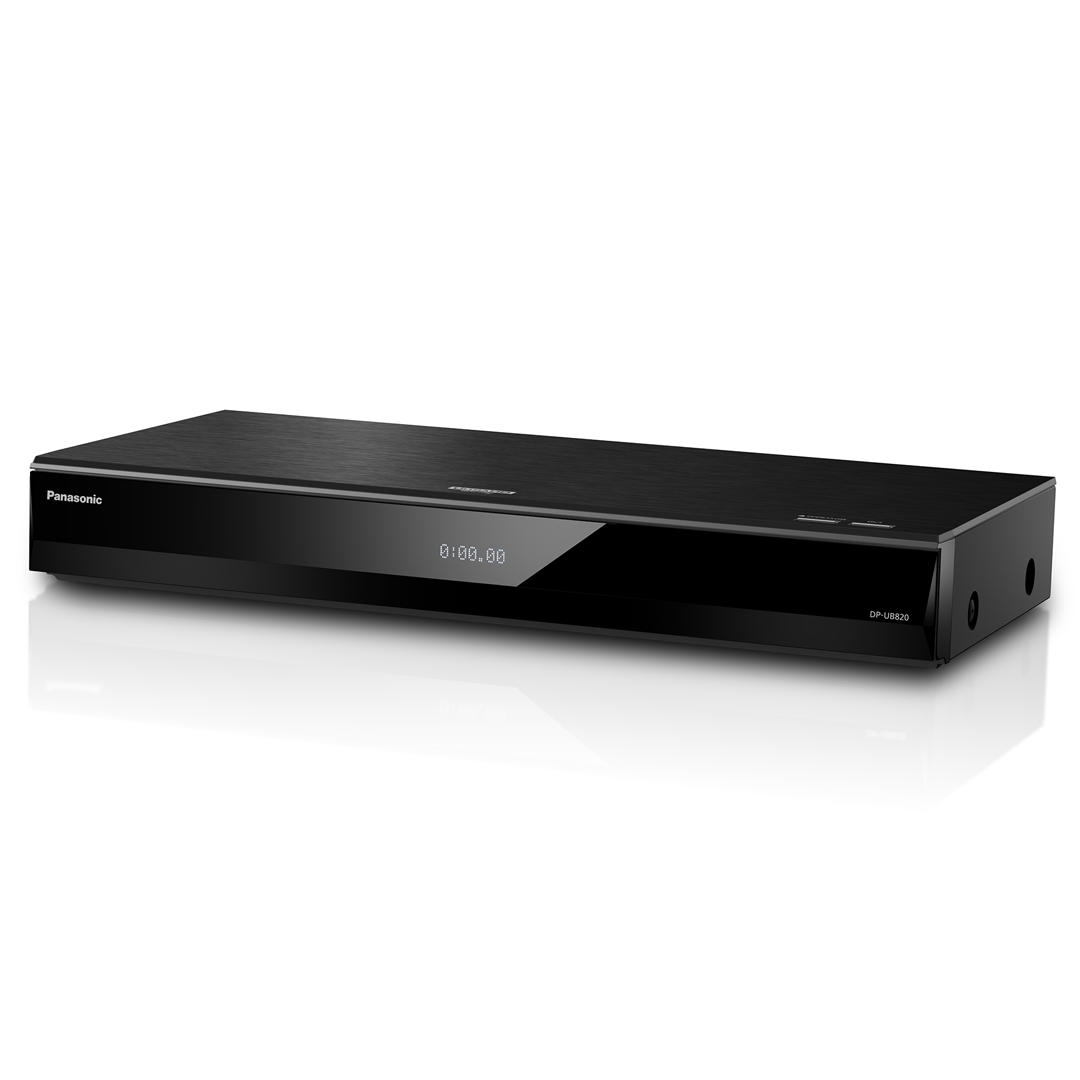
1. The Best Overall: Panasonic DP-UB820-K
The Panasonic DP-UB820-K remains the undisputed champion for the serious enthusiast. It occupies the "Goldilocks" zone of the market—offering the same elite-level video processing found in players twice its price without the luxury tax of a heavy-metal chassis.
The heart of this machine is the HCX (Hollywood Cinema Experience) processor. In my testing, the chroma processing on this unit is unrivaled, rendering skin tones and complex textures with a nuance that makes 4K streams look like oil paintings by comparison. Crucially, it supports both Dolby Vision and HDR10+, ensuring that regardless of which studio mastered your disc, you are seeing the metadata exactly as intended. Its "HDR Optimizer" is a godsend for projector owners or those with mid-range LEDs, as it tone-maps the image to fit your display's specific brightness capabilities.
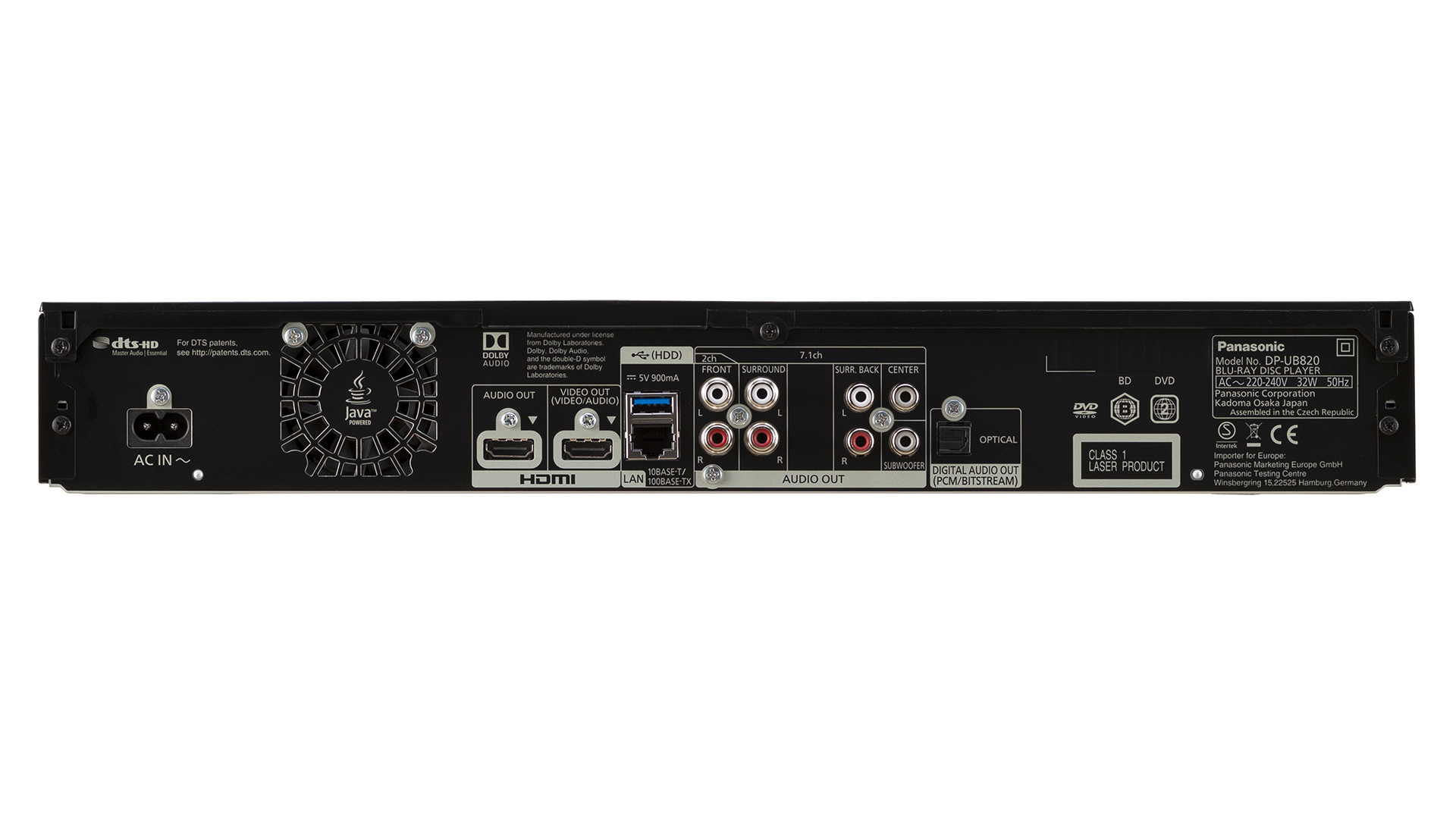
- Core Specs: HCX Processor, 4K Upscaling, 7.1 Analog Audio, Dual HDMI.
- Pros:
- Support for all major HDR formats (Dolby Vision, HDR10+, HLG).
- The HDR Optimizer allows for unprecedented control over highlights.
- Class-leading 4K upscaling for standard Blu-rays and DVDs.
- Cons:
- Build quality is primarily plastic and feels slightly lightweight.
- The user interface looks like it belongs in 2012.
Expert Verdict: If you own a high-end OLED or a calibrated projector, this is the player you buy. It treats the data on the disc with a level of reverence that budget players simply can’t match. It is the benchmark for performance-to-value.
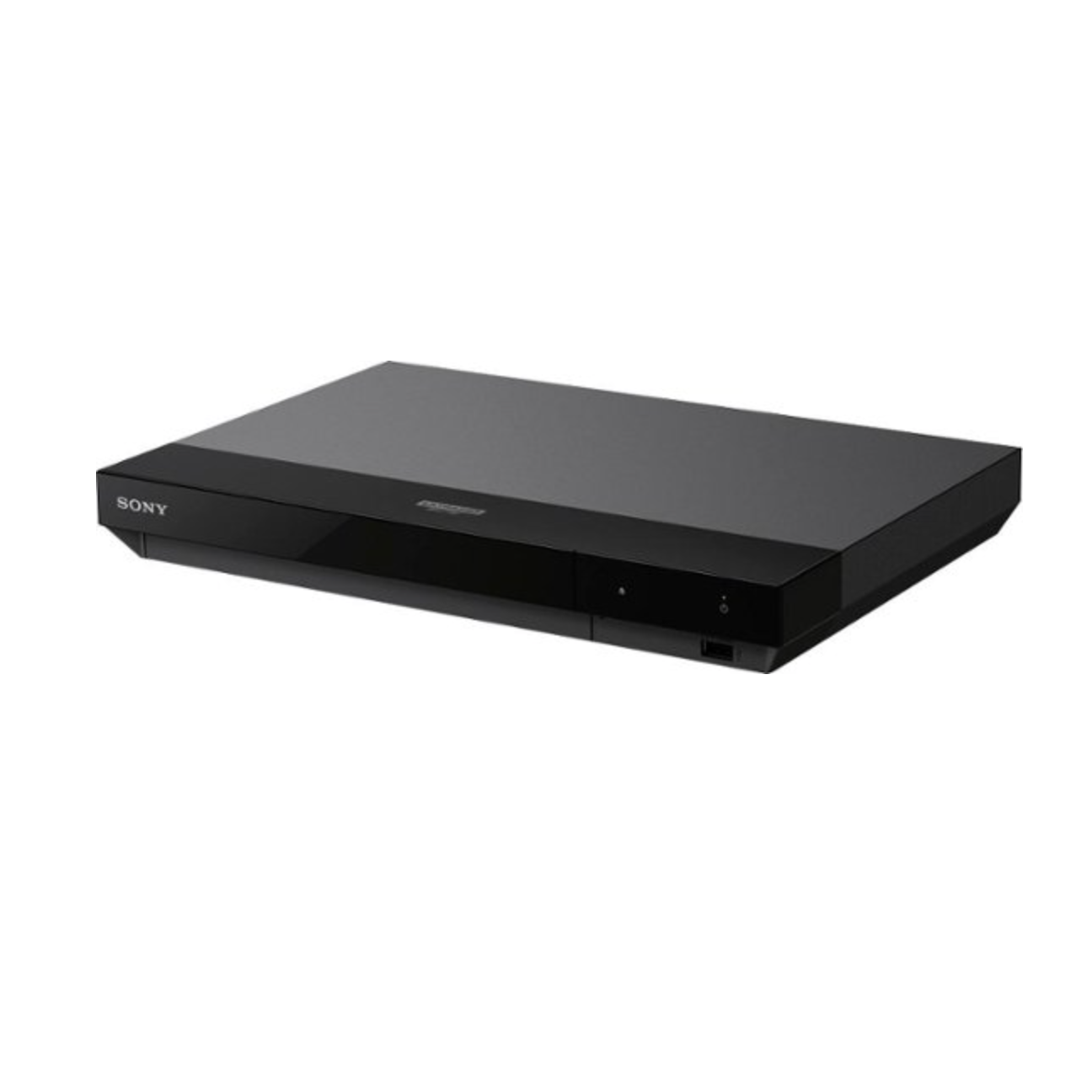
2. The Budget King: Sony UBP-X700U
For those just beginning to dip their toes into the "Physical Media Renaissance," the Sony UBP-X700U provides the most affordable entry point into the world of Dolby Vision. While it lacks the processing "brawn" of the Panasonic units, it delivers a sharp, clean image that far outclasses any 4K FireStick or Apple TV stream.
The X700U is a surprisingly versatile machine, supporting SACD (Super Audio CD) playback, which is a rare find at this price point. However, it does come with a significant "Sony quirk": Dolby Vision must be manually toggled in the settings. If you leave it "On" for a disc that doesn't support it, the colors will look slightly off; if you leave it "Off" for a disc that does, you’re missing out on the HDR benefits.
-
Core Specs: Dual HDMI, Wi-Fi, SACD support, 4K Upscaling.
-
Pros:
- The most cost-effective way to get Dolby Vision playback.
- Excellent upscaling for legacy DVD collections.
- Compact footprint fits easily into tight media consoles.
-
Cons:
- Manual Dolby Vision switching is a major inconvenience.
- Lacks HDR10+ support, which may affect Samsung TV owners.
Expert Verdict: The X700U is the "gateway drug" for cinephiles. It’s perfect for a secondary room or for those who want the bitrate benefits of 4K discs without spending $500+. Just be prepared to dive into the settings menu occasionally.
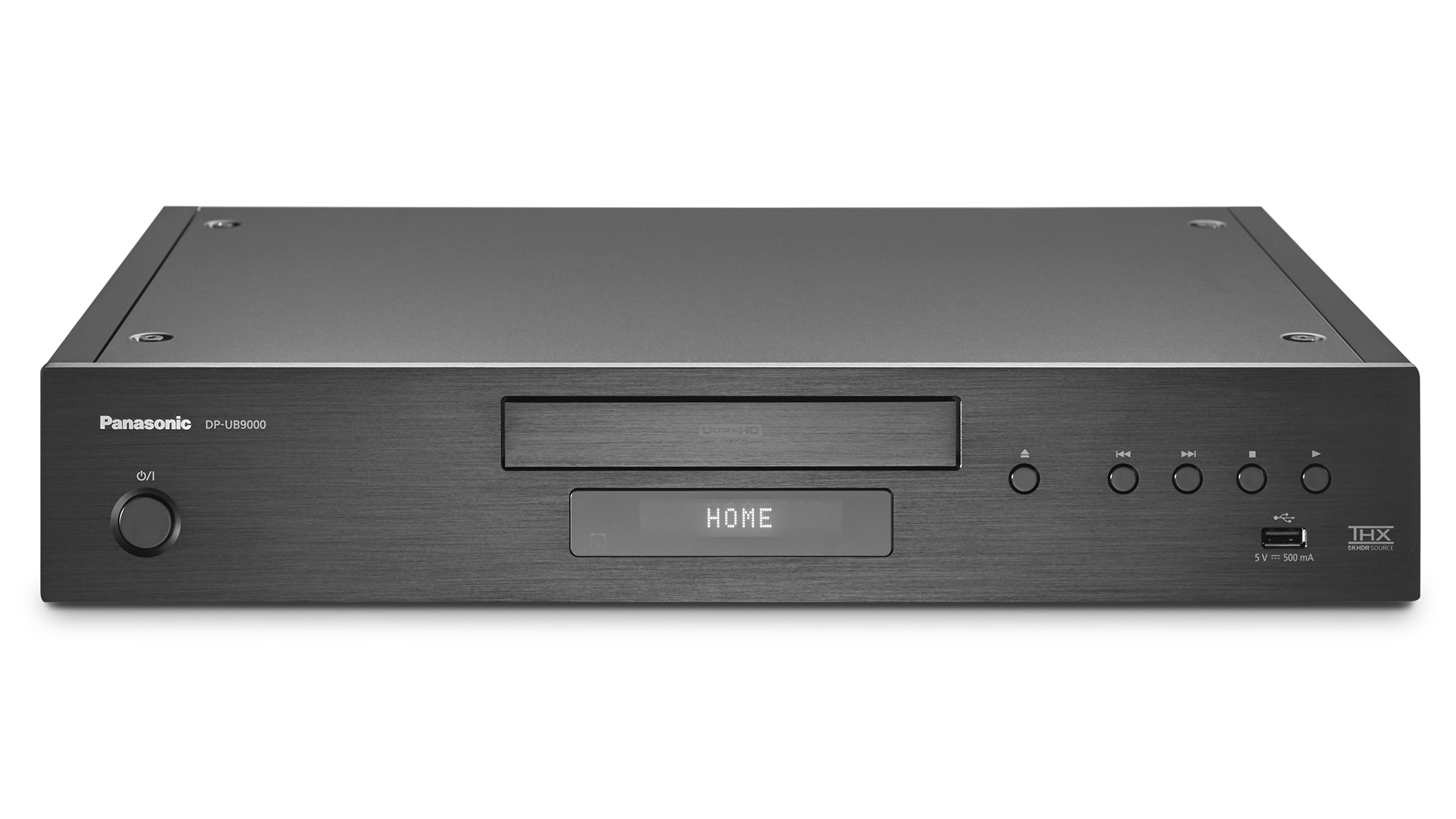
3. The Flagship Masterpiece: Panasonic DP-UB9000
If the UB820 is the workhorse, the Panasonic DP-UB9000 is the thoroughbred. This is a reference-grade component designed for dedicated, light-controlled home theaters where every decibel and every nit of brightness matters.
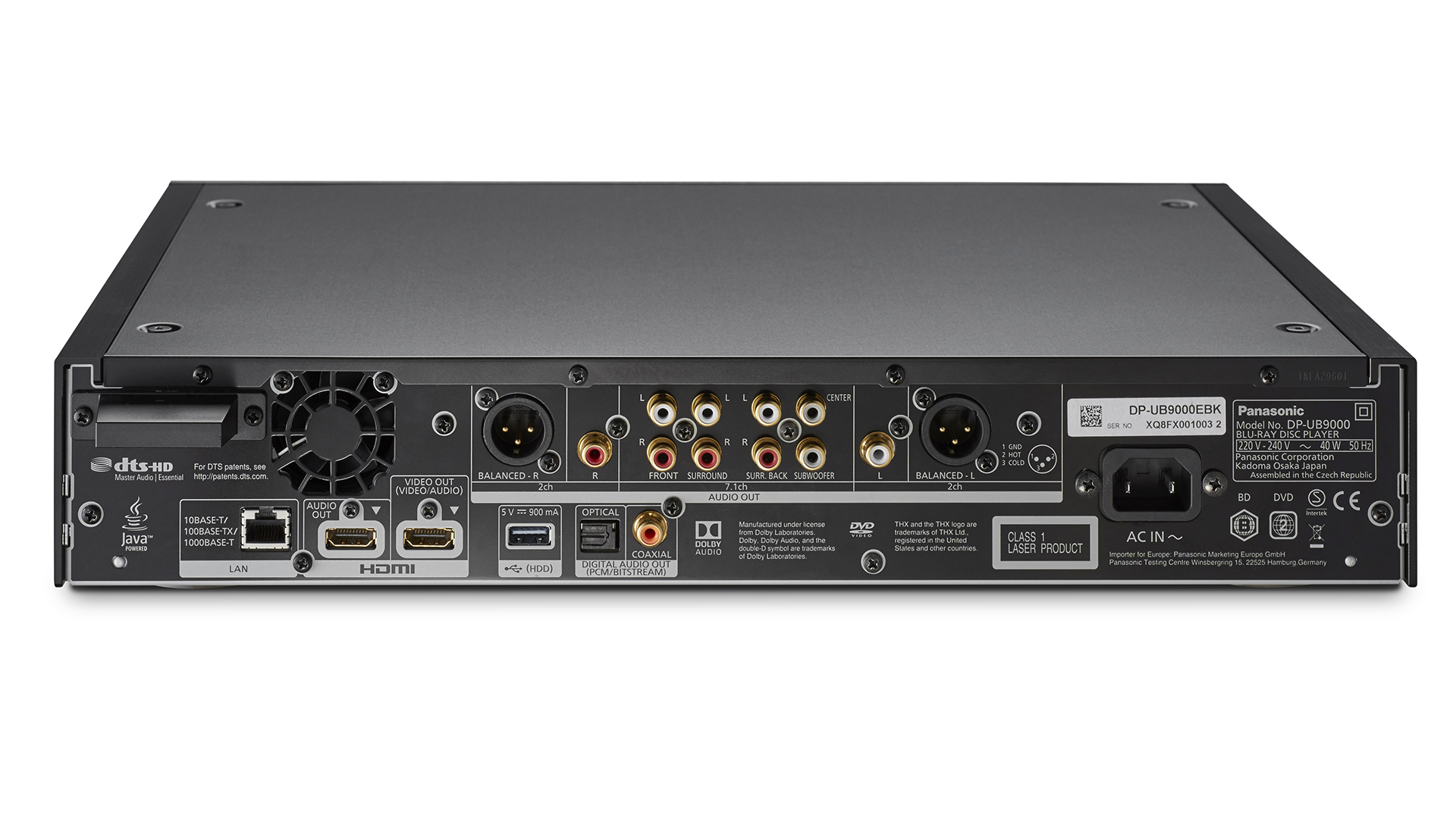
The first thing you notice is the build. At nearly 17 pounds, the dual-layer aluminum chassis is designed to eliminate vibration. Why does this matter? Physical discs spin at high speeds; any vibration can lead to read errors or jitter. The UB9000 provides the most stable platform possible for the laser. Beyond the video, this is an audiophile’s dream, featuring a dedicated power supply for the analog audio circuit and high-performance DACs (Digital-to-Analog Converters).
- Core Specs: Dual-layer aluminum chassis, Twin XLR balanced outputs, 7.1 channel analog outs, THX Certified.
- Pros:
- Reference-grade vibration reduction for the cleanest possible data read.
- Audiophile-quality XLR outputs for high-end sound systems.
- Premium remote control with dedicated playback buttons.
- Cons:
- Extremely high price point ($1,100+).
- Surprisingly, does not support SACD or DVD-Audio.
Expert Verdict: This is not a player for the casual viewer. This is for the enthusiast who has invested five figures into their speakers and display. The UB9000 is likely the last high-end disc player Panasonic will ever make, and they built it to last a lifetime.
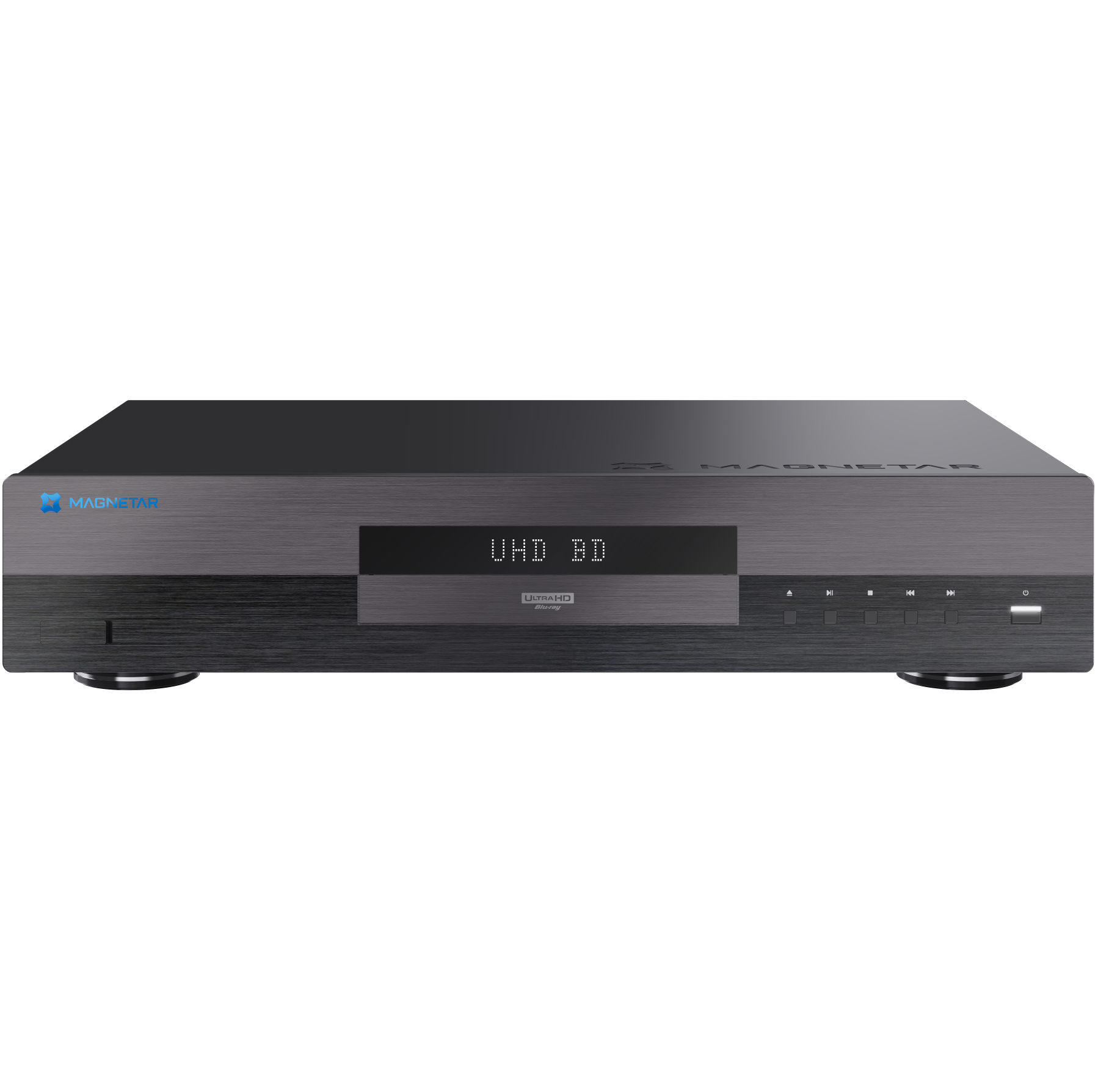
4. The Audiophile's Choice: Magnetar UDP800
With the exit of Oppo from the disc player market years ago, a vacuum was left for a "Universal" player—one that plays everything from 4K UHD discs to obscure high-res audio formats. The Magnetar UDP800 is the answer to that call.
While Panasonic focuses heavily on video processing, Magnetar focuses on the total media ecosystem. It utilizes a massive toroidal transformer and Burr-Brown PCM 1795 DACs to deliver a stereo musicality that no other player on this list can match. It is a tank of a machine, weighing 8kg, and feels like a piece of high-end laboratory equipment.
-
Core Specs: Professional-grade build, Burr-Brown DACs, Universal disc support (SACD/DVD-Audio).
-
Pros:
- Truly universal: It plays almost any 5-inch silver disc ever made.
- Incredible stereo output for music lovers.
- No-nonsense, professional interface.
-
Cons:
- Lacks the "smart" apps and Wi-Fi features of mainstream players.
- Difficult to find through traditional retailers.
Expert Verdict: If your movie room also doubles as your listening room, the Magnetar is the only choice. It bridges the gap between a high-end CD player and a reference 4K player in a single, albeit expensive, box.
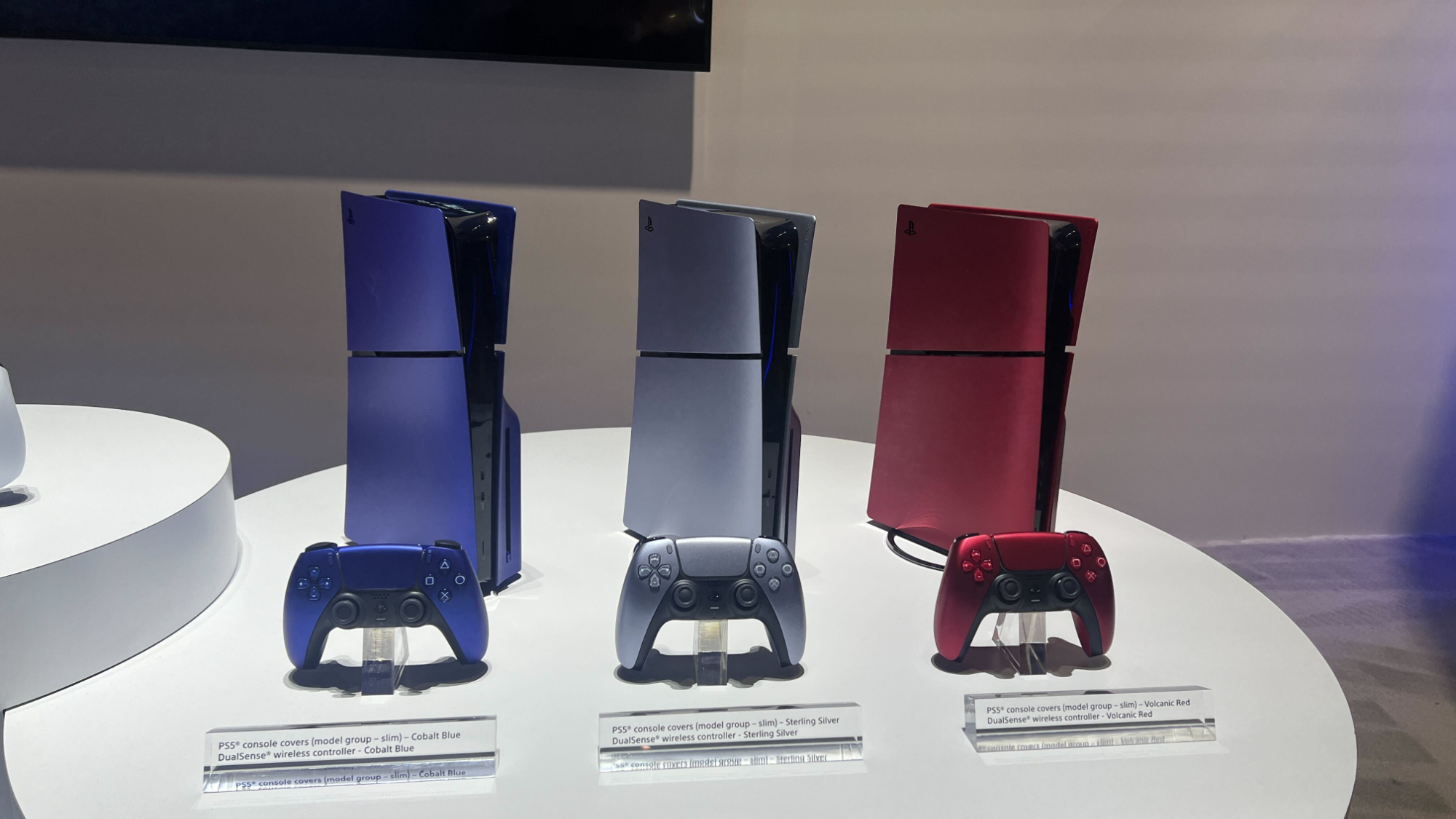
5. Gaming Consoles: PS5 vs. Xbox Series X for Blu-ray
Can you use your gaming console as your primary 4K player? Technically, yes. But there are caveats that the marketing teams often gloss over.
The PlayStation 5 (Disc Edition) and Xbox Series X both feature 4K UHD drives. In my analysis, the PS5 generally offers a "cleaner" image with slightly better upscaling for 1080p content. However, neither console is a "perfect" player. The most glaring omission is that neither console supports Dolby Vision for physical discs (though the Xbox supports it for streaming apps). Furthermore, gaming consoles are notoriously loud; the fan noise during a quiet, dramatic movie scene can be a significant distraction.
- PS5 vs. Xbox Playback:
- PS5: Better upscaling, but no Dolby Vision for discs. User interface is snappier for media.
- Xbox Series X: Supports Dolby Atmos but, like the PS5, lacks Dolby Vision for disc playback. The drive can be noisier during spin-up.
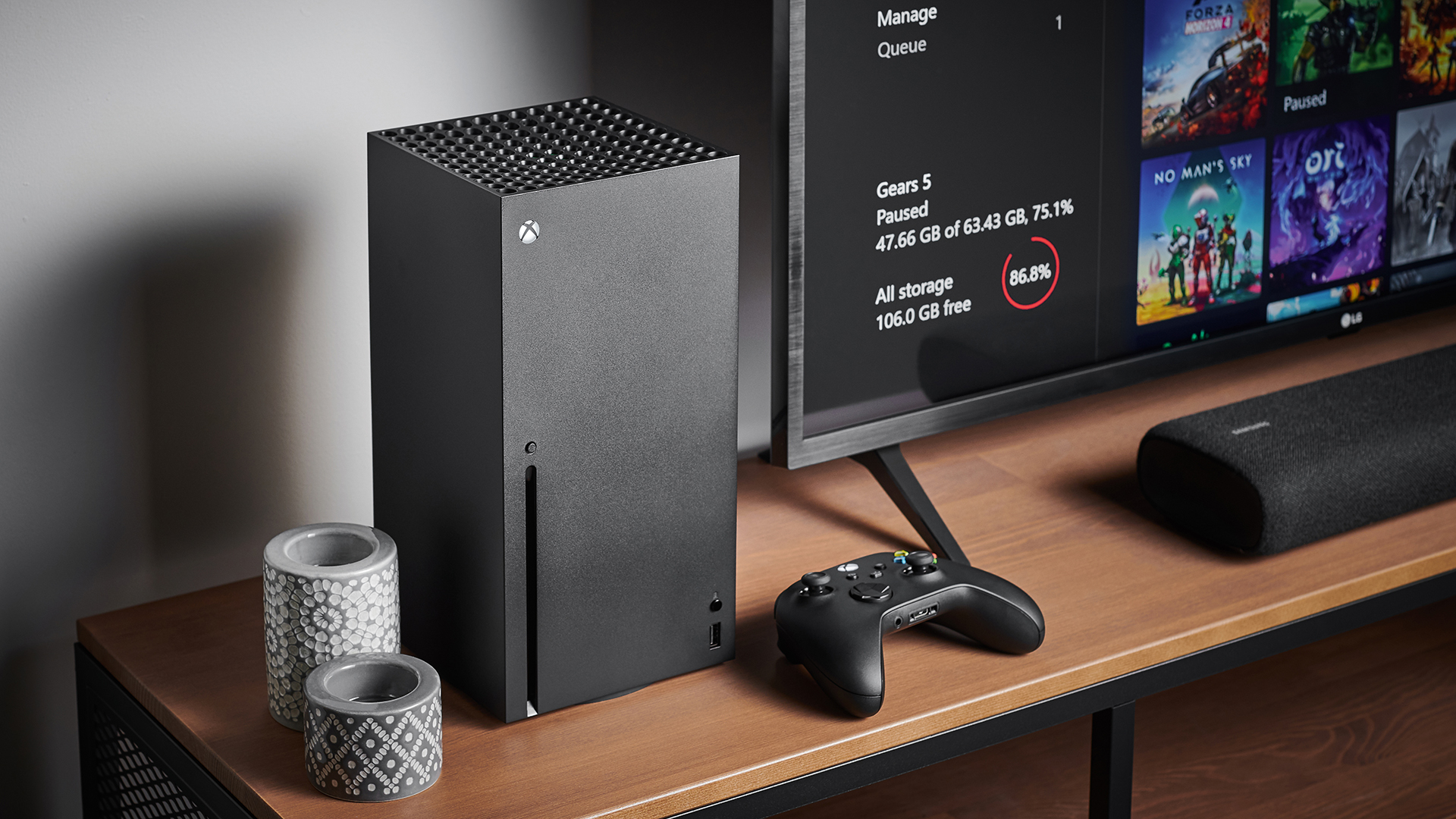
Expert Verdict: Use a console if you are a casual viewer who watches the occasional blockbuster. If you are building a movie collection, a dedicated $200 player like the Sony X700 will outperform a $500 console every single time.
Buying Guide: What to Look for in 2025
Choosing a player in 2025 requires looking beyond the "4K" sticker. Here is what actually matters for your viewing experience:
HDR Support: The Battle of Metadata
HDR (High Dynamic Range) is more important than resolution. Ensure your player supports Dolby Vision. Unlike standard HDR10, Dolby Vision uses dynamic metadata to adjust brightness and color scene-by-scene. If you have a Samsung TV, you’ll want a player that supports HDR10+, Samsung's preferred format.
Connectivity: The Dual HDMI Advantage
Why do most high-end players have two HDMI ports? High-bitrate 4K video is demanding. By using one port for video (direct to the TV) and the other for audio (to your receiver), you prevent signal interference and ensure that older audio receivers—which might not pass through a 4K/HDR signal—can still deliver lossless Dolby Atmos sound.
The Question of Ownership
Beyond the technical specs, we must address the "Digital Rights" elephant in the room. When you "buy" a movie on a streaming platform, you are purchasing a revocable license. If the platform loses the rights to that content, it disappears from your library. A 4K Blu-ray is yours forever. It doesn't require an internet connection, it won't buffer when your neighbor starts gaming, and it will never be "delisted" from your shelf.
FAQ
Are 4K Blu-ray players worth it on a budget TV? Yes, but the benefits are less pronounced. On a budget TV with low peak brightness, you will still notice the lack of streaming artifacts (no more blocky shadows), but you won't see the full benefit of HDR tone-mapping.
Can a standard Blu-ray player play 4K discs? No. 4K UHD discs use a different laser technology and higher-density storage. However, all 4K players are "backward compatible" and will play your old DVDs and standard Blu-rays (often making them look better through upscaling).
Do I need special HDMI cables for 4K UHD players? You need an "Ultra High Speed" HDMI cable (HDMI 2.1) or at least a "Premium High Speed" cable (HDMI 2.0) rated for 18Gbps to ensure the full HDR signal and lossless audio reach your display without flickering or dropouts.
Final Thoughts
Streaming is for the "what should we watch?" nights. Physical media is for the "I want to experience this masterpiece" nights. In 2025, the gap between the two hasn't closed—it has widened as streaming services prioritize cost-cutting over bitrate. Investing in a dedicated 4K Blu-ray player like the Panasonic UB820 is the single most effective upgrade you can make to your home theater.
Ready to upgrade your home cinema? Shop the Best 4K Players on Amazon →