We’ve all been there: after eight hours of staring at a glossy laptop screen, your eyes feel gritty, your focus is shot, and the mere thought of looking at another pixelated notification is exhausting. As a mobile editor who lives and breathes high-refresh-rate OLEDs and ultra-bright smartphones, I’ve found that the most important addition to my tech stack in 2026 isn't a faster processor—it’s a screen that finally lets my eyes rest.
The science behind this relief is simple. While traditional tablets like the iPad use backlighting that shoots blue light directly into your retinas, E Ink tablets utilize reflective light. They use microcapsules of ink that move to the surface, mimicking the way light bounces off traditional paper. For anyone serious about long-form writing, deep reading, or brainstorming without the "digital hangover," these devices are no longer just niche toys—they are essential productivity tools.
If you're wondering which E Ink tablet is best for reducing eye strain, the Kindle Scribe and reMarkable 2 remain our top recommendations. They utilize E Ink Carta displays that reflect ambient light rather than emitting it, providing a visual experience nearly identical to real paper.
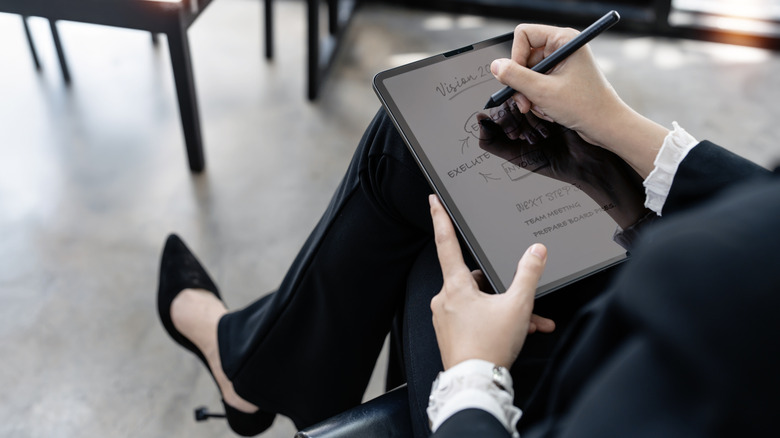
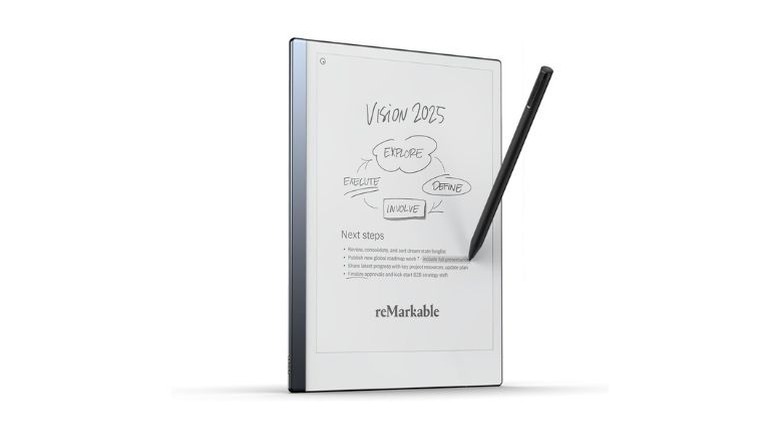
1. reMarkable 2: The Best Overall for Focused Writing
If your goal is to disappear into your thoughts, the reMarkable 2 is what we call the "Minimalist Dream." It doesn't have an app store, it doesn't have an email client, and it certainly won't ping you with social media notifications. It is a digital sheet of paper, perfected.
The hardware is impossibly thin—just 4.7mm—making it the thinnest tablet on the market. But the real magic is in the tactile experience. The 10.3-inch monochrome display has a textured surface that provides just enough friction against the Marker stylus to create that satisfying "scritch" sound of a pencil on bond paper. With a pen latency of just 21ms, the digital ink feels like it’s flowing directly from the tip of the pen.
For professionals, the reMarkable 2 isn't just a notebook; it’s a bridge to the digital world. Its built-in Optical Character Recognition (OCR) is industry-leading, supporting 33 languages. In our testing, it successfully converted even the most hurried cursive into clean, typed text that can be emailed or synced to Google Drive and Dropbox.
- Weight: 14.24 oz
- Battery Life: Up to 2 weeks (based on heavy daily use)
- Price: ~$449 (including Marker Plus with built-in eraser)
Pros:
- Unrivaled "paper-feel" writing surface.
- Zero-distraction interface (no apps or notifications).
- Exceptional handwriting-to-text conversion.
Cons:
- No built-in front light (requires ambient light to see).
- Subscription (Connect) required for full cloud sync features.
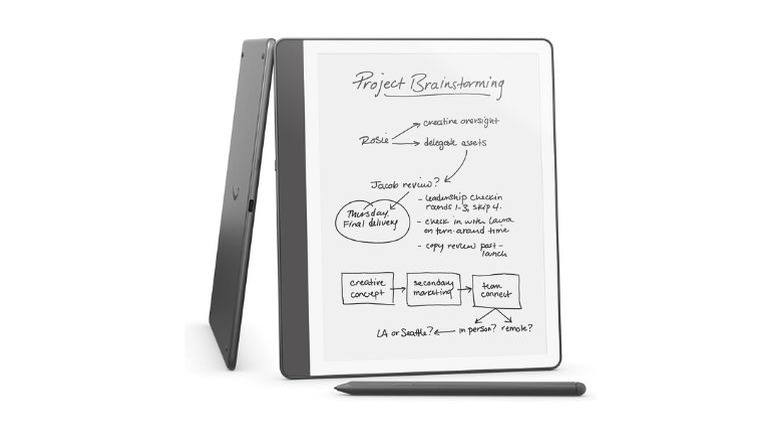
2. Amazon Kindle Scribe (2024/2026 Edition): The Best Value for Readers
Amazon entered the large-format E Ink space later than others, but they did so with a device that dominates the "reading + writing" hybrid category. The Kindle Scribe features a 10.2-inch, 300 PPI (pixels per inch) display, which is significantly sharper than the reMarkable’s 226 PPI. This makes it the superior choice if you spend 50% of your time reading technical documents or ebooks and the other 50% taking notes.
The Scribe is deeply integrated into the Amazon ecosystem. The "Active Canvas" feature allows you to write handwritten sticky notes directly into millions of Kindle books. Furthermore, Amazon has recently introduced AI-powered text summarization, which can take pages of your handwritten meeting notes and distill them into a concise bulleted list.
The market sentiment reflects this quality. The Amazon Kindle Scribe maintains a high user satisfaction rating of 4.4 out of 5 stars, with over 85% of 3,000+ reviewers awarding it at least 4 stars. It’s a reliable, sturdy, and high-resolution workhorse.
- Price: Starting at $399.99
- Storage: 16GB, 32GB, or 64GB
- Notable Feature: Auto-adjusting warm light for nighttime reading.
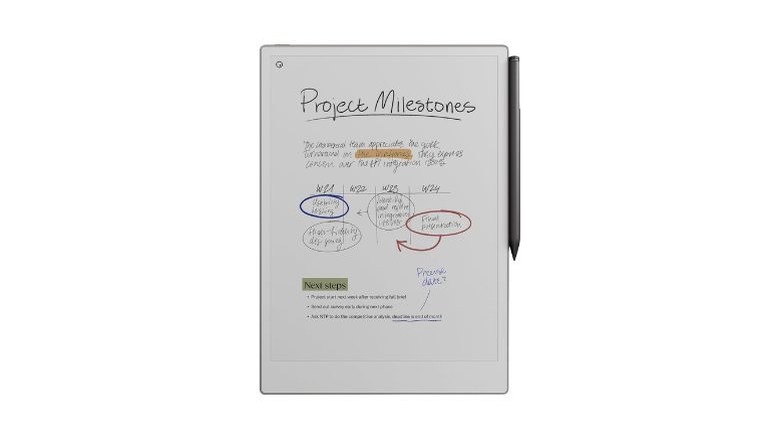
3. reMarkable Paper Pro: The Best Premium Color E-Ink
For years, color E Ink was a compromise—colors looked washed out, and the screens were dim. The reMarkable Paper Pro, released as a pro-grade alternative, changes the narrative using Gallery 3 technology. Unlike the "Kaleido" screens found in cheaper color tablets, Gallery 3 uses four-color ink particles (Cyan, Magenta, Yellow, White) in every pixel to produce over 20,000 colors.
This is the best color E Ink tablet for note-taking if you are an architect, a designer, or a student who needs to color-code complex diagrams. The 11.8-inch display is massive, providing ample room for split-screen viewing or large-scale sketching. The writing experience remains lag-free, a feat previously thought impossible with Gallery 3 tech.
Expert Tip: While the Paper Pro is stunning, remember that E Ink colors will never look like a MacBook Pro screen. They look like a Sunday newspaper comic strip—matte, muted, and beautifully organic.
- Price: $679.99 (Premium price for premium tech)
- Display: 11.8-inch Canvas Color
- Storage: 64GB
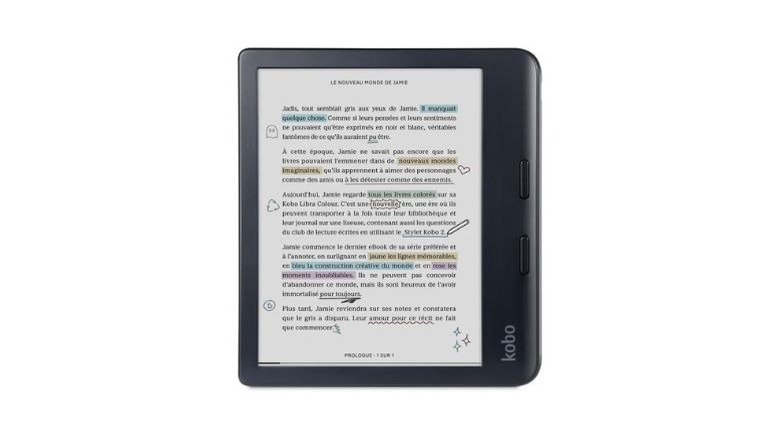
4. Kobo Libra Colour: The Best Portable & Affordable Color Option
Not everyone wants a 10-inch slab. If you're a commuter or someone who takes notes in coffee shops, the Kobo Libra Colour is a revelation. It features a 7-inch Kaleido 3 display and, importantly, is fully waterproof (IPX8). You can literally take notes by the pool or in the bath without anxiety.
What sets Kobo apart is its incredible efficiency. The Kobo Libra Colour provides industry-leading energy efficiency, lasting up to 40 days on a single charge based on 30 minutes of daily reading. It also supports the Kobo Stylus 2, allowing you to highlight and annotate library books borrowed via the integrated OverDrive/Libby support.
- Pros: Highly portable, waterproof, affordable color, physical page-turn buttons.
- Cons: Small screen can feel cramped for extensive note-taking.
- Price: $229.99 (Stylus sold separately).
5. Onyx Boox Note Air4 C: The Best for Power Users
If the reMarkable is a "digital notebook," the Onyx Boox Note Air4 C is a "digital workstation." Running on an open version of Android 13 with full Google Play Store support, this device is for the person who wants E Ink's eye-comfort benefits but still needs to access Slack, Microsoft OneNote, or Notion.
The Note Air4 C uses the Kaleido 3 color screen, which offers a faster refresh rate than Gallery 3. This makes it much better for browsing the web or using apps that have more animation. It also features a powerful octa-core processor and 6GB of RAM, allowing for smooth multitasking and split-screen modes.
Sarah’s Recommendation: Only choose the Boox if you have the discipline to stay focused. Having the Play Store on your E Ink tablet means YouTube is just a tap away—which might defeat the purpose of a "focused" note-taking device!
Technical Comparison: 2026 E Ink Leaders
| Device | Display Tech | PPI (B&W/Color) | Weight | Best For |
|---|---|---|---|---|
| reMarkable 2 | E Ink Carta | 226 / N/A | 14.2 oz | Pure Writing |
| Kindle Scribe | E Ink Carta 1200 | 300 / N/A | 15.3 oz | Reading & Annotating |
| reMarkable Paper Pro | Gallery 3 | 229 / 229 | 18.5 oz | Professional Color |
| Kobo Libra Colour | Kaleido 3 | 300 / 150 | 7.0 oz | Portability |
| Onyx Boox Note Air4 C | Kaleido 3 | 300 / 150 | 15.1 oz | Android Apps/Versatility |
Buyer’s Guide: Choosing the Right Tablet for Your Eyes
When you're shopping for a device to solve eye strain, don't just look at the price tag. Consider these three factors:
1. Kaleido 3 vs. Gallery 3
If you want color, you have two choices. Kaleido 3 (found in Boox and Kobo) uses a color filter array. It's fast and bright but the color resolution is usually half the black-and-white resolution. Gallery 3 (found in the Paper Pro) uses actual colored ink. It’s slower to refresh but the colors are much more vivid and the resolution is consistent.
2. Latency and Ghosting
Latency is the delay between your pen moving and the ink appearing. Look for devices with 21ms or lower for a natural feel. Ghosting refers to faint "shadows" of previous pages left on the screen. Premium devices like the Kindle Scribe and reMarkable have better "refresh" algorithms to keep the screen clean.
3. Front Light Quality
While the goal is to use ambient light, you’ll occasionally need the built-in light. Look for tablets with "Warm Light" (Amber) options. This reduces blue light exposure in the evening, helping preserve your circadian rhythm and making it easier to fall asleep after a late-night brainstorming session.
FAQ
Q: Can E Ink tablets convert handwriting to typed text?
Yes. Most leading models, including the reMarkable 2, Kindle Scribe, and Onyx Boox, feature built-in OCR (Optical Character Recognition). The reMarkable 2 is particularly robust, supporting 33 languages and maintaining high accuracy even with messy handwriting.
Q: Do I need a subscription to use these tablets?
It depends on the brand. Kindle, Kobo, and Onyx Boox do not require subscriptions for basic features. reMarkable offers a "Connect" subscription for unlimited cloud storage and advanced sync features, though basic functions work without it.
Q: Is E Ink really better for my eyes than an iPad?
Absolutely. iPads use PWM (Pulse Width Modulation) and high-energy blue light to illuminate their screens, which can cause headaches and eye fatigue. E Ink is "bistable," meaning it only uses power when the image changes and reflects light exactly like paper.
Conclusion
Choosing the right E Ink tablet is about deciding what you want to stop doing. If you want to stop getting distracted by emails, the reMarkable 2 is your best friend. If you want to stop carrying a heavy bag of books, the Kindle Scribe is the winner. And if you’re ready to bring a splash of color to your sketches without the headache-inducing glare of a traditional tablet, the reMarkable Paper Pro is the new gold standard.
Invest in your focus, and more importantly, invest in your eye health. Your future self, staring at a screen 10 hours a day, will thank you.