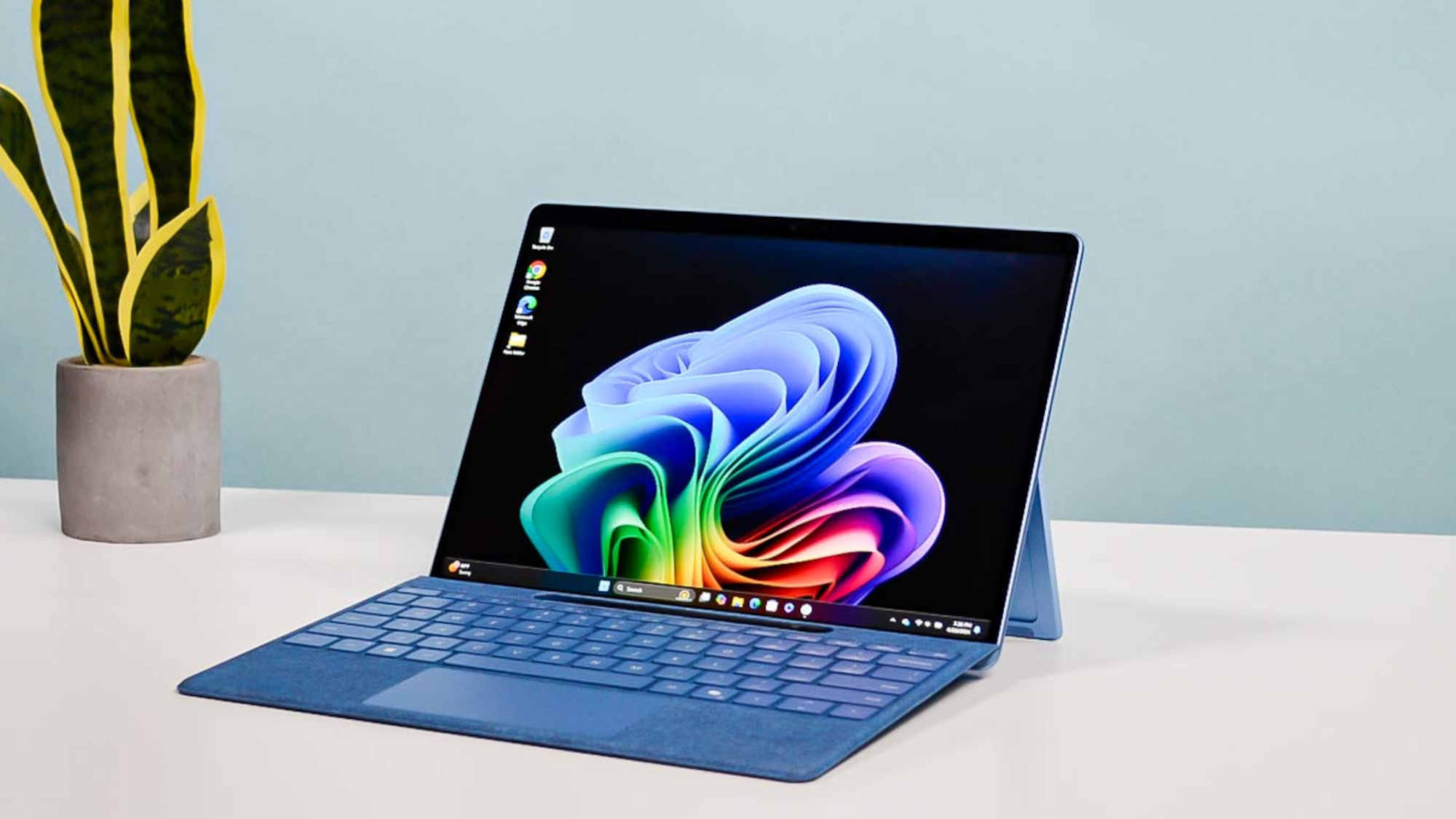
For over a decade, Microsoft has chased a singular, elusive dream: a device that could truly be the "one thing" in your bag. We’ve seen iterations that were too slow, too hot, or too hamstrung by battery life to actually replace a dedicated clamshell laptop. But the 2024 Microsoft Surface Pro (now in its 11th edition) represents a fundamental pivot. By ditching Intel's traditional architecture for Qualcomm’s Snapdragon X Series chips, Microsoft isn't just iterative—it’s reinventing the engine.
The core question for 2024 isn't whether the Surface Pro is a good tablet—it’s whether it has finally transcended its "hybrid" compromises to become a superior alternative to the MacBook Air.
The Verdict (TL;DR): The Microsoft Surface Pro 11 is a high-performance 2-in-1 hybrid that successfully bridges the gap between a portable tablet and a professional laptop. Powered by the Snapdragon X Elite ARM chip, it delivers MacBook-rivaling battery life and a stunning 13-inch OLED display. While the $1,894 MSRP for a full bundle is steep, warehouse deals (like those at Costco) offer the 1TB/16GB model for as low as $1,000—a massive 47% savings that transforms this from a luxury niche item into a high-value powerhouse.
The 11th Edition Pivot: Why ARM Matters
For the first time, the Surface Pro feels like it isn't fighting against its own hardware. The shift to the Snapdragon X Elite and X Plus platforms means we are finally seeing the efficiency that ARM architecture promised years ago. This isn't just about "AI" branding; it’s about the fact that you can finally use a Surface Pro on a cross-country flight without hovering near a power outlet.
Before we dive into the user experience, let’s look at the cold, hard numbers. Microsoft offers two distinct tiers of the Surface Pro 11, and choosing the right one is critical for your workflow.
Snapdragon X Plus vs. Snapdragon X Elite: Specs at a Glance
| Feature | Snapdragon X Plus Model | Snapdragon X Elite Model |
|---|---|---|
| CPU Cores | 10-core | 12-core |
| Display Type | LCD (120Hz) | OLED (120Hz) |
| NPU (AI) | 45 TOPS | 45 TOPS |
| RAM Options | 16GB | 16GB / 32GB |
| Storage | 256GB / 512GB | 512GB / 1TB |
| Starting Price | $999 | $1,499 |
Design & Portability: Breaking the Clamshell Mold
If you’ve seen a Surface Pro in the last three years, the chassis will look familiar, but the refinements are in the details. The 2024 model retains the iconic integrated kickstand, which remains the gold standard for adjustable tablet ergonomics.
The most striking statistic is the weight. At just 1.97 lbs (without the keyboard), the Surface Pro 11 is approximately 27% lighter than the 13-inch MacBook Air (2.7 lbs). For professionals who live in airports or move between meeting rooms, that difference is palpable. The build quality remains top-tier, featuring a premium anodized aluminum finish available in new colors like Sapphire and Dune.
The Port Situation: Minimalist by Design
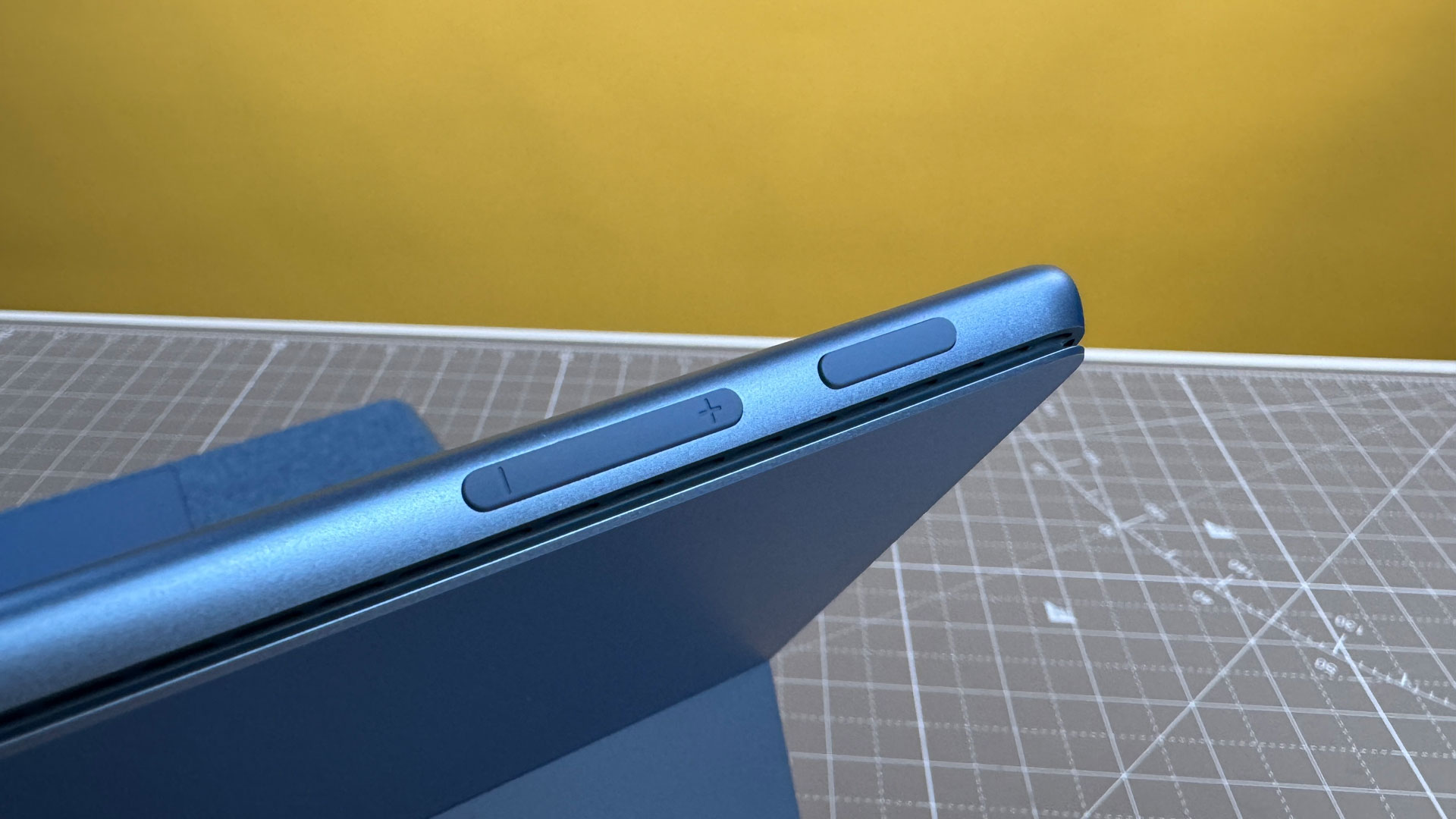
Microsoft continues its minimalist trend with two USB4 ports on the left side. These support charging, data transfer, and dual 4K monitor outputs. However, the reliance on the "MagSafe-like" Surface Connect port for primary charging remains a polarizing choice. While it saves your USB ports for peripherals, it’s yet another proprietary cable to carry—unless you opt for a high-wattage USB-C PD charger.
The OLED Stunner: Display Performance
The real star of the Snapdragon X Elite configuration is the 13-inch PixelSense Flow OLED display. If you are a creative professional or a media junkie, this is the upgrade you’ve been waiting for.
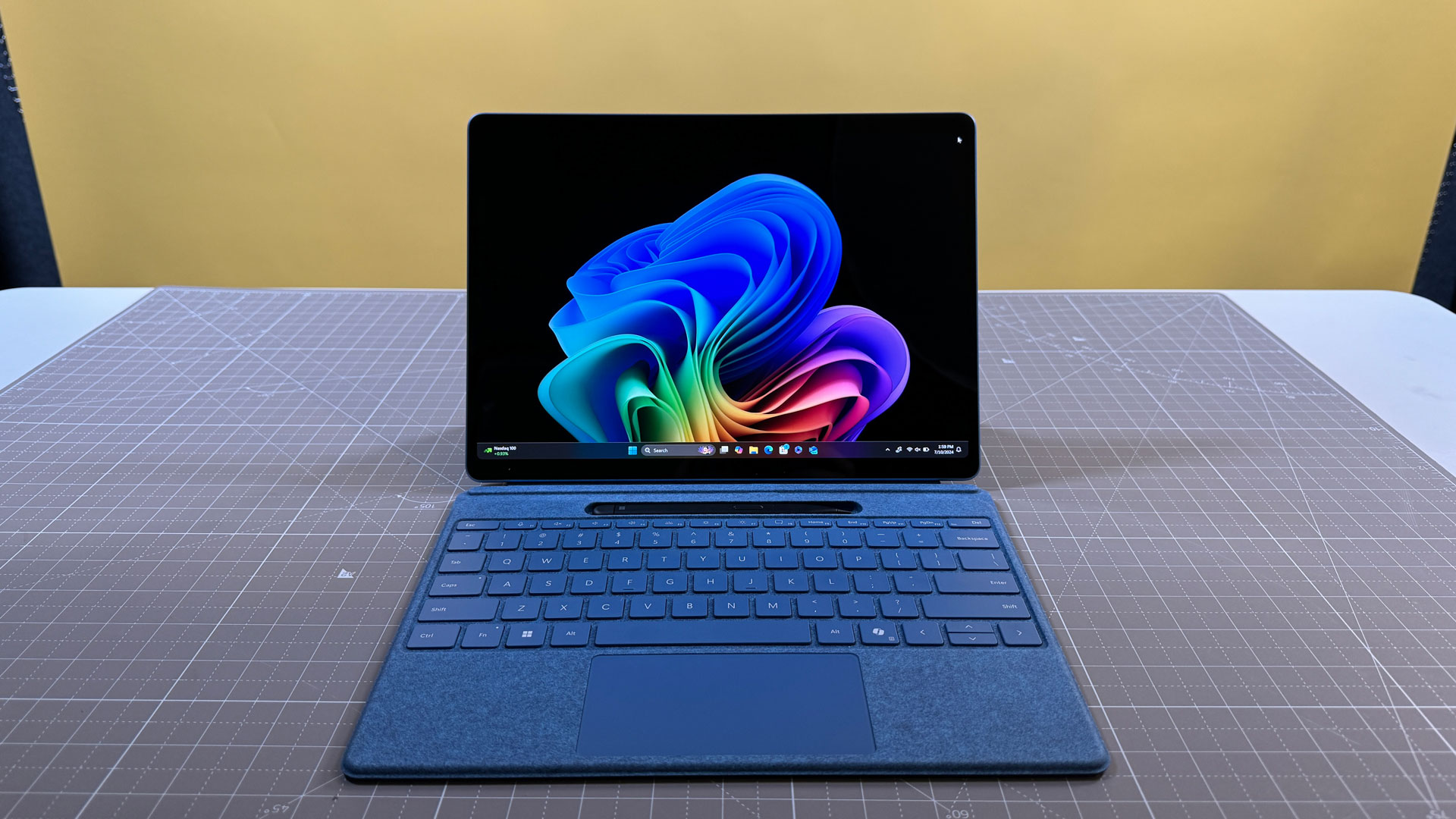
With a resolution of 2880 x 1920 and a 120Hz dynamic refresh rate, the contrast is infinite. The blacks are perfectly inky, and the peak HDR brightness hits impressive levels, making it a viable tool for outdoor work. In our SDR testing, we measured a sustained 564 nits, which outshines many dedicated high-end laptops.
For artists, the integration with the Slim Pen 2 (sold separately, unfortunately) is better than ever. The haptic motor inside the pen mimics the "friction" of pencil on paper, and the OLED’s fast response time reduces latency to near-zero.
Performance & Efficiency: The Snapdragon X Elite Reality
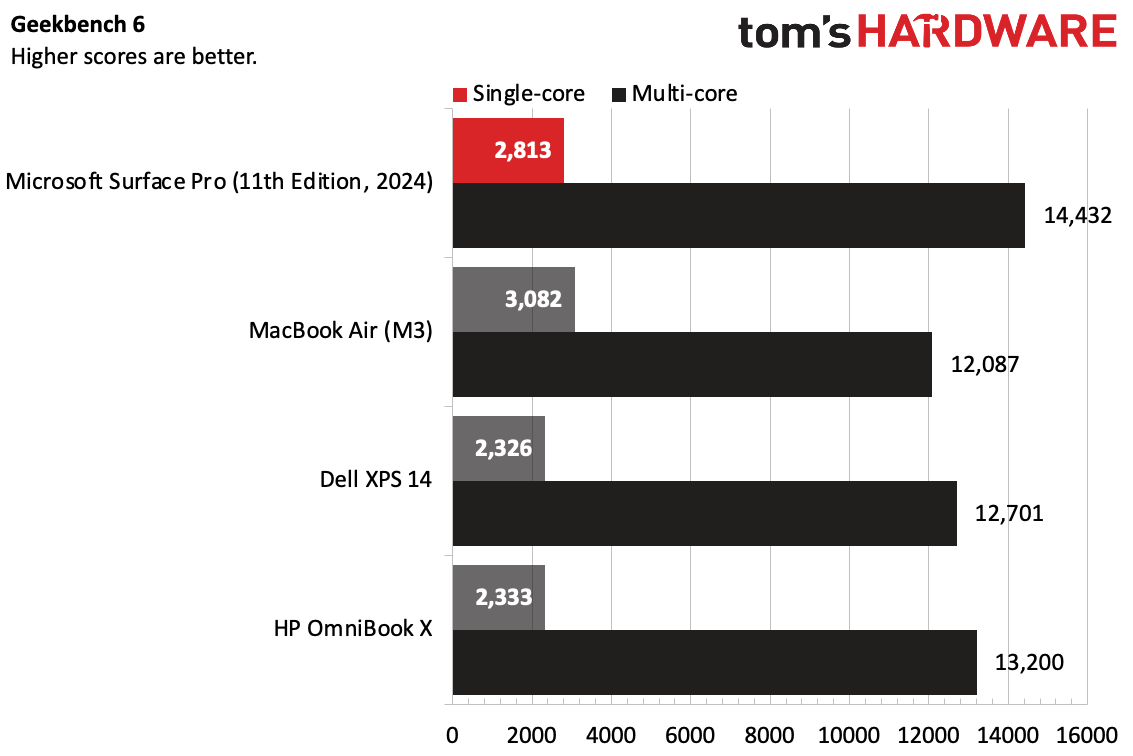
Let’s talk performance. For years, "Windows on ARM" was a punchline. This year, the joke is over. In multi-core benchmarks like Geekbench 6, the Snapdragon X Elite inside the Surface Pro 11 notched a score of 14,432. To put that in perspective, it doesn't just beat the older Intel-based Surface Pros; it trades blows with Apple’s M3 chip.
Real-World Battery Life
Battery life has historically been the Surface’s Achilles' heel. With the new ARM architecture, the Pro 11 consistently delivers 12 to 14 hours of real-world use (web browsing, Slack, Word, and video calls). While it might fall slightly short of the MacBook Air’s legendary 15+ hour endurance in specific video playback tests, it is the first Windows tablet that can legitimately survive a full workday without a "low battery" panic at 3:00 PM.
The ARM Asterisk: Compatibility and Software
As a PC editor, I have to be honest: there is still an "ARM Asterisk." While Microsoft’s new Prism emulation layer is significantly better than previous versions—allowing legacy x86 apps to run with minimal performance hits—it isn't perfect.
- Native is King: Apps like Google Chrome, Photoshop, Spotify, and Zoom now run natively on ARM and are lightning-fast.
- The Gaming Gap: The Adreno GPU is capable, but many games with aggressive anti-cheat software (like Valorant) or those requiring specific x64 drivers simply won't launch. This is not a gaming machine.
- Legacy Peripherals: If you are using a 10-year-old specialized plotter or a very specific industrial USB interface, check for driver compatibility first. Most modern printers and peripherals work fine, but legacy hardware can still be a headache.
AI Features: Copilot+ or Copilot-?
Microsoft is marketing this heavily as a "Copilot+ PC." You get a dedicated AI button on the keyboard and features like Live Captions (which translates any audio into English in real-time) and Cocreator in Paint (which turns your messy scribbles into AI-generated art).
While the 45 TOPS NPU is technically impressive, the software side feels like it's still in beta. The controversial "Recall" feature, which takes snapshots of your screen to let you search your history, has been delayed and refined due to privacy concerns. For now, buy the Surface Pro 11 for its speed and screen, not because you want to talk to an AI bot.
The Price of Versatility: Peripherals and Bundle Deals
Here is where the "Ryan Kim" skepticism kicks in. Microsoft lists the Surface Pro 11 (Elite model) at $1,499. But a "Pro" tablet without a keyboard is just an expensive clipboard. Once you add the new Surface Pro Flex Keyboard and the Slim Pen 2, the MSRP skyrockets to approximately $1,894.
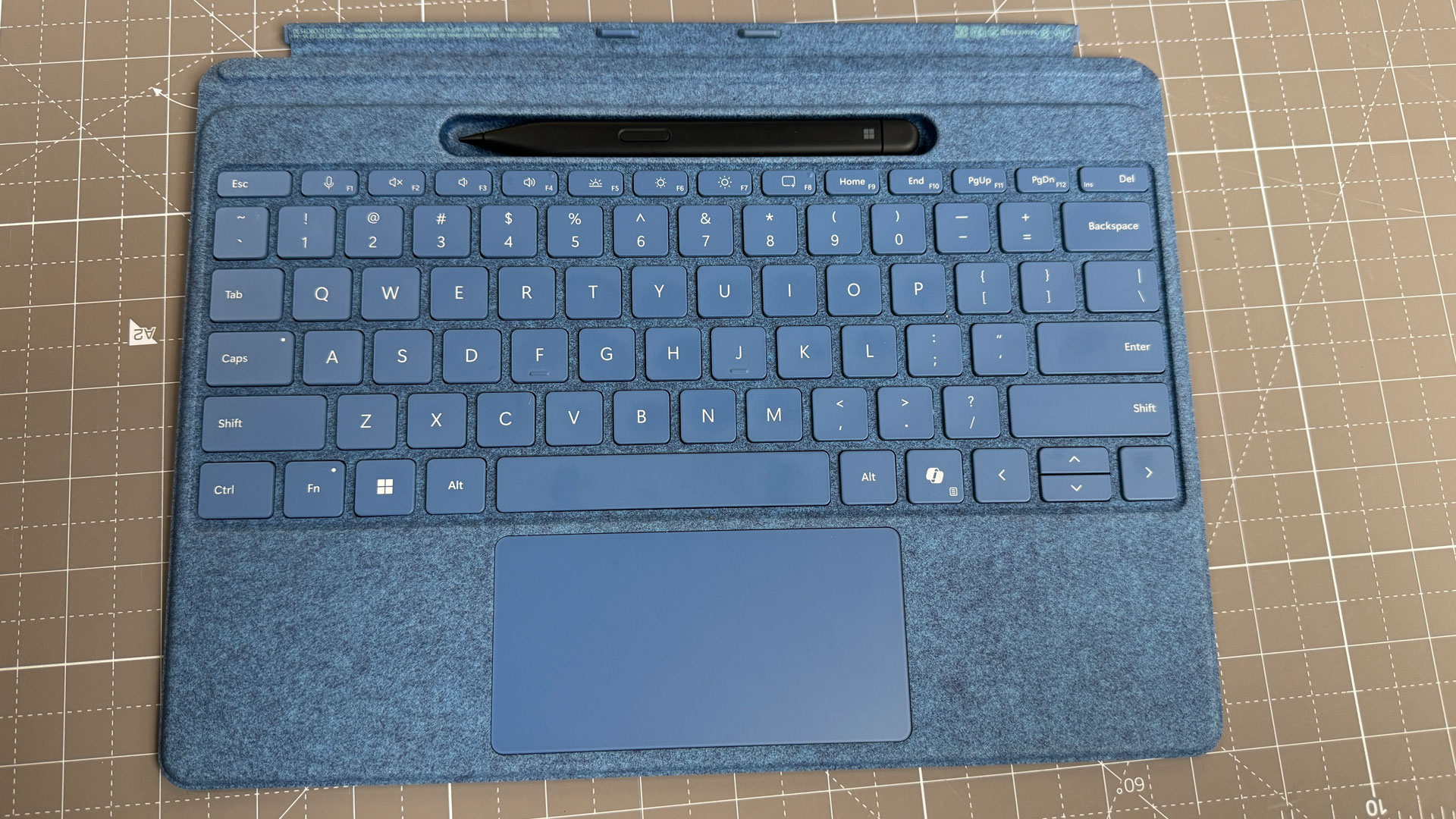
This "Keyboard Tax" is a bitter pill to swallow. The new Flex Keyboard is impressive—it has its own battery and Bluetooth, so you can use it even when it's detached from the tablet—but it’s an expensive luxury.
The "Costco Factor": How to Actually Buy It
If you want this device, do not buy it at full retail. Warehouse clubs like Costco have been offering a game-changing bundle: the 1TB SSD / 16GB RAM model including the keyboard and pen for roughly $1,000 to $1,100 during promotional windows.
That represents a 47% total savings compared to the Microsoft Store. At $1,894, the Surface Pro 11 is a tough sell against a MacBook Pro. At $1,000 for the full kit, it is the best 2-in-1 value on the market, period.
Comparison: Surface Pro 11 vs. iPad Pro vs. MacBook Air
Choosing between the "Big Three" comes down to your primary input method.
- Surface Pro 11: For the user who needs Windows 11 productivity (real file management, desktop apps) but wants the freedom to rip the keyboard off for a flight or a sketch session. It is a laptop that can be a tablet.
- iPad Pro (M4): A tablet that is desperately trying to be a laptop. Better for pure video editing (LumaFusion/Final Cut) and media consumption, but iPadOS still feels like a mobile sandbox.
- MacBook Air (M3): The gold standard for "lap-ability." If you never plan to use a stylus or a touch screen, the Air’s rigid hinge makes it better for literal on-the-lap typing.
Pros & Cons
Pros:
- OLED Display: Best-in-class contrast and color accuracy.
- Snapdragon Efficiency: Finally, a Surface with 12+ hour battery life.
- Form Factor: 27% lighter than a MacBook Air; perfect for travel.
- Flex Keyboard: Detachable use adds genuine ergonomic flexibility.
Cons:
- The "Keyboard Tax": Peripherals are overpriced at MSRP.
- App Compatibility: Some niche x64 apps and games still won't run.
- Lap-ability: Still requires a flat surface for the kickstand; awkward on literal laps.
Final Thoughts
Is the 2024 Microsoft Surface Pro 11 more than just a laptop? Yes. It is the first time Microsoft has delivered on the "no compromises" promise. It has the power of a desktop, the battery of a tablet, and a screen that puts most professional monitors to shame.
However, its status as a "must-buy" depends entirely on your ability to find a bundle deal. If you can snag the Costco or Best Buy bundles for around $1,000, you are getting a future-proof AI-ready machine that outperforms almost everything in its weight class.
FAQ
1. Does the Surface Pro 11 come with a keyboard? No. Unless you are buying a specific retailer bundle (like those at Costco), the keyboard and Slim Pen 2 are sold separately.
2. Can I run Google Chrome and Microsoft Office on the Snapdragon chip? Yes. Both Chrome and Office now run natively on ARM architecture, meaning they are just as fast (if not faster) than they are on Intel-based laptops.
3. Is the OLED screen worth the extra money? If you do photo/video work or watch a lot of movies, yes. If you are primarily using it for Excel and emails, the LCD model (Snapdragon X Plus) is excellent and will save you $500.