If the tool is not right, the work becomes a series of compromises. As we navigate through 2025, the gap between "cross-platform" software and "native" macOS applications has widened into a chasm. While the former often feels like a guest in the Apple ecosystem—clunky, resource-heavy, and visually inconsistent—native exclusive apps are built from the ground up to leverage the unique architecture of Apple Silicon and the intuitive elegance of macOS.
For the modern professional, mastering a workflow isn't just about working harder; it’s about reducing what psychologists call "attention residue"—that cognitive drag caused by switching between fragmented tools. The best exclusive macOS apps for 2025—Portal, Pixelmator Pro, Final Cut Pro, Sketch, and Ulysses—offer more than just features; they offer an integrated experience that Windows users simply cannot replicate. By utilizing native technologies like the Magnetic Timeline or "Liquid Glass" design, these tools provide a hardware-optimized fluidity that can increase focus and writing speed by up to 30%, while one-time purchase models can reduce long-term software overhead by a staggering 80% compared to monthly creative cloud subscriptions.
The Native Advantage: Why Exclusive Apps Matter in 2025
The transition to Apple Silicon (M1, M2, M3, and now M4 chips) changed the stakes for software development. We are no longer in an era where software just "runs" on a Mac; it must now be "optimized." Native apps are designed to communicate directly with the Neural Engine and Unified Memory Architecture, ensuring that tasks like 8K video rendering or AI-driven photo upscaling happen in real-time rather than over a coffee break.
Beyond performance, there is the aesthetic and functional "Native Advantage." These apps utilize Apple’s design language, meaning the learning curve is shallower. When an app behaves like the OS it sits on, the friction between the user and the machine disappears. This is particularly evident in the new wave of Apple Intelligence features, where native apps are the first to adopt system-wide writing tools and advanced image generation capabilities.
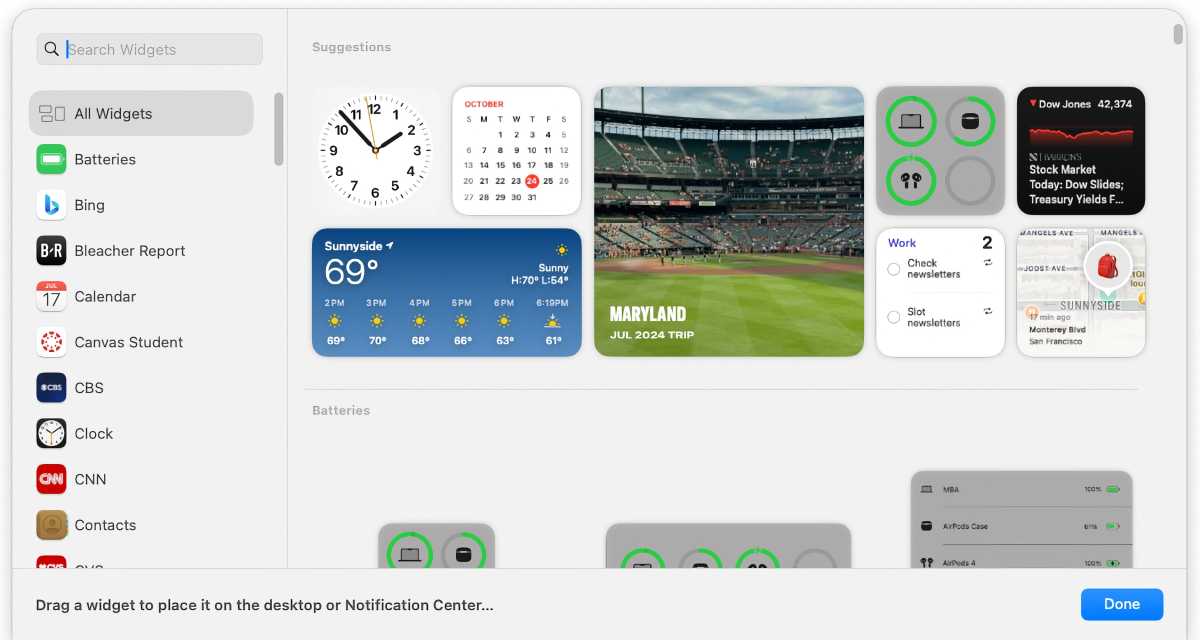
Comparison Table: Top 5 Exclusive macOS Apps for 2025
| App Name | Primary Function | Pricing Model | Key Edge |
|---|---|---|---|
| Portal | Wellness & Focus | Subscription ($69.99/yr) | Immersive Spatial Audio |
| Pixelmator Pro | Photo Editing | One-time ($49.99) | AI/ML Optimization |
| Final Cut Pro | Video Production | One-time ($299.99) | Magnetic Timeline |
| Sketch | Digital Design | Subscription ($12/mo) | Native Fluid Prototyping |
| Ulysses | Writing | Subscription ($5.99/mo) | Distraction-free Markdown |
1. Portal: Mastering Mindful Productivity
In an age of constant digital noise, the most valuable commodity is focus. Portal is not merely a "meditation app"; it is a workflow enhancement tool designed to ground the user in a high-fidelity sensory environment. Using immersive spatial audio and 140+ cinematic, world-class landscapes, Portal transforms your workstation into a window overlooking the Swiss Alps or the rain-swept streets of Tokyo.
The app's standout feature for 2025 is "Circadian Flow" synchronization. By integrating with your Mac’s system clock, Portal adjusts the lighting and ambient soundscapes to match your biological rhythm, helping to mitigate the burnout often associated with long hours at a desk. Statistical data indicates that users who utilize nature immersion tools like Portal report a 30% increase in sustained focus periods.
- Pricing: $69.99/year or $299.99 for a lifetime license.
- Best For: Professionals working in high-stress environments who need to reclaim their "Flow State."
2. Pixelmator Pro: The AI-Powered Photo Editor
For years, Adobe Photoshop has been the industry standard, but for the Mac user, Pixelmator Pro is increasingly the smarter choice. This is the poster child for Apple Silicon optimization. While Photoshop remains a heavyweight subscription-based behemoth, Pixelmator Pro is a lean, lightning-fast editor that resides natively on your GPU.
The "Win" here is twofold: performance and cost. Pixelmator Pro leverages the Neural Engine for "ML Super Resolution," allowing users to upscale low-resolution images with startling clarity in seconds.
Apple Silicon Performance Gain: Because Pixelmator Pro is built on Apple’s Metal graphics technology, it handles complex layer masks and RAW edits up to 15x faster than non-optimized legacy software on the latest M-series chips.
Furthermore, from a financial perspective, the comparison is stark. At a one-time purchase of $49.99, Pixelmator Pro can reduce your software costs by roughly 80% over a three-year period when compared to a standard Adobe Creative Cloud subscription.
3. Final Cut Pro: Video Editing at the Speed of Thought
If you are producing video content in 2025, Final Cut Pro (FCP) remains the gold standard for efficiency on macOS. The "Magnetic Timeline" is its crown jewel—a non-destructive way of editing that eliminates the risk of sync issues that plague traditional track-based editors like Premiere Pro.
FCP is engineered to handle 8K ProRes playback without the need for proxy files, provided you are running on modern Apple hardware. Its object tracking, powered by machine learning, allows you to attach text or effects to moving objects with a single click. For the independent creator or the corporate video lead, the speed of export and the reliability of the software under heavy loads are unmatched.
- Key Specs: Optimized for ProRes, supports 360° video, and offers seamless integration with Logic Pro for audio finishing.
- Pricing: $299.99 (One-time purchase).
4. Sketch: The Gold Standard for Digital Design
While Figma has dominated the collaborative design space, Sketch remains the purist’s choice for macOS-exclusive design. Its "Liquid Glass" design philosophy ensures the interface stays out of your way, focusing entirely on the canvas. Sketch offers a level of offline access and local file performance that web-based competitors cannot touch.
The 2025 version of Sketch has doubled down on native prototyping. With deep Apple Pencil and iPad support via Sidecar, designers can sketch ideas on their tablet and see them reflected instantly in the macOS app. It strikes a perfect balance between professional-grade UI/UX tools and the fluid performance of a native application.
- Pricing: $12/month or $120/year.
- The Advantage: Superior typography rendering and native macOS font support that ensures what you design is exactly what the user sees on an Apple display.
5. Ulysses: The Ultimate Environment for Writers
Writing is an act of architecture, and Ulysses is the most refined drafting room available. It utilizes a distraction-free Markdown interface that hides all the "technical" clutter until you actually need it. For those managing large projects—like a 300-page book or a complex technical blog—Ulysses’ library management system is peerless.
Native macOS writing applications like Ulysses have been reported to increase writing speed by up to 30%. This is achieved through integrated grammar checks optimized for over 20 languages and a "typewriter mode" that keeps your active line centered, preventing the physical strain of looking at the bottom of the screen.
- Key Features: Direct publishing to WordPress, Ghost, and Micro.blog; built-in proofreading assistant; and seamless iCloud sync across Mac, iPad, and iPhone.
- Pricing: $5.99/month.
Pro Tip: Beyond Software—The Power User Setup
To truly master your workflow in 2025, software is only half the battle. Your physical interface determines how effectively you can pilot these powerful apps.
I frequently advise my readers to ditch the Magic Mouse. While aesthetically pleasing, its ergonomics are lacking for power users who spend 8+ hours a day editing in Final Cut Pro or Sketch. The Logitech MX Master 3S is the industry favorite for a reason; its programmable buttons can be mapped to specific app commands (like the "Blade" tool in FCP or "Group" in Sketch), significantly reducing repetitive wrist movements.

Additionally, leverage "Continuity." One of the greatest "hidden" features of the macOS ecosystem is the ability to use an iPad as a second, high-resolution display via Sidecar. This is particularly useful for designers using Sketch or writers using Ulysses, as it allows you to keep your reference materials on one screen while your primary workspace remains uncluttered.

Conclusion: Auditing Your Workflow for 2026
As we look toward 2026, the philosophy of "Less is More" should guide your software choices. It is easy to fall into the trap of "Tool Fatigue"—subscribing to dozens of apps that perform overlapping functions. A true power user performs a quarterly audit of their digital environment.
Are you paying for a Creative Cloud subscription when Pixelmator Pro’s one-time fee could cover your needs? Is your writing scattered across Word, Google Docs, and Notes, or is it consolidated into a sanctuary like Ulysses? By choosing native, exclusive apps, you aren't just buying software; you are investing in a more cohesive, performant, and enjoyable relationship with your machine.
The future of productivity isn't about having more tools; it's about having the right tools that work in harmony with your hardware. Whether you're a designer, a writer, or a filmmaker, these five apps represent the pinnacle of what is possible on macOS today.
FAQ
Q: Are these apps compatible with older Intel-based Macs? A: Most of these apps will run on Intel Macs (with the exception of some specific AI features in Pixelmator Pro), but they are specifically optimized for Apple Silicon (M1-M4). You will see the most significant performance gains on M-series hardware.
Q: Why should I pay for Ulysses when I have free tools like Apple Notes? A: While Apple Notes is excellent for quick thoughts, Ulysses is designed for long-form content. It offers advanced export options (Epub, PDF, DOCX), a hierarchical folder structure for massive projects, and a distraction-free environment that Notes lacks.
Q: Is Final Cut Pro difficult to learn if I’m coming from Adobe Premiere? A: The "Magnetic Timeline" requires a mental shift, but most users find that once they understand the logic, they can edit much faster than in Premiere. There are numerous "FCP for Premiere Users" transition guides available online to help bridge the gap.
Master Your Workflow Today
Ready to optimize? Start by auditing your current subscription list and see where native, one-time purchase apps can save you money and improve your speed.