Our Top Picks
- Todoist: Best for interactive task management and cross-platform collaboration.
- Things 3: Best for deep integration with the Apple ecosystem and minimalist design.
- Notion: Best for a unified workspace and managing complex projects.
- Opal: Best focus app to block distractions and enforce deep work boundaries.
- Otter: Best for AI transcription and capturing spoken ideas in real-time.
The best iphone productivity apps for 2026 are Todoist for interactive task management, Things 3 for Apple ecosystem integration, and Notion for unified workspaces. These tools offer robust best iphone widgets for productivity that enable one-tap actions to reduce task-switching friction and keep your focus where it belongs.
Methodology: How We Chose These Widgets
As an editor who tests dozens of devices and apps every month, I have reached a point where I strictly filter what earns a spot on my Home Screen. For this 2026 guide, I applied a quantitative methodology: every app featured must maintain at least a 4.6-star rating with over 10,000 reviews. This ensures that the software is not just a gimmick but a reliable tool for professional use.
The biggest shift we have seen in recent years is the transition from static information displays to interactive widgets. Gone are the days when a widget was just a window into an app. Today, the best iphone productivity apps 2026 edition prioritize one-tap actions. Research has shown that task-switching costs workers up to 40% of their productive time. By allowing you to check off a task or start a timer without ever opening the app, these widgets safeguard your momentum and help you achieve deep work.
1. Todoist: The King of Interactive Shortcuts
Category: Task Management | Price: Free / Subscription | Interaction: High
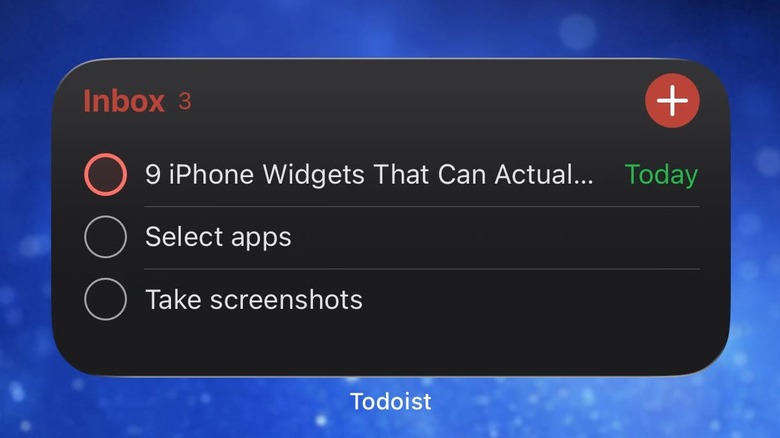
Todoist remains at the top of my list because it has mastered the art of the interactive assistant. With its 4.8-star rating, it remains a pillar of professional organization. The widget functionality is designed for the high-velocity professional. You can add a task, set a priority level, and assign a due date directly from your Home Screen.
What makes it one of the best personal productivity apps is its natural language processing. If you type "Review budget tomorrow at 2 pm," the app automatically sets the reminder. On the widget, you can see your upcoming tasks for the day and check them off as you go. This eliminates the need to go through the ritual of opening the app, which often leads to getting distracted by other notifications. It is a masterclass in Getting Things Done (GTD) principles applied to mobile software.
Why it's great:
- Allows for Real-time Collaboration within shared lists.
- Interactive checkboxes update the app state instantly.
- Support for multiple widget sizes (Small, Medium, Large).
Limitations:
- Advanced features like reminders and filters are locked behind a subscription.
2. Things 3: Ultimate Apple Ecosystem Synergy
Category: Personal Task Manager | Price: One-time Purchase | Interaction: Medium
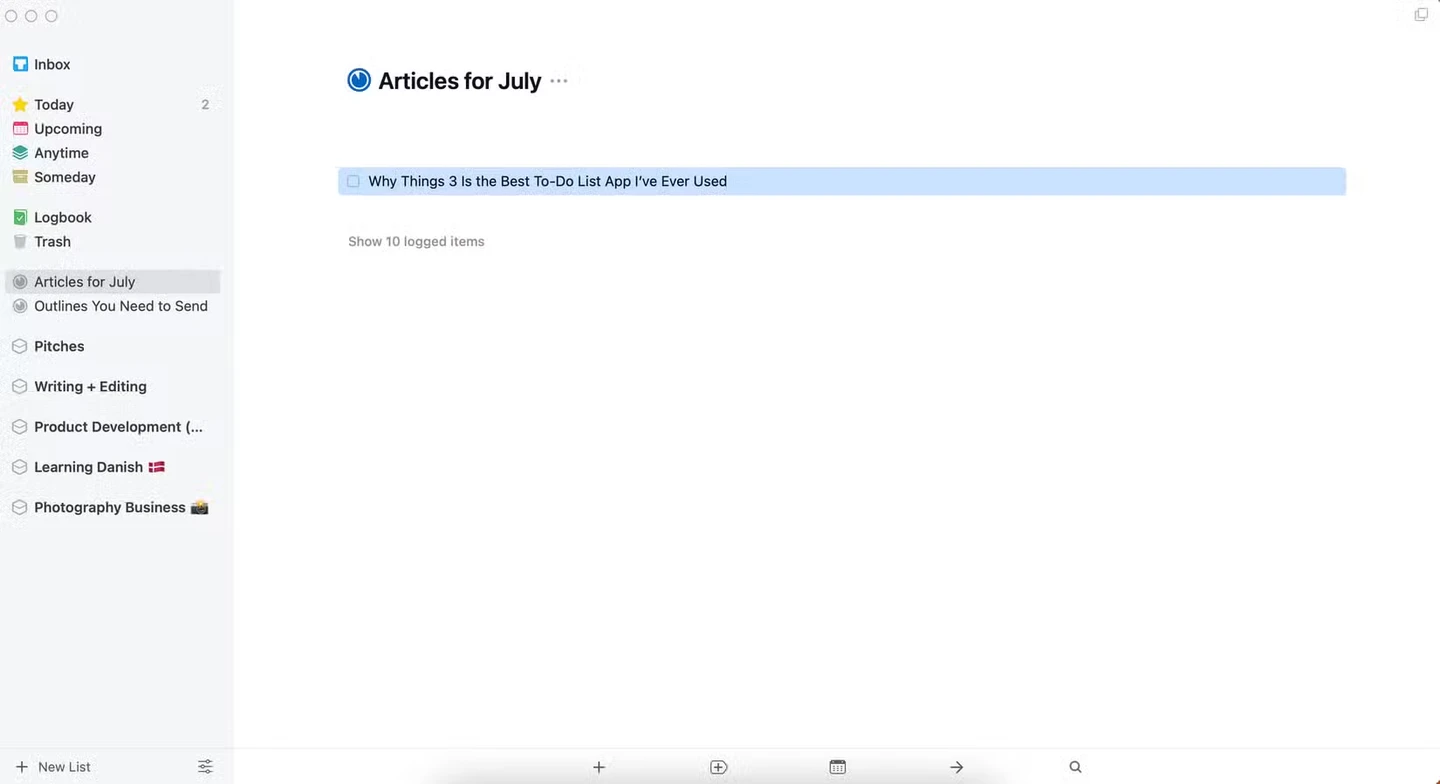
If you are a purist who loves the Apple aesthetic, Things 3 is incomparable. It does not try to be a social network or a complex database; it is built specifically as one of the elite apple productivity apps. The app uses a one-time purchase model, which is refreshing in an era of endless subscriptions.
The widget for Things 3 is incredibly clean. It respects your Home Screen Customization by offering a variety of themes that blend perfectly with iOS. Its deep integration with Siri and the Reminders app means you can voice-command tasks into your inbox while driving, and then manage them via the widget later. It feels like a native part of the operating system, offering a fluid experience that many cross-platform apps struggle to match.
Why it's great:
- Zero lag or loading screens due to native performance.
- Elegant, distraction-free interface.
- No recurring monthly costs.
Limitations:
- No collaborative features; strictly for personal use.
- The price tag ($50 for the full suite) is steep for some.
3. Notion: The Unified Workspace Dashboard
Category: All-in-one Workspace | Price: Free / Subscription | Interaction: Medium-Low
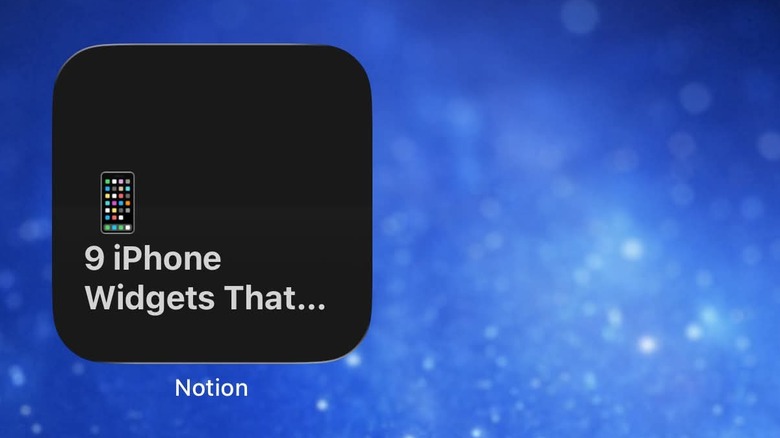
Notion has evolved into the "everything app" for many of us. While it was once seen as too heavy for mobile use, the 2026 widgets have solved the speed issue. You can now place specific "Page" widgets on your screen that act as portals to your most important projects. This makes it an essential entry for best iphone productivity apps for students who need to swap between lecture notes and assignment trackers.
The strength of Notion lies in Cloud Synchronization and Real-time Collaboration. If you are working with a team, the widget can show you a "Recent" feed, so you know exactly what your colleagues have updated. While it lacks the instant-checkoff interaction of Todoist, its ability to surface specialized databases makes it the best choice for managing complex information.
Why it's great:
- Unparalleled flexibility for custom dashboards.
- Excellent for long-term project planning and documentation.
- Free tier is very generous for individual users.
Limitations:
- Mobile launch times are still slightly slower than native apps like Things 3.
- Steep learning curve to get the perfect widget setup.
4. Opal: Block Distractions with One Tap
Category: Focus & Privacy | Price: Free / Subscription | Interaction: High
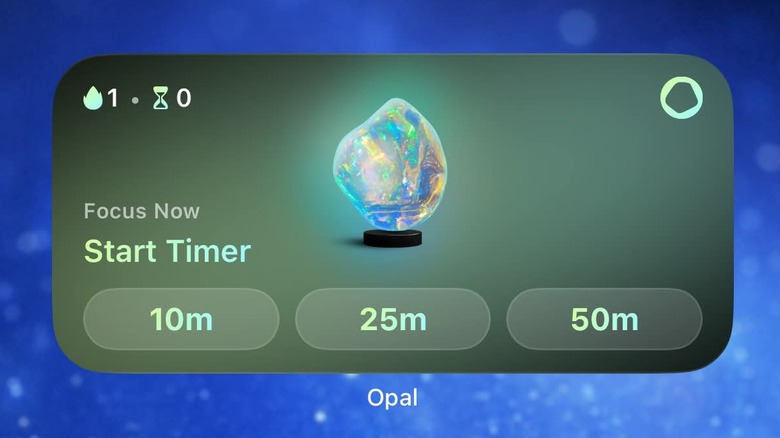
In a world designed to steal your attention, Opal is the digital guardrail you need. It is not just a timer; it is a powerful focus app to block distractions. The Opal widget is a permanent fixture on my Home Screen because it allows me to trigger Focus Sessions with a single tap. When a session is active, Opal uses a local VPN to disconnect the apps that normally lure you away, like Instagram or TikTok.
The widget displays a countdown of your current session and your "Focus Score," which gamifies the process of staying off your phone. For those struggling with phone addiction or looking to master the art of Deep Work, this tool is transformative. It forces you to be intentional about your screen time.
Why it's great:
- Active blocking effectively stops "mindless scrolling."
- Widget provides instant status updates on your focus state.
- Detailed analytics on how much time you have saved.
Limitations:
- Requires setting up a screen time passcode for full effectiveness.
- Premium version is required for automated scheduling.
5. Otter & Goodnotes: Capturing Ideas on the Go
Category: Note-taking & AI | Price: Free / Subscription | Interaction: High
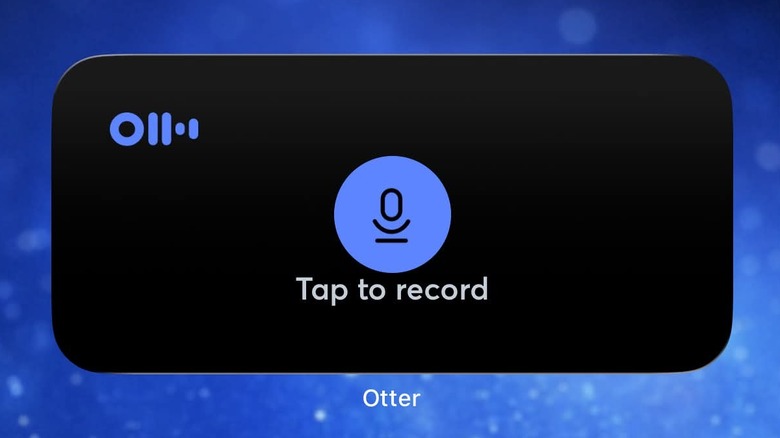
Capturing a brilliant idea the moment it strikes is the hallmark of a productive person. Otter uses AI Transcription to turn your voice into searchable text instantly. Its widget features a massive "Record" button, which is essential for journalists, students, or managers in back-to-back meetings. Being able to start a recording from the Lock Screen or Home Screen means you never lose a fleeting thought.
Goodnotes, on the other hand, is the gold standard for digital notebooks. While it is best known on the iPad, the iPhone widget provides a shortcut to your latest notebook. As one of the best free productivity apps for iphone users (with a limited free tier), it allows you to view your handwritten checklists or annotations while you are on the move. Together, these two apps ensure that no piece of information goes unrecorded.
Why it's great:
- Otter offers high accuracy in voice-to-text.
- Goodnotes syncs digital ink perfectly across all Apple devices.
- One-tap recording for sudden inspiration.
Limitations:
- Otter's free monthly transcription limit can be reached quickly.
- Goodnotes on iPhone is mostly for viewing; writing is difficult on small screens.
6. Endel & MultiTimer: Personalizing Your Deep Work Environment
Category: Utilities & Audio | Price: Multi-Tiered | Interaction: Continuous
Productivity isn't just about lists; it's about the environment. Endel uses AI to generate personalized soundscapes—white noise, focus beats, or relaxing drones—based on your heart rate and the weather. The widget lets you toggle these sounds without breaking your flow. It is a subtle but powerful way to enter a flow state.
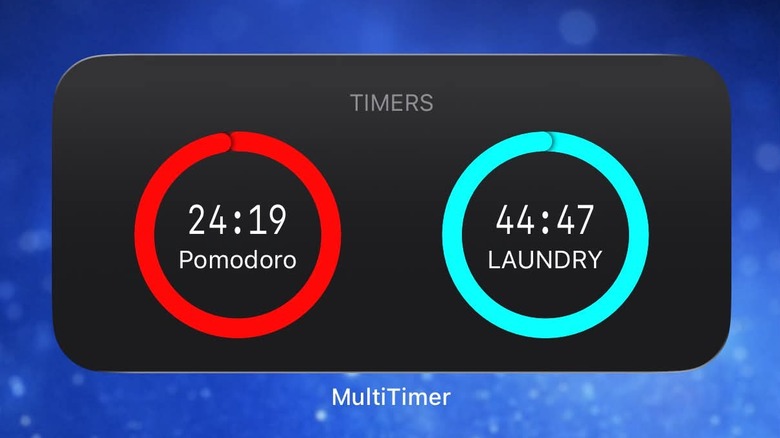
MultiTimer complements this by providing a highly customizable dashboard for the Pomodoro Technique. You can set multiple countdowns for work, short breaks, and long breaks. The widget shows you exactly how much time is left in your current sprint. It is a simple, effective way to manage your energy levels throughout the day without having to constantly check the clock.
Why it's great:
- Endel’s audio is backed by neuroscience to aid focus.
- MultiTimer allows for complex, multi-stage workflows.
- Low battery consumption for long-duration use.
Limitations:
- Endel requires a subscription for full access to all soundscapes.
- MultiTimer’s interface can look a bit technical compared to minimalist apps.
7. Sticky Widgets & Habit Tracker: Visual Motivation
Category: Visual Tools | Price: Free / Cheap | Interaction: Low
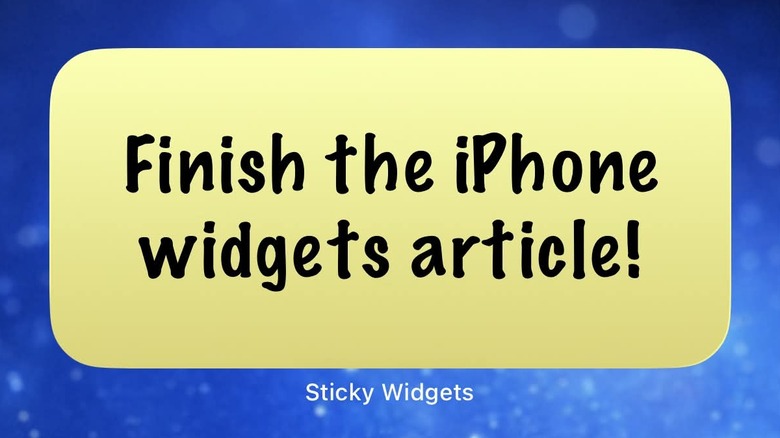
Sometimes the most effective tool is the simplest one. Sticky Widgets brings the concept of the physical post-it note to your Home Screen. You can write a single, urgent reminder—like "Ship the product" or "Call the CEO"—and have it staring at you all day. It’s one of the best free productivity apps because it stops you from getting lost in a sea of sub-tasks.
Similarly, Habit Tracker focuses on consistency. It uses a simple color-coded widget to track your "streaks." Whether you're trying to drink more water or write 500 words a day, seeing that streak on your Home Screen is a powerful psychological motivator. These tools help reduce "app fatigue" by providing all the value on the surface.
Why it's great:
- Extremely easy to setup and use.
- Provides high visual impact for urgent tasks.
- Reduces the need to actually "open" an app.
Limitations:
- Very limited features for complex project management.
- Sticky Widgets can get messy if you use too many at once.
Pro Tip: Optimizing Your Workflow with Smart Stacks
To truly master best iphone productivity apps, you need to understand how to stack them. iOS allows you to place multiple widgets of the same size on top of each other to create a "Smart Stack."
I recommend creating a 4x2 stack for your morning routine. At the bottom, place your Habit Tracker; in the middle, place Todoist; and at the top, place Opal. You can enable Smart Rotate, which uses Siri Suggestions to show you the most relevant app based on the time of day. Your morning habits show up at 8 am, your task list at 9 am, and your focus blocker at 10 am. This level of automation turns your phone into a proactive partner in your success, rather than a passive notification machine.
FAQ
What is the best productivity app for iPhone?
The answer depends on your specific workflow. If you need a robust, collaborative task manager, Todoist is widely considered the gold standard. For those who prefer a minimalist, solo-focused experience that feels perfectly at home in the Apple Ecosystem, Things 3 is the top choice. However, for sheer versatility in creating custom databases and workspaces, Notion is frequently cited as the most powerful.
How can I use my iPhone to be more productive?
The key to productivity is reducing the friction between intention and action. Use widgets to bypass the home screen clutter. Leverage interactive widgets that allow you to check off tasks or start timers without launching the full app. Additionally, using focus modes and apps like Opal can block distractions, turning your phone from a source of procrastination into a tool for Deep Work.
What is the best free productivity app?
For most users, Todoist offers a very capable free version that covers basic task management. If you are looking for note-taking, the free version of Notion is incredibly generous, providing almost all features to individual users. For simple reminders, Sticky Widgets is an excellent free tool to keep important notes visible.
What is the 3 3 3 rule for productivity?
The 3-3-3 rule is a time-management strategy popularized by Oliver Burkeman. It involves spending 3 hours on your most important project (Deep Work), completing 3 shorter tasks that require less focus (like meetings or emails), and doing 3 maintenance tasks to keep your life and work running smoothly (like household chores or scheduling). Using several of the best iphone task management apps with widgets can help you track these categories effortlessly.
What is the #1 productivity app?
While rankings shift, Todoist consistently holds the number one spot for task management due to its cross-platform availability and simple interface. However, in the enterprise and student space, Notion has arguably become the most influential app of the decade due to its ability to replace multiple other tools like Docs, Trello, and Excel.