Quick Facts
- AI Engine: Tensor G5 TPU with 60% more power than the previous G4 generation for on-device processing.
- Top Technical Spec: Super Actua display capable of reaching an industry-leading 3,300 nits peak brightness.
- Weight Reality: The Pro XL model weighs in at 332g, notably heavier than the S26 Ultra at 314g.
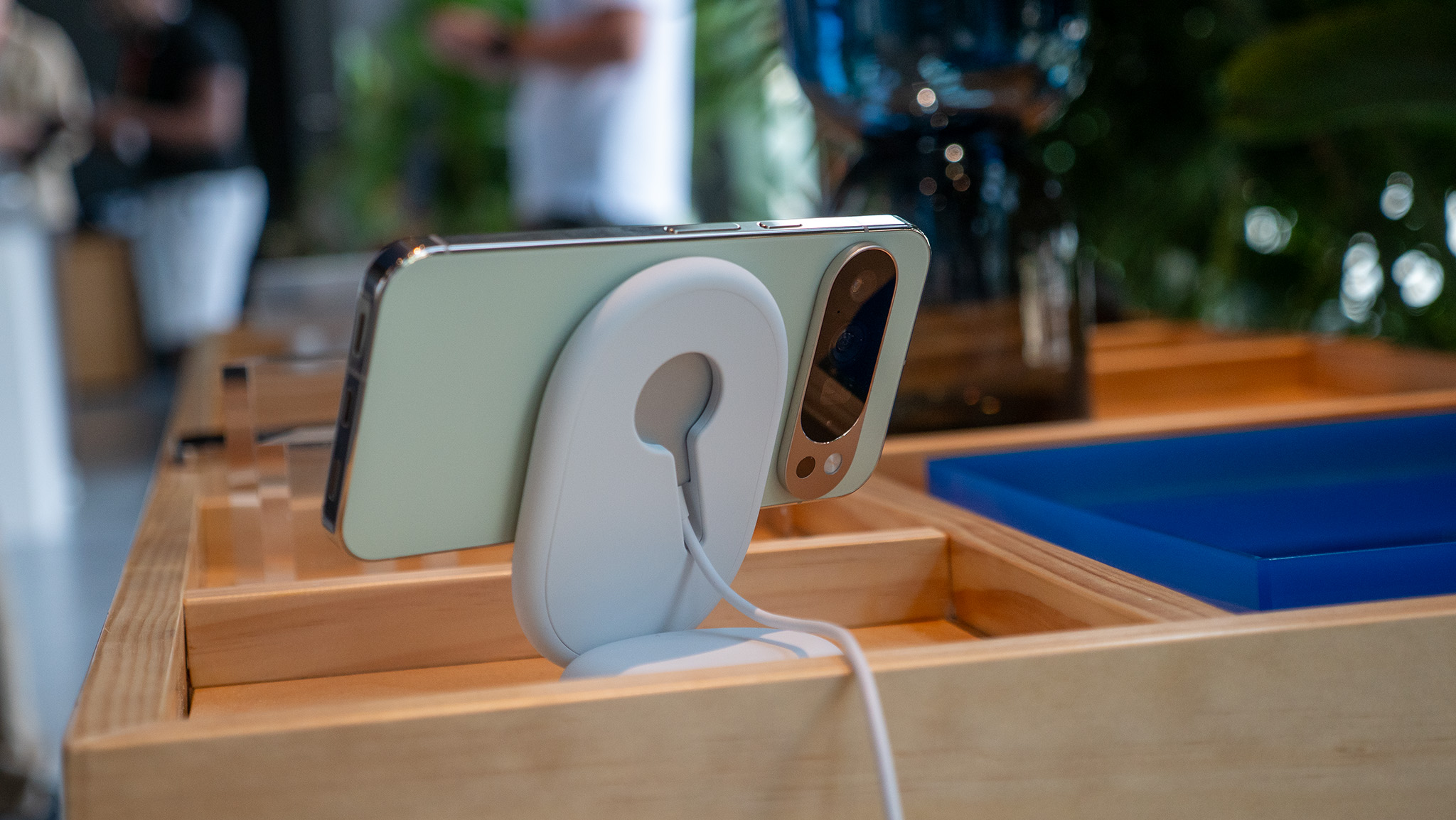
- Charging Standard: Features Qi2-compatible Pixelsnap technology delivering 25W wireless charging.
- Support Lifespan: Google guarantees 7 years of OS and security updates, including regular feature drops.
- Market Momentum: Google hit a record adoption rate of 9.8% in Japan in late 2024, signaling a massive shift in consumer interest.
The Google Pixel 10 is more than just a camera upgrade; it's an AI powerhouse designed to simplify your digital life through deep Android 16 integration. While most users stick to the basics, there are several hidden google pixel 10 features that can redefine your daily workflow, ranging from the intuitive Magic Cue for cross-app data extraction to the highly customizable Quick Tap for instant physical shortcuts.
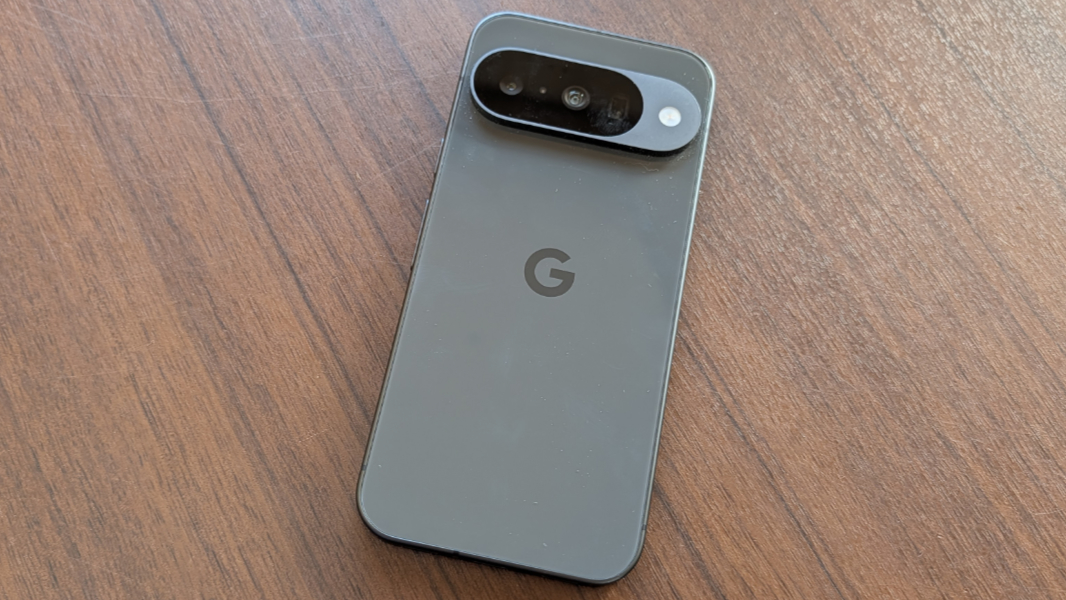
Unlocking the Display: 1344p and Eye Comfort
When you first unbox your phone, you might notice the screen looks great, but it is not actually running at its peak potential. Like many google pixel 10 tips and tricks, the most impactful ones involve diving into the advanced settings to toggle options that Google leaves off by default to save a negligible amount of battery.
1. Switching to Full Resolution
By default, the Google Pixel 10 Pro and Pro XL are set to High resolution (1080p) to conserve power. However, to truly see the benefit of that Super Actua display, you should switch it to Full resolution (1344p). This provides the native 1:1 pixel mapping that makes text look laser-sharp and images pop with extra detail. You can change this by heading to Settings > Display > Screen resolution.
2. Adjusting PWM Rates for Eye Health
For users sensitive to screen flickering, the google pixel 10 pro hidden features list includes a significant upgrade in Pulse Width Modulation (PWM). You can now manually adjust the PWM rate between 240Hz and 480Hz. Higher rates are generally easier on the eyes during late-night reading sessions, reducing the risk of headaches associated with digital eye strain. Navigation to this is found under Settings > Display > Eye Comfort > Advanced.
| Feature Metric | High Resolution (Default) | Full Resolution (Optimized) |
|---|---|---|
| Pixel Density | Standard 1080p | Native 1344p |
| Visual Fidelity | Good | Exceptional |
| Estimated Battery Impact | Baseline | ~5-7% reduction |
| Best For | Power saving | Media and Photography |
3. Adaptive Audio Processing
Beyond visuals, the display is paired with a new adaptive audio system. By using the internal microphones to monitor the acoustics of your environment, the phone adjusts the equalizer settings of the speakers in real-time. This ensures that a podcast sounds clear even if you are in a tiled bathroom or a busy kitchen. Enable this via Settings > Sound & vibration > Adaptive Sound.
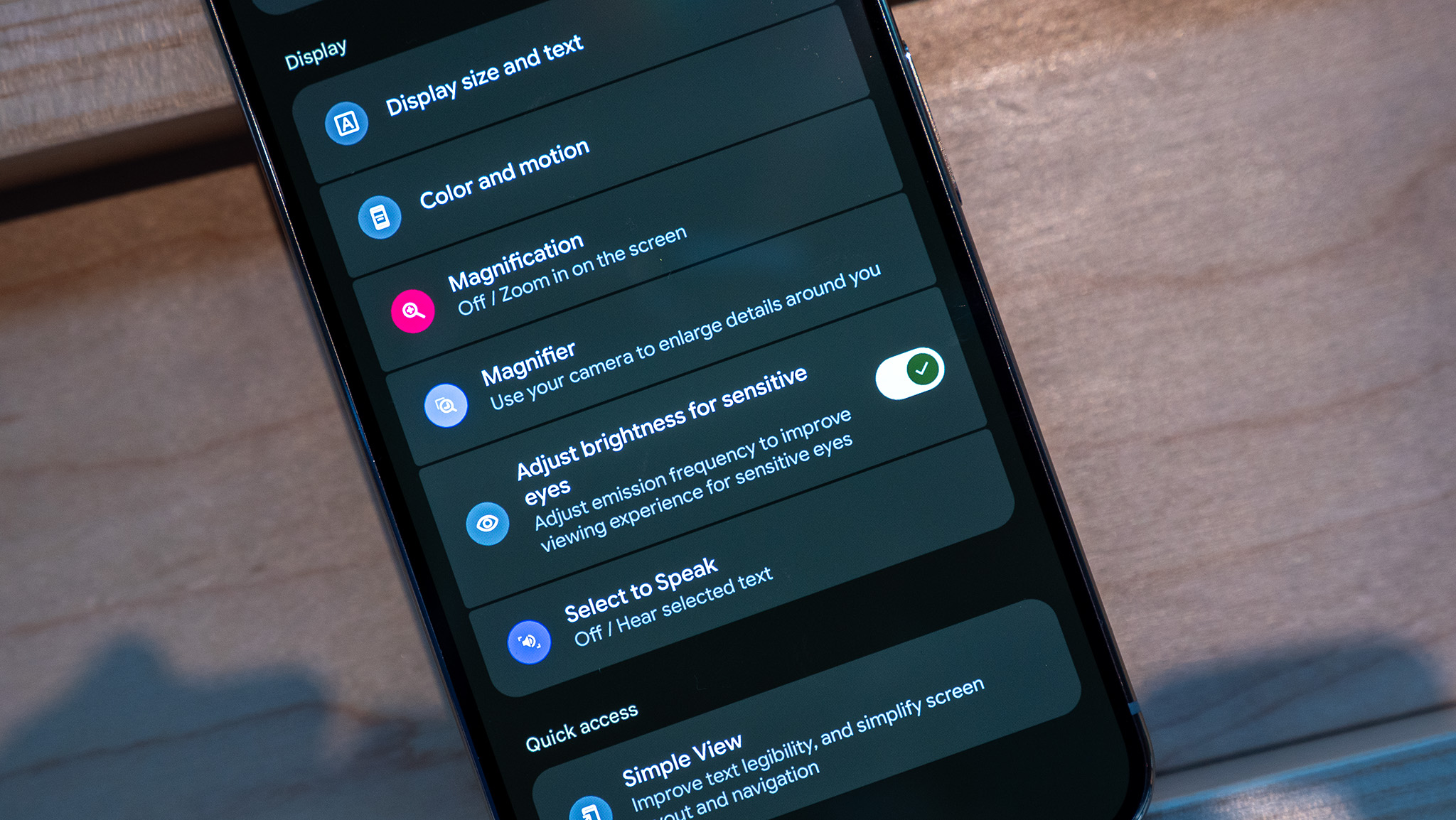
Advanced AI Ecosystem: Magic Cue and Call Assist
The real heart of the google pixel 10 features set is the Tensor G5 chip. Google has transitioned from being a mobile company to an AI-first company, and the Pixel 10 is the manifestation of that. We have seen five update drops in 2024 alone, moving the needle forward on what mobile machine learning can achieve.
4. Magic Cue: Your Cross-App Assistant
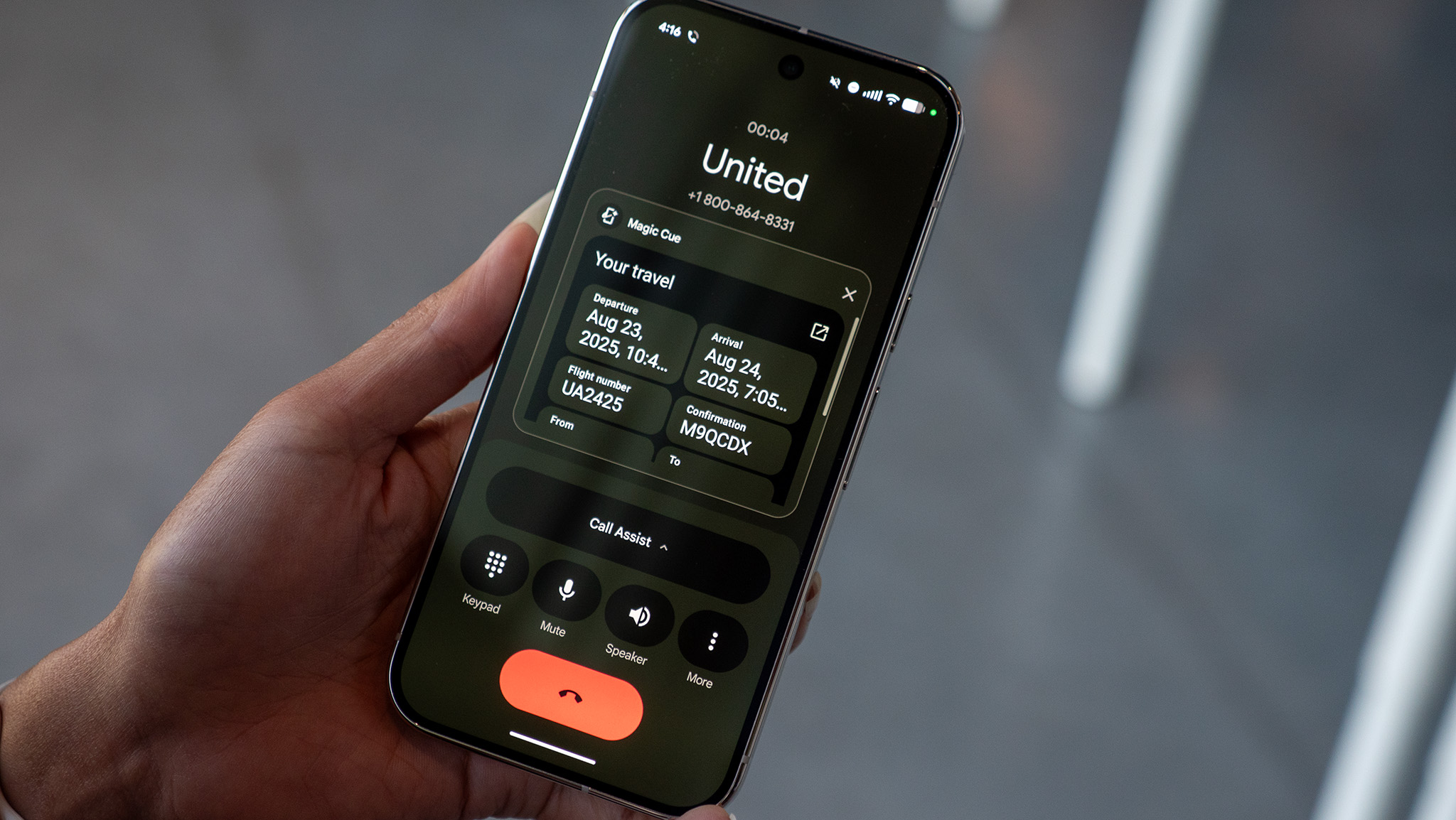
One of the most powerful google pixel 10 ai features is Magic Cue. Imagine you are in a messaging app and need to reference a flight time from an email or a shopping list from your notes. Instead of switching apps, Magic Cue uses Gemini Nano to analyze your recent activity and surface relevant data snippets directly into your keyboard or gesture bar. Set it up at Settings > Apps > Magic Cue.
5. AI-Powered Call Screen and Gemini Nano
The Pixel's Call Screen technology has been filtering spam since 2018, but the latest iteration uses on-device machine learning transcription to handle complex queries. If a delivery driver calls, the AI can ask them where to leave the package and provide you with a real-time transcript, allowing you to pick up the call only if necessary.
6. The Pixel Screenshots App
Gone are the days of scrolling endlessly to find a screenshot of a recipe or a tracking number. The new Google Pixel 10 functionality includes a dedicated Screenshots app that uses local AI to index everything inside your images. You can search for "that red dress" or "electric bill," and it will find the exact image, even summarizing the text within it for quick reading.
7. Real-Time Music Generation in Recorder
The Recorder app has always been a winner for students and journalists, but the google pixel 10 features now include a creative twist. After you record a lecture or an interview, the AI can generate a custom, royalty-free background music track that matches the tone of the conversation, making your voice notes feel more like a polished podcast.
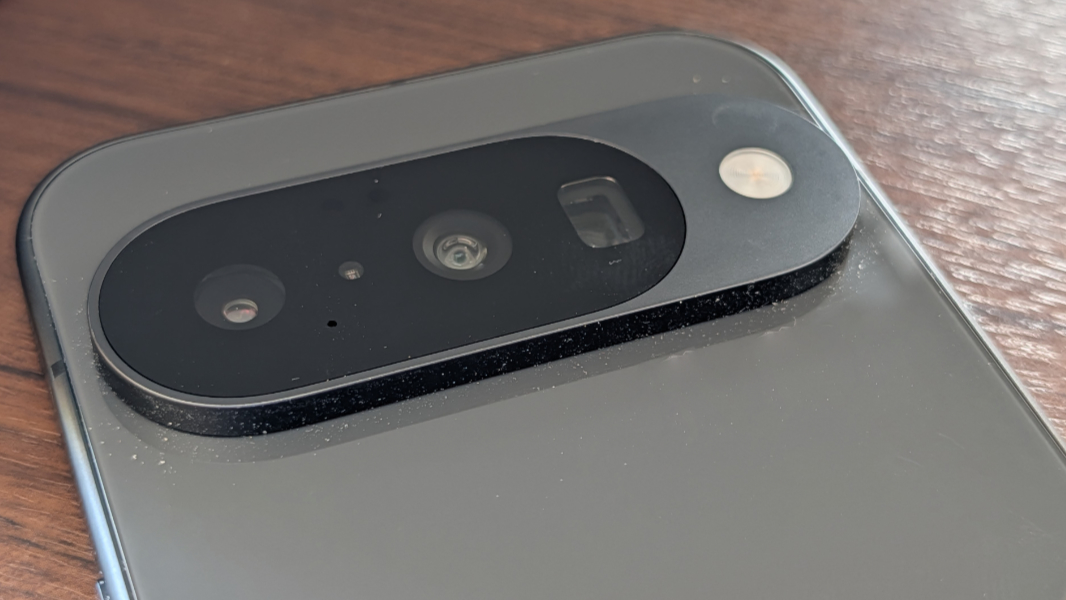
Pro-Grade Creative Tools: Zoom and Webcam Modes
Photography remains the biggest reason people look for google pixel 10 reviews, and the hardware-software synergy here is unmatched. While the raw specs are impressive, it is the hidden cleverness in the camera app that makes the difference.
8. 100x Pro Res Zoom
On the google pixel 10 pro xl features list, the 100x Pro Res Zoom is the standout. While previous models struggled with grain at high magnifications, the Tensor G5 uses a generative AI model to "fill in" missing details when you zoom past 30x. This allows for legible signs and recognizable faces from distances that were previously impossible for a smartphone.
9. Using the Pixel as a High-Definition Webcam
With the rise of remote work, one of the best google pixel 10 tips and tricks is utilizing the USB Video Class (UVC) support. By simply plugging your phone into a PC or Mac via USB-C, you can select 'Webcam' from the USB settings. This uses the massive main sensor of the Pixel 10 as your computer's camera, offering far better quality than any built-in laptop lens.
10. Camera Coach for Composition
If you aren't a professional photographer, the Camera Coach is your best friend. Hidden under Camera App > Settings > Pro Mode, this feature provides real-time haptic feedback and visual cues to help you level your horizon, follow the rule of thirds, and optimize lighting before you even press the shutter.
| Device Comparison | Weight (g) | Primary Material | Peak Brightness (Nits) |
|---|---|---|---|
| Google Pixel 10 Pro XL | 332g | Polished Aluminum | 3,300 |
| Samsung S26 Ultra | 314g | Titanium | 2,800 |
| iPhone 16 Pro Max | 227g | Titanium | 2,000 |
11. Advanced Astro Photography with Smart Filters
The Google Pixel 10 pro camera features include an updated Astro mode. It no longer just takes long exposures of the sky; it now uses smart filters to identify specific constellations and enhance their visibility. It can even generate a short time-lapse of the stars moving while you sleep, all processed on-device.

Privacy and Shortcuts: Private Space and Quick Tap
Security is often cited in discussions about google pixel 10 pros and cons. While the heavy weight is a potential downside, the robustness of the security features is a massive pro.
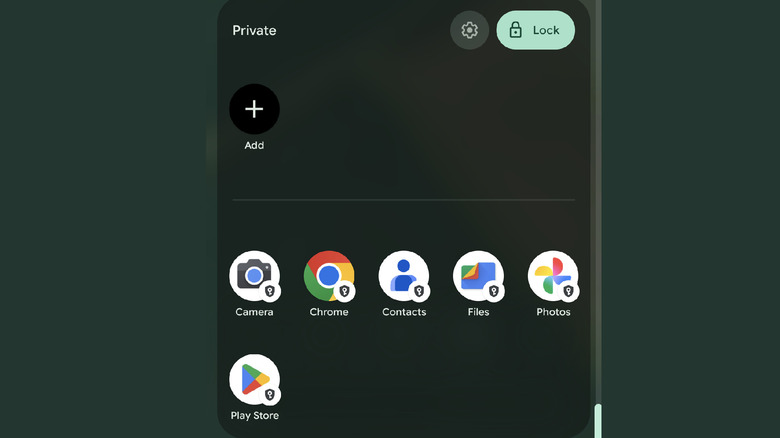
12. Secure Private Space
Introduced fundamentally with Android 16, the google pixel 10 private space guide is essential for anyone with sensitive data. This creates a sandboxed area of your phone that requires a separate PIN or biometric check. You can even use a different Google account for apps within this space, ensuring that your work or banking apps are completely invisible to anyone just browsing your main home screen. Access this via Settings > Security & Privacy > Private Space.
13. Mapping the Quick Tap Gesture
The back of your phone is actually a giant button. By enabling Quick Tap, you can double-tap the back of the device to trigger specific actions like turning on the flashlight, taking a screenshot, or launching an app. I personally use it to toggle my smart home lights. Find this in Settings > System > Gestures > Quick Tap.
14. Customizing the Power Button
Many users find it frustrating that pressing the power button now launches Gemini by default. You can reclaim this physical button for its original purpose—the power menu—by going to Settings > System > Gestures > Press & hold power button. This allows you to quickly restart your phone or access emergency services without having to navigate through AI menus.
FAQ
What features will the Pixel 10 have?
The Google Pixel 10 comes equipped with the Tensor G5 chip, a Super Actua display with 3,300 nits brightness, and advanced AI tools like Magic Cue and Pixel Screenshots. It also supports Pro Res Zoom up to 100x on Pro models and includes a new Private Space feature for enhanced app security.
What is so special about Pixel 10?
The Pixel 10 stands out due to its deep integration of Gemini Nano AI, which powers unique tools like real-time call screening, machine learning transcription, and contextual data extraction. Additionally, it offers one of the longest support windows in the industry with 7 years of promised updates and quarterly feature drops.
What can I do with a Google Pixel 10?
Beyond standard smartphone tasks, you can use the Pixel 10 as a high-quality USB webcam, use AI to organize and search your screenshots, and utilize Call Assist to have the phone wait on hold for you during customer service calls. You can also capture professional-grade night sky photos using the enhanced Astro photography mode.
What is the special feature of Google Pixel?
One of the most defining google pixel 10 features is the Call Assist suite. This includes Call Screen to filter spammers, Clear Calling to remove background noise from your conversations, and Hold for Me, which alerts you exactly when a human representative comes back to the line.
What is the downside of Google Pixel?
A common point in google pixel 10 reviews is the device's physical footprint. The Pixel 10 Pro XL weighs 332g, making it significantly heavier than competitors like the Samsung S26 Ultra or iPhone 16 Pro Max. Furthermore, while the AI features are powerful, they can occasionally lead to faster battery drain if used extensively throughout the day.
The Pixel 10 series represents a major leap in how machine learning can serve the user rather than just being a gimmick. Whether you are using the 100x Pro Res Zoom or the google pixel 10 call assist settings to reclaim your time from spam callers, these 14 features ensure you are getting the most out of your investment.
What is the one hidden feature you can't live without? Let us know in the comments below!