Quick Facts
- The Baseline: 256GB is the recommended minimum phone storage size for 2026 devices to ensure longevity.
- The AI Tax: Modern local AI models now require a dedicated phone storage space of 40GB to 60GB just for system processing.
- Video Demand: High-quality 4K video at 60fps consumes approximately 400MB of space per minute of footage.
- Performance Buffer: Experts recommend keeping a 20% storage buffer to prevent OS throttling and maintain NAND flash technology speeds.
- Comparison Limit: A 128GB capacity typically holds about 1,000 songs and 900 high-resolution photos, leaving little room for large modern apps.
- Cloud Strategy: While iCloud integration and Google Photos help, they cannot offload the massive system footprints and app data required for offline use.
In 2026, 256GB has become the essential choice for phone storage for most users. While 128GB is technically functional, the rise of on-device AI processing and high-resolution media leaves little room for growth, making 256GB the only safe bet for future-proofing devices and ensuring smooth performance over a three-to-four-year upgrade cycle.
The Audit: How Much Phone Storage Am I Using Right Now?
Before you click "buy" on your next upgrade, you need to understand your current digital footprint. Most users overestimate how much space their photos take up while vastly underestimating the space occupied by cached data from apps like Instagram, TikTok, and WhatsApp.
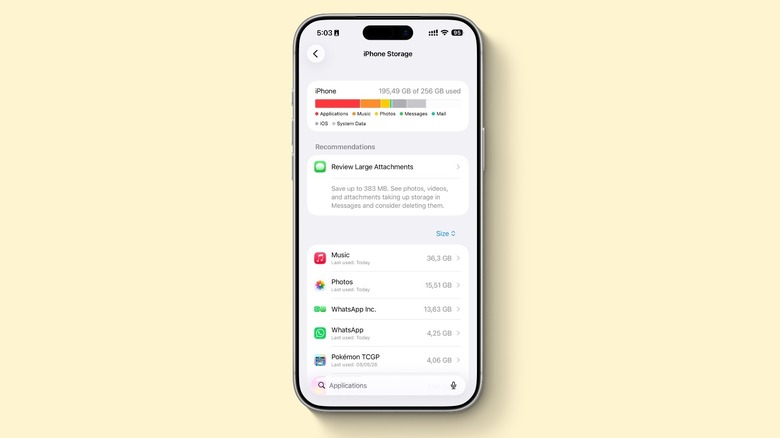
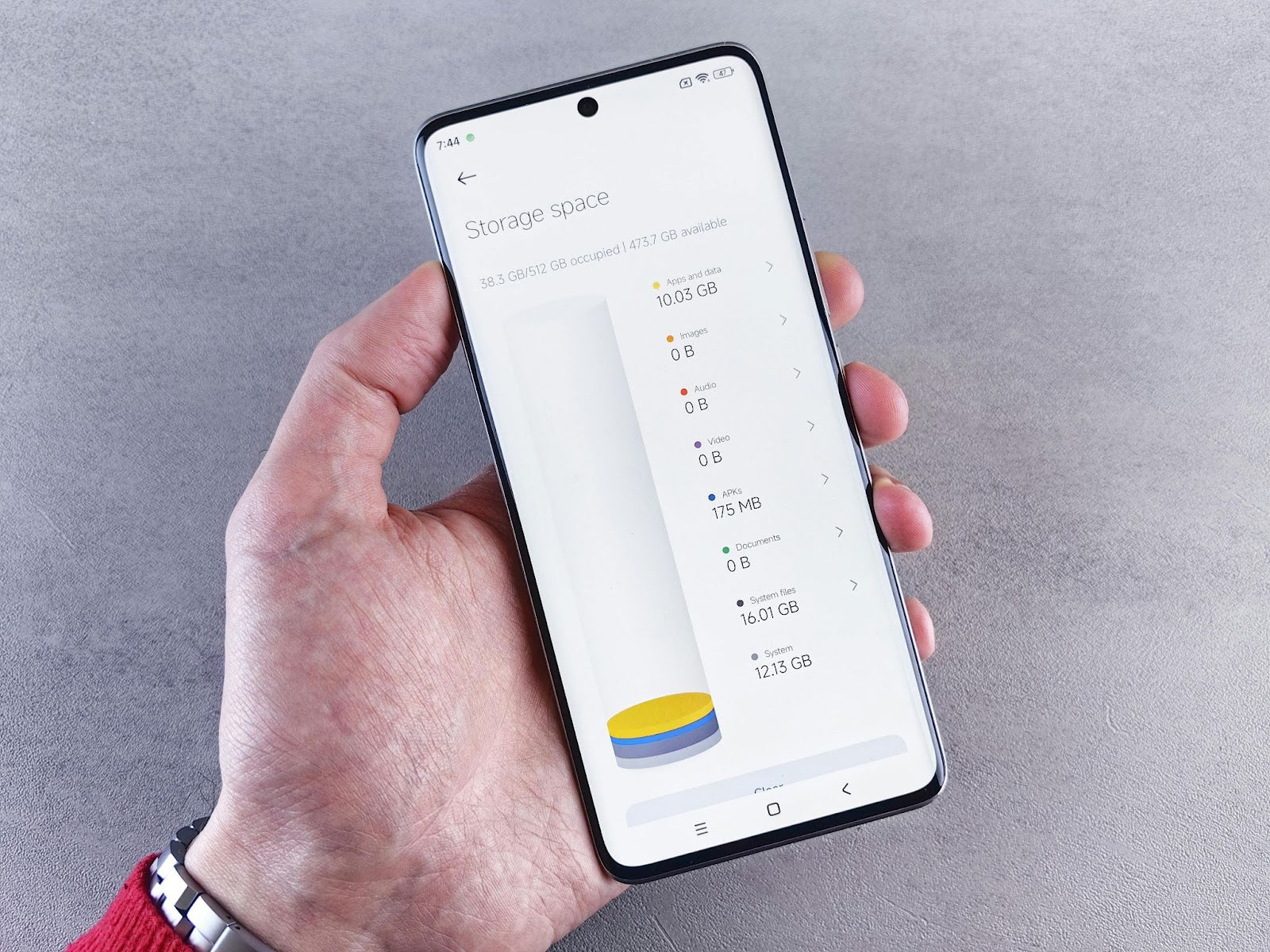
To open my phone storage settings on an iPhone, I usually tell readers to head to Settings, tap General, and then select iPhone Storage. This menu provides a color-coded breakdown of what is actually happening under the hood. For Android users, the path is usually Settings then Storage. You might be surprised to see that "System Data" or "Other" takes up a massive chunk of your phone storage space before you even download your first game.
The real culprit for most people is app cache management. Messaging apps are notorious for hoarding years of video clips and high-resolution photos in the background. If you want to check how much phone storage I am using effectively, look at the "Available" number rather than the "Used" number. If you have less than 15GB of free space right now, you are already in the danger zone for performance lag.
The 2026 AI Tax: Why 128GB is the New 64GB
Just a few years ago, 128GB felt like plenty of room. However, the smartphone landscape has shifted toward on-device AI processing. Unlike older "smart" features that relied on the cloud, current flagship devices run large language models (LLMs) and image generation engines directly on the hardware to ensure privacy and speed.
According to recent industry reports from TrendForce, local AI models on flagship smartphones will require between 40GB and 60GB of dedicated system storage for processing. This is a non-negotiable "AI Tax." If you buy a 128GB phone, and the system plus the AI models take up 70GB, you are left with barely 50GB for your entire digital life.
This massive OS system footprint is why we are seeing a shift in how much phone storage does local ai require for the average user. When you account for the necessary 20% overhead that NAND flash technology needs to function efficiently, a 128GB device essentially becomes a storage-management chore from day one. Selecting 256GB gives you the breathing room to let these smart features work without constantly deleting apps to make room for a system update.
Media Habits: 4K Video and Gaming Demands
If you enjoy capturing life in high definition, the 128GB vs 256GB phone storage for 4k video debate is quickly settled by the math. Recording 4K video at 60 frames per second on a smartphone typically consumes approximately 400 MB of storage per minute.
For a parent recording a 10-minute school play or a traveler capturing a scenic sunset, those gigabytes disappear fast. If you step up to professional-grade 4K ProRes video, you can consume several gigabytes in just a few minutes. While HEVC video compression helps keep files lean, it cannot overcome the pure density of high-bitrate data.
Then there is the question: is 128gb enough for phone gaming 2026? For casual players of Wordle or Candy Crush, yes. But for anyone interested in AAA mobile gaming titles, the answer is a firm no. Games like Genshin Impact or modern Resident Evil ports can easily take up 30GB to 50GB of space. On a 128GB phone already burdened by the AI Tax, you might only be able to fit one or two major games before hitting a wall.
Comparing the Capacity
To help visualize the difference between these two phone storage sizes, consider this breakdown of what you can actually store on your device in a real-world scenario.
| Storage Content | 128GB Capacity (Estimated) | 256GB Capacity (Estimated) |
|---|---|---|
| System + Local AI Reserve | ~60GB | ~60GB |
| Available for User | ~68GB | ~196GB |
| Photos (High-Res) | ~900 to 2,000 | ~30,000 to 60,000 |
| 4K Video (60fps) | ~60 to 100 minutes | ~400+ minutes |
| AAA Mobile Games | 1-2 titles | 5-10 titles |
| Offline Music | ~1,000 songs | ~15,000 songs |
As Samsung manufacturer estimates suggest, a 128GB phone is great for a basic combination of apps and photos, but it struggles once you add high-resolution media into the mix.
The Economics of Upgrading: Internal vs. Cloud Storage
Many of my readers ask if they can just stick with 128GB and pay for a monthly subscription cloud services plan instead. While iCloud integration or Google Photos is a lifesaver for backing up memories, it is not a perfect substitute for internal hardware.
Internal NAND flash technology is significantly faster than any cloud connection. When you open an app or edit a video, your phone relies on that local speed. If your phone storage is full, the device has to constantly "offload" and "reload" data from the cloud, which drains your battery and uses your data plan.
Furthermore, cloud storage doesn't help with your OS system footprint or large app data. You cannot install a 40GB game onto iCloud. When you look at the best phone storage size for long term use, the $100 or $150 premium for 256GB often pays for itself over three years when compared to the escalating costs of cloud subscriptions and the frustration of managing files.
If you find yourself constantly looking for how to free up phone storage android or iOS tips, you are spending time that is likely worth more than the cost of the hardware upgrade.
Final Decision Matrix: Who Should Buy What?
Choosing your phone storage depends entirely on your lifestyle and how long you plan to keep the device.
Stick with 128GB if:
- You are a "Cloud Minimalist" who streams all your music and movies.
- You rarely record video and mostly use your phone for communication and browsing.
- You plan to trade in your phone within 12 to 18 months.
- You are buying a budget or mid-range device that doesn't support heavy on-device AI processing.
Upgrade to 256GB (The Baseline) if:
- You want a phone that lasts 3 years or longer without slowing down.
- You enjoy mobile gaming or like to keep a library of apps available offline.
- You regularly capture 4K video or high-quality photos of family and travel.
- You want to use the latest AI features without worrying about system warnings.
Consider 512GB or More if:
- You are a content creator using 4K ProRes video for social media.
- You frequently travel to areas without reliable internet and need everything stored locally.
- You don't want to think about storage management for the next half-decade.
FAQ
Do I really need 256GB storage?
For most people buying a new smartphone in 2026, yes. With the combination of larger operating systems, on-device AI models taking up 40-60GB, and the sheer size of modern apps, 128GB leaves very little room for personal files and future updates. 256GB is the current "sweet spot" for longevity and performance.
What takes up the most storage on your phone?
High-resolution media like 4K video and large mobile games are usually the biggest culprits. However, hidden data like the OS system footprint and app caches from social media platforms can often occupy 30% to 50% of your total capacity without you realizing it.
How do I find out my phone storage?
On an iPhone, go to Settings > General > iPhone Storage to see a detailed graph. On most Android devices, go to Settings > Storage. These menus will show you exactly which categories—apps, photos, or system data—are consuming your space.
What can I do when my phone storage is full?
You can start by deleting unused apps and clearing the cache in apps like Safari or Chrome. Managing your "Recently Deleted" photo album and offloading large videos to a computer or cloud service are also effective ways to regain space. For a deeper clean, look for large attachments in your messaging apps.
Where is storage in settings?
On iOS, it is located under Settings > General > iPhone Storage. On Android, you can typically find it under Settings > Storage or Settings > Device Care > Storage, depending on the manufacturer.